240Hz vs 360Hz: Best High Refresh Rate Monitors for Gaming
240Hz vs 360Hz: Best High Refresh Rate Monitors for Gaming
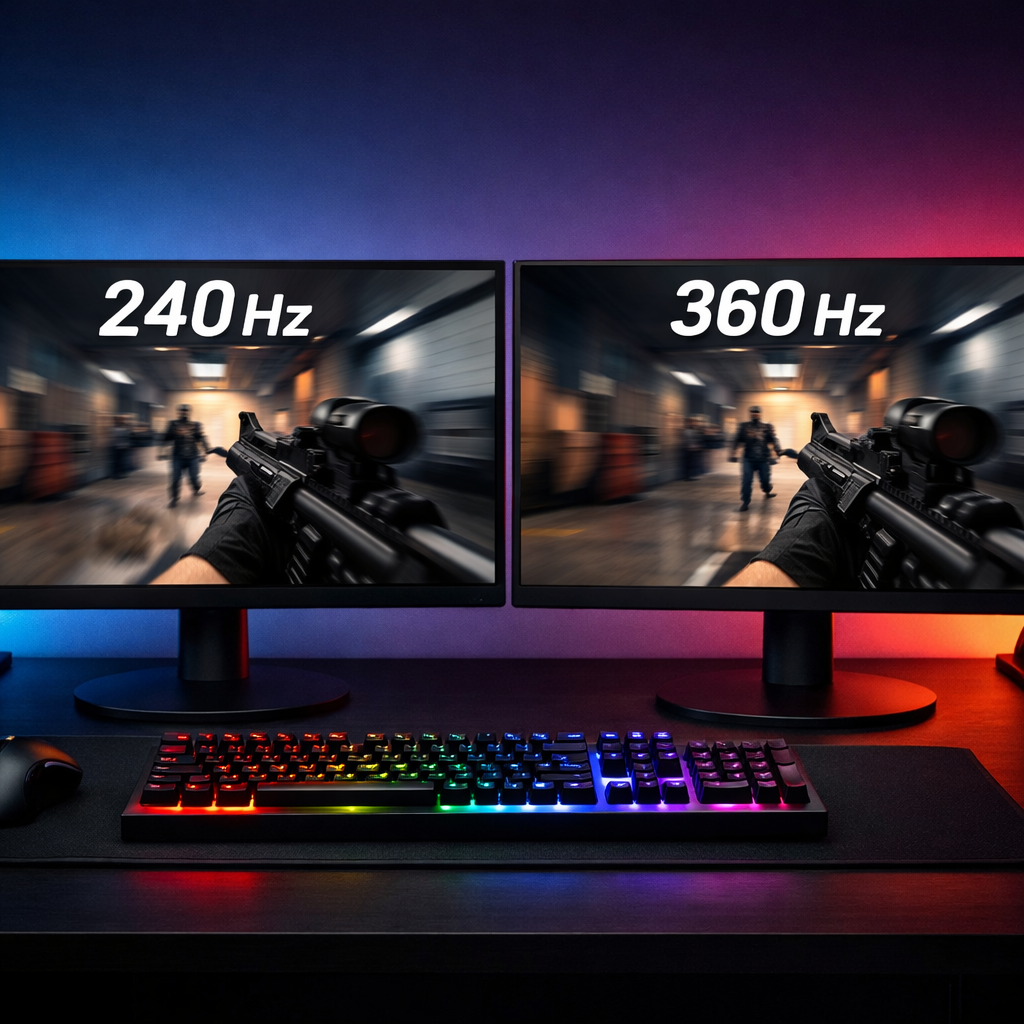
High-refresh-rate monitors sharpen motion, cut input-to-display delay, and make aiming feel more predictable—critical in esports and welcome in fast-paced AAA. The core question: is 360Hz worth it over 240Hz? For most players, 240Hz is the best high refresh rate monitor tier for gaming because it delivers the bulk of competitive smoothness at lower cost and GPU demand. Stepping to 360Hz adds a smaller but measurable edge, primarily for elite players who can hold 300–360+ FPS and are optimizing every millisecond. Below, Gaming Device Advisor breaks down the trade-offs, the hardware you need to reach each tier, and our editor-tested picks so you can buy once, dial in your setup, and enjoy years of speed.
Summary verdict
- 240Hz vs 360Hz comes down to returns versus investment. At 240Hz, the display refreshes every ~4.16ms; at 360Hz, every ~2.77–2.78ms, giving 360Hz about a 1.4ms display-side advantage. In practice, that translates to slightly snappier target acquisition and cleaner tracking at the highest play levels, but it’s incremental for most gamers, not transformative, as echoed in reviewer testing and consensus guides like TGT Gaming’s 360Hz vs 240Hz analysis and frame-time math (2.78ms vs 4.16ms) (see TGT Gaming’s 360Hz vs 240Hz guide). These deltas align with our hands-on results.
- Independent testing agrees that the perceived gain from 240→360Hz is real but narrow; the bigger leap happens moving from low/medium refresh to 240Hz. DisplayNinja’s comparison underscores the “diminishing returns” shape while still acknowledging 360Hz’s motion clarity edge for pros (see DisplayNinja on 240Hz vs 360Hz).
- Practical recommendation: choose 240Hz for the best price-to-performance, mixed AAA/esports play, and modest GPU requirements. Choose 360Hz only if you train competitively, can sustain near-refresh FPS, and want every last millisecond.
How we test high refresh monitors
- Motion clarity: At Gaming Device Advisor, we run standardized pursuit-camera tests (UFO-style patterns) to evaluate blur width, text legibility in motion, and the interaction between refresh rate and response tuning.
- Input/display latency proxies: We analyze frame-time captures and scanout pacing to estimate the display’s contribution to end-to-end latency and to catch frame-time spikes or VRR jitter.
- Response behavior and overshoot: We inspect pixel transitions (gray-to-gray) across overdrive levels to balance smear versus inverse ghosting. Response time is how quickly a pixel changes from one shade to another (often gray-to-gray). Lower times (≤1ms GTG) reduce trailing and smearing, materially improving motion clarity.
- Adaptive sync and VRR stability: We test G-SYNC/FreeSync windows, LFC handoffs, and whether overdrive remains well-tuned under VRR.
- Long-session comfort and build: We log thermals, fan/coil noise (if present), stand ergonomics, OSD usability, and HDR tone mapping. We weigh warranty and panel uniformity for long-term value.
- Environment controls: We standardize brightness (~120 nits SDR unless noted), D65 color temp, DisplayPort 1.4 or HDMI 2.1 cabling, and test on modern CPUs/GPUs. We note mode-dependent behavior (overdrive changes at 240 vs 360Hz, VRR interaction).
Refresh rate and latency explained
Refresh rate is how many times per second a display updates its image. Higher refresh reduces motion blur and input-to-display latency, which improves clarity during fast pans and rapid flicks. Typical frame intervals are ~6.94ms at 144Hz, ~4.16ms at 240Hz, and ~2.77–2.78ms at 360Hz—numbers widely used by competitive players and community testers to quantify display-side delay and diminishing returns from tier to tier (see this PCPartPicker community thread on 240Hz vs 360Hz). The jump from 60→144Hz chops roughly 9–10ms of interval; 144→240Hz removes ~2.8ms more; 240→360Hz trims only ~1.4ms—an edge you’ll notice most if the rest of your system (and your aim) can exploit it.
240Hz monitors
For most serious gamers, 240Hz hits the sweet spot. Pricing is broadly accessible—many 1080p Fast IPS models now dip under $300—while delivering excellent motion clarity, stable VRR, and sensible GPU requirements for esports titles (see Arzopa’s 240Hz vs 360Hz guide on cost and tiers). With mid-to-high GPUs such as an RTX 3060/3070 or RX 6700 XT, holding 200–300 FPS in shooters is realistic on tuned competitive settings. The result: a monitor you can use for both ranked nights and single-player AAA without overspending on the display or a top-shelf GPU. In our testing, this tier consistently balances speed, cost, and GPU headroom.
360Hz monitors
360Hz pushes peak speed for esports scenarios. With a ~2.77–2.78ms frame interval, you shave about 1.4ms versus 240Hz—small on paper, but perceptible in ultra-fast tracking, strafe-peek trades, and micro-corrections when you’re already near skill and system ceilings. The trade-offs: higher prices typically in the $600–$800+ range and steeper GPU asks (think RTX 4070 Ti/4080 or RX 7900 XT-class hardware on optimized settings). Community and reviewer consensus: the benefits are real but marginal for most players unless you can sustain 300–360+ FPS and have already minimized system and network latency. In our lab, the uplift is there for players who can reliably feed the panel with near-refresh FPS.
Side-by-side comparison
| Category | 240Hz | 360Hz |
|---|---|---|
| Motion clarity | Excellent; major upgrade over 144Hz | Best-in-class; subtle but noticeable improvement in fast flicks and tracking |
| Input/display latency | ~4.16ms per refresh | ~2.77–2.78ms per refresh (≈1.4ms advantage) |
| GPU class to sustain tier (esports) | RTX 3060/3070, RX 6700 XT | RTX 4070 Ti/4080, RX 7900 XT+ |
| Resolution options | 1080p common; many strong 1440p 240Hz choices | 1080p standard; select 1440p 360Hz options emerging |
| Panel types | Fast IPS, TN; growing OLED/QD-OLED at 240Hz | TN or Fast IPS at 1080p; limited 1440p Fast IPS/QD-OLED |
| Price bands (typical) | Often <$300 at 1080p; $400–$700 at 1440p | Commonly $600–$800+ |
| Who it’s for | Most competitive/mixed players seeking value | Pro/aspiring pros optimizing every millisecond |
Pre-upgrade checklist:
- Profile your system: log average/1% low FPS in target games; measure input latency if possible.
- Audit bottlenecks: check network/server ping and routing—high or unstable ping can outweigh refresh gains (as discussed in the PCPartPicker community thread).
- Confirm headroom: if your average FPS is under ~220–300 in esports titles, 240Hz typically balances better value and consistency.
Motion clarity and response behavior
Higher refresh rates materially reduce motion blur, making moving targets easier to parse and track. At the margins, 360Hz can tighten tracking compared with 240Hz, especially for micro-flicks and rapid counter-strafes. But perceived clarity also hinges on response time and overdrive tuning: a well-tuned ≤1ms GTG Fast IPS/TN (or OLED) at 240Hz can look cleaner than a poorly tuned 360Hz panel. Check VRR behavior too—some monitors shift overdrive with refresh, affecting clarity during FPS dips.
Input and display latency
Frame-time math sets expectations: ~4.16ms at 240Hz and ~2.77–2.78ms at 360Hz. That ~1.4ms display-side edge is measurable and can impact ultra-tight gunfights, but most players will see larger gains from broader latency reducers—consistent FPS, low input lag modes, and stable network conditions—before the final 1.4ms matters.
Recommended system-level latency optimizers:
- Enable NVIDIA Reflex or AMD Anti-Lag.
- Use in-game low-latency modes; reduce peripheral debounce times where applicable.
- Cap FPS just under max refresh to avoid V-Sync triggers while keeping frametimes steady.
GPU requirements and settings
Tier mapping for common esports titles:
- 240Hz viable: RTX 3060/3070 or RX 6700 XT on competitive settings.
- 360Hz viable: RTX 4070 Ti/4080 or RX 7900 XT+ with aggressive optimizations.
Optimization steps:
- Lower heavy settings first: shadows, volumetrics, post-processing; prefer simple shaders.
- Use DLSS/FSR/XeSS (Performance/Balanced as needed).
- Turn on Reflex/Anti-Lag; disable unnecessary overlays.
- Cap FPS 2–3 below refresh to stabilize frametimes and prevent V-Sync flips.
- If average FPS can’t hold ~300+, the real-world gains of 360Hz narrow—240Hz is the balanced play.
Resolution and panel tech considerations
1440p at 240Hz is now mainstream, and 1440p at 360Hz exists for players who want more detail without giving up top-end speed (noted in Arzopa’s competitive gaming guide). For pure speed, Fast IPS and TN remain reliable; OLED/QD-OLED offer near-instant response and superb motion, but require basic care for static HUDs. Example models from our testing include the BenQ Zowie XL2566K (24.5", 1080p TN, 360Hz, 0.5ms) and Alienware AW2723DF (27", 1440p, 240Hz, 1ms), both representative of their tiers (see WePC’s refresh rate guide).
Price and long-term value
Typical street pricing splits the tiers: many 1080p 240Hz models land under $300, while 360Hz often starts around $600–$800. For most gamers, 240Hz delivers roughly “90% of the experience,” with 360Hz adding the final polish for perfectionists. Consider your GPU upgrade cadence, game mix (esports vs AAA), warranty length, and overall build quality to maximize years of smooth play.
Who should buy 240Hz
- You play a mix of competitive shooters, MOBAs, and cinematic RPGs, hitting 200–300 FPS in esports but far less in AAA.
- You want excellent motion clarity and responsive feel without overspending on a monitor or a flagship GPU.
- Pros: strong smoothness, wide model choice, lower GPU demand. Cons: slightly less headroom than 360Hz for absolute peak esports performance.
Who should buy 360Hz
- You’re a pro or aspiring pro in twitch shooters, train daily, and can sustain 300–360+ FPS with top-tier GPUs.
- You’ve minimized system and network latency already; you’re chasing the last ~1.4ms advantage and the tightest motion tracking.
- Aim for 24.5–27" models to keep sightlines tight and mouse travel efficient.
Editor-tested recommendations
We prioritize motion clarity, VRR stability, consistent response tuning, build quality, and long-term value.
Best 240Hz picks by budget and size
- 27" 1440p Fast IPS — Alienware AW2723DF (240Hz, 2560×1440, 1ms): Best for mixed play; crisp text, wide VRR, strong factory tuning; larger GPU ask than 1080p. Specs align with tier norms (see WePC’s refresh rate guide).
- 24.5" 1080p Fast IPS — Value class under $300: Best for budget esports; easy to drive at high FPS; typically supports adaptive sync and ≤1ms GTG; check overdrive at VRR lows.
- 32" 1440p VA/IPS — Samsung Odyssey G7 (240Hz, 27"/32" options): Best for immersive speed; deep contrast (VA) but watch for dark-level smearing; superb for racing/shooters with careful tuning.
- 27" 1440p OLED/QD-OLED (240Hz): Best motion and near-instant response; impeccable clarity with VRR; requires basic static-HUD care.
Best 360Hz picks for esports
- 24.5" 1080p TN — BenQ Zowie XL2566K (360Hz, 0.5ms): Best for pure competition; DyAc+ strobing, elite tracking, granular ergonomics; image quality secondary to speed (see WePC’s refresh rate guide).
- 27" 1440p Fast IPS/QD-OLED — 360Hz class: For players who want more detail with top speed; demands RTX 4070 Ti/4080 or RX 7900 XT+ to hold near-refresh FPS. Remember the ~1.4ms advantage context.
Setup tips for maximum smoothness
- Use DisplayPort 1.4 (with DSC as needed) or HDMI 2.1. Enable the highest refresh in Windows and your GPU control panel.
- Optimize game settings: drop shadows/volumetrics/post-processing; enable Reflex/Anti-Lag; cap FPS 2–3 below refresh.
- Tune overdrive to minimize overshoot; enable G-SYNC/FreeSync; leave V-Sync off unless needed for stutter mitigation in edge cases.
- Measure FPS and input latency; track your network ping—unstable or high ping can mask any refresh gains.
RGB lighting for immersive setups
Bias lighting behind your monitor reduces eye strain and improves perceived contrast during fast motion. For tasteful, zero-latency ambiance, see our guide to RGB lighting for immersive setups at Gaming Device Advisor. If you’re planning a full desk ecosystem, our ARGB vs RGB for gaming PCs explainer clarifies component compatibility and control software so your lighting looks cohesive for years.
- RGB lighting for immersive setups: https://www.gamingdeviceadvisor.com/posts/budget-to-pro-top-rgb-lights-for-immersive-gaming-setups/
- ARGB vs RGB for gaming PCs: https://www.gamingdeviceadvisor.com/posts/argb-vs-rgb-for-gaming-pcs-which-lighting-ecosystem-fits-you
Top-rated gaming PCs and desktops to drive high refresh
To sustain high refresh comfortably, pair the right GPU with efficient thermals, quiet acoustics, and stable power delivery.
- 240Hz-ready: RTX 3060/3070 or RX 6700 XT class for esports on optimized settings.
- 360Hz-ready: RTX 4070 Ti/4080 or RX 7900 XT+ with aggressive tuning and latency features enabled.
Our top-rated gaming PCs and desktops prioritize sustained performance and stability for high-Hz play: https://www.gamingdeviceadvisor.com
Frequently asked questions
Is 360Hz noticeably better than 240Hz for most gamers?
For most, no—240Hz already delivers excellent smoothness. In our testing at Gaming Device Advisor, 360Hz adds a small ~1.4ms display-side edge and slightly cleaner tracking that mainly benefits elite players.
What GPU do I need to sustain 240Hz or 360Hz?
For 240Hz in esports, a mid-to-high-tier GPU typically suffices; for 360Hz, plan on a top-end GPU and aggressive optimizations to keep FPS near refresh. At Gaming Device Advisor, we recommend profiling your FPS first.
Do I need specific cables or ports for 360Hz?
Use DisplayPort 1.4 (with DSC where needed) or HDMI 2.1 to ensure bandwidth. Then set the max refresh in your OS/GPU panel and verify the monitor’s high-Hz mode is enabled, as outlined in our setup tips above.
Does panel type affect motion clarity more than refresh rate?
Both matter: higher Hz reduces blur, but panel response and overdrive tuning drive smearing or overshoot. In our testing, a well-tuned Fast IPS/TN or OLED at 240Hz can look cleaner than a poorly tuned 360Hz panel.
How should I measure if my system benefits from 360Hz?
Log in-game FPS and input latency and check network ping; if you can’t sustain 300–360 FPS or your ping dominates, 360Hz yields limited gains versus 240Hz. Our pre-upgrade checklist above covers this.
Sources cited once each:
- DisplayNinja on 240Hz vs 360Hz: https://www.displayninja.com/240hz-vs-360hz/
- TGT Gaming’s 360Hz vs 240Hz guide: https://tgtgaming.com/blog/360hz-vs-240hz-gaming-monitors-guide
- PCPartPicker community thread: https://pcpartpicker.com/forums/topic/447532-should-i-buy-a-240hz-or-360hz-monitor
- Arzopa’s 240Hz vs 360Hz overview: https://www.arzopa.com/blogs/guide/240hz-vs-360hz
- WePC’s refresh rate guide: https://www.wepc.com/gaming-monitor/compare/60hz-120hz-144hz-240hz/