Best Console and Headset Bundles for Immersive Play in 2026
Best Console and Headset Bundles for Immersive Play in 2026
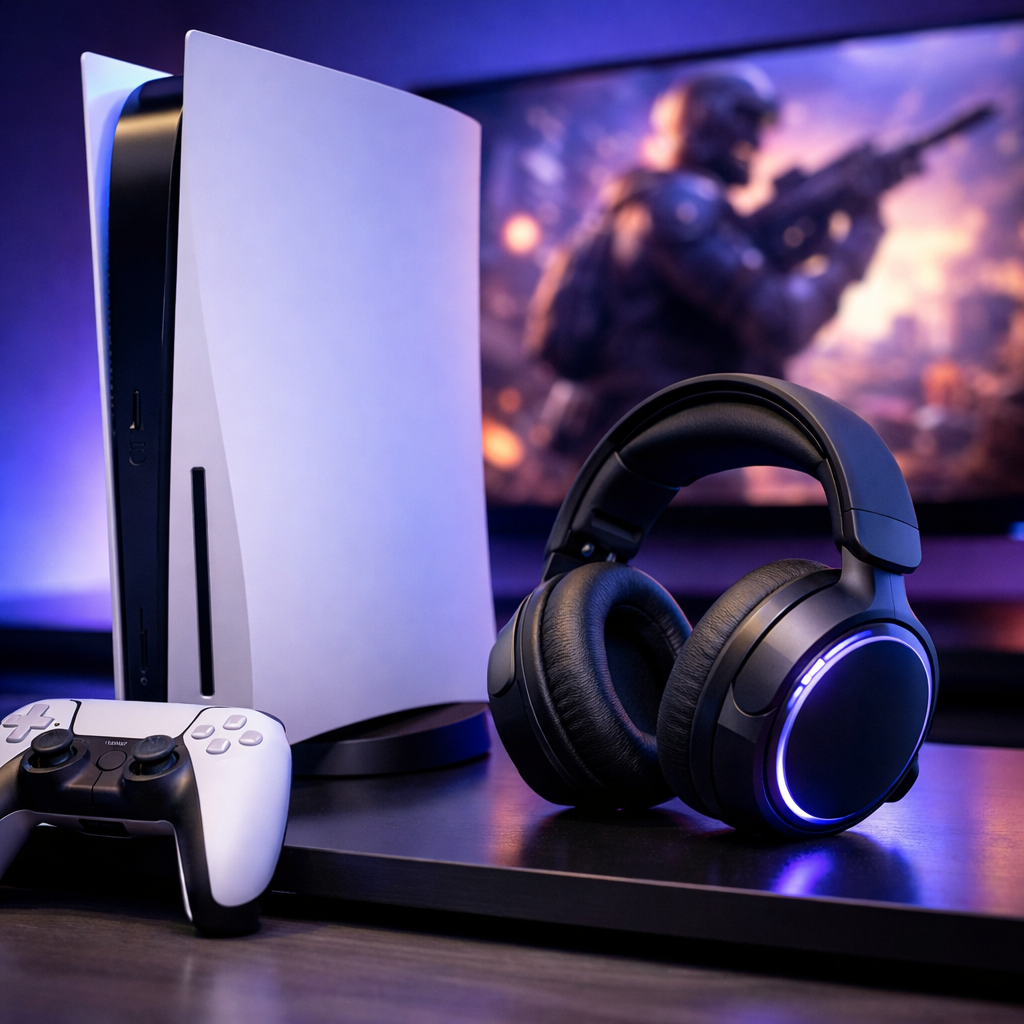
Looking for the best console and headset bundles for immersive play in 2026? This Gaming Device Advisor guide pairs each major console with a headset that balances audio fidelity, low‑latency wireless performance, comfort, and setup sanity. You’ll find premium and budget‑savvy stacks, clear connection guidance (USB/2.4GHz, Bluetooth, 3.5mm), and practical notes on HDMI switching, Dolby Atmos, and multiplatform compatibility—so your living room (or handheld bag) stays organized, responsive, and fun.
Strategic Overview
We built these recommendations around real‑world living rooms and play styles: cinematic single‑player on PlayStation, Game Pass flexibility on Xbox, and lightweight handheld sessions on Nintendo. We emphasize low‑latency wireless for responsiveness, positional audio for spatial awareness, and HDMI switching where households juggle multiple sources. We cross‑check our picks against independent roundups from outlets like IGN, PCMag, and GamesRadar, which consistently elevate the same few devices for their stability, sound, and value; we then align those with current console realities.
Two framing notes: Stuff’s 2026 console guide places PS5 as the best overall for exclusives and ecosystem balance, and details Switch 2’s 7.9‑inch 1080p LCD, 12GB RAM, and 256GB storage—useful context for headset pairing and portability decisions (Stuff’s best consoles overview).
Gaming Device Advisor
Our testing‑led, neutral approach weighs audio quality, latency/wireless stability, comfort/weight distribution, mic clarity, software flexibility, and setup complexity across PS5/PS5 Pro, Xbox Series X, and Switch 2. We’re safety‑first: match headsets to the right ports and dongles (USB/2.4GHz on PS/Xbox; 3.5mm for handheld play), route HDMI through certified Ultra High Speed cables, and enable platform spatial audio correctly. We favor gear that keeps living rooms tidy and easy to troubleshoot.
Spatial audio in 40–50 words: Spatial audio uses head-related transfer functions to map sounds around your head, simulating height and direction so footsteps, voices, and explosions feel anchored in 3D space. On consoles, Dolby Atmos and first‑party engines render these cues for immersive gaming without a multi‑speaker setup.
We also track software cadence—SteelSeries Sonar’s parametric EQ and frequent updates remain standouts for tuning and chat‑mix control (see the overview in StreamTechReviews’ headset round‑up: Sonar tuning and updates).
1. PS5 and SteelSeries Arctis Nova Pro Wireless
If you want a premium single‑console setup that matches PS5’s cinematic chops with elite audio and nonstop uptime, this pairing is hard to beat. IGN’s best‑headset coverage highlights the Nova Pro Wireless for its 2.4GHz wireless plus Bluetooth and wired versatility, alongside hybrid ANC that deepens immersion (IGN’s best gaming headset guide). GamesRadar reports roughly 22 hours per swappable battery and a weight near 337g—impressive stamina with comfort you can actually wear for long sessions. PCMag likewise notes the dual hot‑swappable cells that make “zero‑downtime” play genuinely practical. With PS5 still considered the best overall console for exclusives by Stuff, this stack delivers visual and audio polish in tandem.
Quick specs (PS5 + Nova Pro Wireless):
- Battery (per cell): ~22 hours
- Swappable cells: 2 (hot‑swap dock)
- Weight: ~337 g
- Connectivity: 2.4GHz USB dongle, Bluetooth, USB/3.5mm wired
- Noise control: Hybrid ANC
- Best‑use mode on PS5: 2.4GHz for game/chat; Bluetooth for phone music/chat overlay
Setup tips:
- Make 2.4GHz the default for low‑latency wireless; reserve Bluetooth for voice apps or music.
- Use SteelSeries Sonar’s parametric EQ to emphasize dialog clarity and positional audio cues; Sonar’s active update cadence helps keep presets fresh across new PS5 titles (per StreamTechReviews above).
2. PS5 Pro and Audeze planar headset
For no‑compromise visuals plus audio, PS5 Pro paired with an Audeze planar headset is an enthusiast’s dream. Planar magnetic drivers use a thin, conductor‑etched diaphragm suspended in a magnetic field. The result: fast transient response, low distortion, and an expansive soundstage that sharpens positional audio—footsteps, reverb tails, and micro‑details pop with startling precision. The tradeoffs are weight and cost.
Key context:
- PS5 Pro targets superior visuals at a higher price—ideal if you’re chasing premium audio to match (see TechRadar’s console outlook: best consoles landscape).
- Connectivity matters: use a console‑friendly 2.4GHz USB dongle or the controller’s 3.5mm jack to avoid Bluetooth latency.
- Who should buy:
- Competitive shooter players who prioritize precise positional cues
- Cinematic single‑player purists who want maximal micro‑detail
- Late‑night gamers who benefit from a low noise floor and rich dynamics at moderate volumes
3. Xbox Series X and Logitech ASTRO A50 X
This is our powerhouse‑plus‑convenience pick for living rooms with multiple sources. GamesRadar details how the A50 X base station doubles as an HDMI switcher between consoles while preserving 4K120—removing the daily cable shuffle. Equally important, PCMag confirms it works with PlayStation and Xbox in one model, eliminating SKU confusion (PCMag’s best gaming headphones). Xbox Series X remains the most powerful console with Dolby Vision and Dolby Atmos support, and Game Pass continues to be a standout value in 2026 (as covered by Stuff’s console guide).
HDMI routing (recommended):
- Console HDMI‑out → A50 X base HDMI input(s)
- A50 X base HDMI‑out → TV/AVR 4K120/eARC port (use certified Ultra High Speed HDMI)
- USB from base to each console for chat/control
- Enable Dolby Atmos on Xbox; enable PS5 3D audio when using PlayStation
Who benefits:
- Households with both consoles who want one‑button source switching
- Streamers capturing from multiple systems
- Atmos users seeking one‑cable simplicity without sacrificing 4K120
Quick specs (Series X + A50 X):
- HDMI passthrough: 4K120 preserved
- Dock role: HDMI switcher + wireless base/charger
- Platforms: PS5 and Xbox in one headset
- Wireless: 2.4GHz console link
- Chat/control: USB to each console
4. Nintendo Switch 2 and Razer BlackShark V3
For hybrid handheld/docked play, you want light weight, low latency, and great value. PC Gamer praises the BlackShark V3 for its clear, punchy audio and an ultra‑low‑latency wireless mode around 10ms—excellent for reflex‑based games (PC Gamer’s best headset guide). Switch 2 brings a 7.9‑inch 1920×1080 LCD, 12GB RAM, 256GB storage with microSD expansion, and a 2–6.5 hour battery window (per Stuff’s 2026 console breakdown), so preserving handheld power matters.
Connection guidance:
- On the go: Prefer 3.5mm wired into the handheld for deterministic latency and battery savings.
- Docked: Use a USB‑C/USB‑A 2.4GHz dongle if supported for couch play with low‑latency wireless.
Portable‑play checklist:
- Weight and clamp force that won’t create hot spots
- Breathable ear pads for heat management
- Smooth cable routing and proper strain relief
- Fold‑flat or low‑profile design for bags
5. Nintendo Switch 2 and SteelSeries Arctis Nova 3X
If you want a mid‑range wireless option with comfort and balanced sound, Nova 3X is a strong fit. PC Gamer’s mid‑range picks highlight its 40mm drivers and all‑day wearability, making it a versatile companion for Switch 2 travel and docked sessions.
Platform pairing:
- Travel days: Use 3.5mm for simplicity and battery efficiency.
- Living room: Leverage USB/2.4GHz with the dock, and reuse it on PC/other consoles for multipurpose value.
- Tuning tip: Start with a mild dialog‑forward EQ for Nintendo first‑party titles (lift 1–3 kHz), then add gentle midbass for orchestral warmth; SteelSeries Sonar presets can help you iterate quickly.
Value note: If pure budget rules, wired stalwarts like HyperX Cloud III and Astro A10 Gen 2 often land under $100 and deliver reliable mics and build—solid “just works” options frequently cited by enthusiast roundups (PCMag; StreamTechReviews).
6. Multi‑console living room bundle with Series X, PS5 Slim, and Logitech A50 X
Swapping sources daily? Pair Series X and PS5 Slim with the A50 X to streamline your setup. The base station’s HDMI switching preserves 4K120 and removes the need for separate PS/Xbox headset SKUs, a point underscored in major headset roundups. If you’re cost‑sensitive, the PS5 Slim Digital Edition typically runs about $50 less than the disc model—handy for dual‑console budgets (Wirecutter’s game console guide).
Step‑by‑step setup:
- Connect Series X and PS5 Slim HDMI to the A50 X base’s inputs.
- Run base HDMI‑out to your TV’s 4K120/eARC port with an Ultra High Speed cable.
- Plug the base’s USB leads into each console for chat/control.
- Enable Dolby Atmos on Xbox; enable PS5 3D/spatial audio presets.
When not to buy:
- Single‑console households may not recoup the cost or complexity—consider the Nova Pro Wireless or a simpler mid‑range USB 2.4GHz headset instead.
How we evaluate console and headset bundles
- Audio fidelity and positional accuracy (footsteps vs. music articulation)
- Latency and wireless stability on each platform (2.4GHz vs. Bluetooth; base‑station reliability)
- Comfort metrics: weight distribution, clamp force, pad fabric; heat over 2–3 hour sessions
- Mic clarity, noise rejection, and fast chat‑mix control
- Battery life, swappable batteries, and charge downtime
- Ecosystem/software: EQ flexibility, presets, and firmware cadence (SteelSeries Sonar’s frequent updates are a plus)
- Setup complexity: HDMI paths, dongles, and cross‑console behavior; living‑room friendliness
We include compact spec tables (5–7 rows) with each bundle so you can skim weight, battery, connectivity, and any latency‑critical modes at a glance.
What to consider before you buy
- Primary console and any secondary devices you’ll actually use
- Connectivity needs (USB/2.4GHz, Bluetooth, 3.5mm)
- Latency tolerance (competitive vs. casual)
- Comfort limits (weight threshold) and typical session length
- Microphone quality needs (party chat, streaming)
- Living‑room switching needs (HDMI, 4K120, Atmos)
Platform compatibility and connection type
2.4GHz wireless uses a dedicated USB dongle to create a low‑latency, interference‑managed link between headset and console. It typically outperforms Bluetooth for gaming responsiveness and chat reliability, making it the preferred standard for PlayStation and Xbox multiplayer and competitive play.
Action guidance (Gaming Device Advisor):
- PS5/Xbox: Prefer USB 2.4GHz for game audio and chat; Bluetooth is best reserved for music or phone calls on mixed‑use headsets (a stance reflected in IGN’s headset coverage).
- Switch 2: Favor 3.5mm wired on the go; consider docked USB dongles. For context, Switch 2’s 1080p LCD, 256GB storage, and 12GB RAM make it flexible but still battery‑sensitive (see Stuff).
- Multiplatform docks like the A50 X reduce SKU confusion by supporting PS and Xbox from one headset (as noted by PCMag).
Latency and wireless stability
PC Gamer measured BlackShark V3’s low‑latency wireless mode around 10ms—fast enough for twitch shooters. As a rule of thumb:
- Best balance on consoles: 2.4GHz USB dongle
- Deterministic and power‑efficient for handhelds: 3.5mm wired
- Convenience‑first with higher delay: Bluetooth Dedicated base stations (e.g., A50 X’s HDMI dock) can further boost stability and simplify switching, as documented by GamesRadar.
Battery life versus comfort
Swappable dual batteries on Nova Pro Wireless minimize downtime; GamesRadar reports ~22 hours per cell, and PCMag highlights the simple dock swap. Its ~337g weight is manageable, but comfort‑sensitive users should test clamp and pad fabric. Single‑battery designs should target 30–50 hours; for swappable systems, evaluate swap ergonomics and dock charge speed.
Microphone clarity and chat mix
Prioritize intelligibility and quick chat/game balance. Base stations and software tools like SteelSeries Sonar make live mix and EQ adjustments simple. For budget wired picks, Astro A10 Gen 2 (around $50) and HyperX Cloud III (often under $100) are repeatedly praised for solid mics and durability (PCMag; StreamTechReviews).
HDMI switching and living room setup
When you run multiple consoles, a dock can be a lifesaver.
- Connect each console HDMI to the dock’s inputs.
- Use a certified Ultra High Speed HDMI cable from dock to TV’s 4K120/eARC input.
- Connect USB to each console for chat/control.
- Enable Dolby Atmos on Xbox and spatial/3D audio on PS5. A50 X’s dock preserves 4K120 while switching sources, making it ideal for multi‑console setups (as covered by GamesRadar). Single‑console users can skip the dock and save with a standard USB 2.4GHz headset.
Frequently asked questions
Do I need a 2.4 GHz dongle for PS5 or Xbox, or is Bluetooth enough?
Use 2.4GHz USB dongles for PS5 and Xbox to minimize latency and ensure reliable chat; Bluetooth is fine for music or calls but typically adds delay.
Will a USB wireless headset for PlayStation work on Xbox?
Most USB wireless headsets are platform‑specific. Gaming Device Advisor suggests truly multiplatform solutions or a 3.5mm wired connection for universal compatibility.
Are base stations with HDMI switching worth it for single-console users?
Usually no. HDMI‑switching docks shine for multi‑console homes, but single‑console players can save money with a standard 2.4GHz headset.
Is wired still better for competitive latency on consoles?
Wired remains the most deterministic path, while modern 2.4GHz gaming headsets are very close and far more convenient. Choose wired for tournaments and handheld play; use 2.4GHz for the best wireless balance.
How should I prioritize battery life versus weight for long sessions?
Aim for 30–50 hours single‑charge or swappable batteries for nonstop use, while keeping weight reasonable to avoid neck fatigue. If you marathon game, lean toward lighter designs or swappable systems to reduce downtime.