Best Prebuilt Gaming PCs 2023, Ranked by Benchmarks and Value
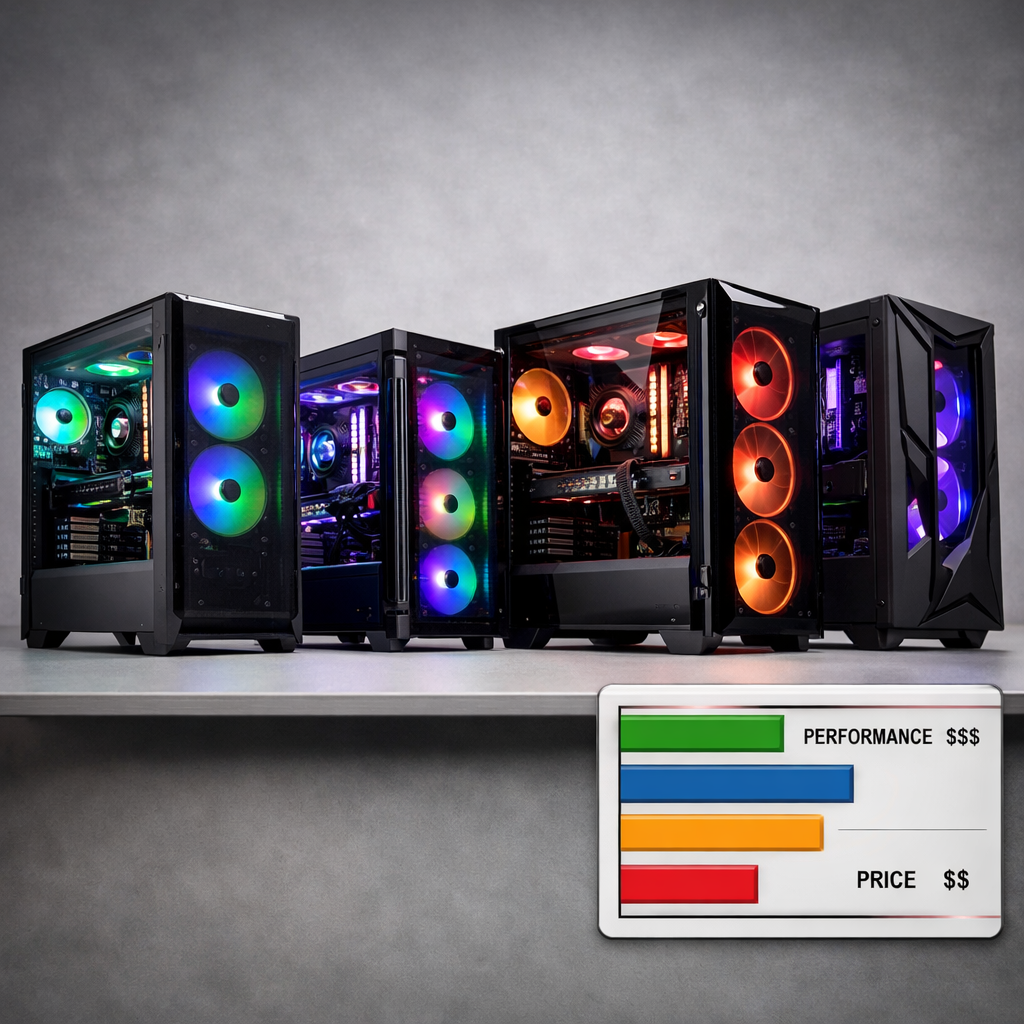
Best Prebuilt Gaming PCs 2023, Ranked by Benchmarks and Value
Looking for the best prebuilt gaming PCs 2023 ranked by benchmarks and value? This Gaming Device Advisor guide synthesizes independent testing and retail realities to help you buy with confidence. We weigh raw FPS alongside thermals/noise, upgradeability, and warranty clarity—because a fast PC that runs hot, loud, or is hard to service won’t age well. For most buyers, midrange rigs win on price-to-performance and longevity; flagship boutique prebuilts serve competitive 4K/esports needs at a premium. Standouts include HP Omen 40L/45L for value-minded power, CyberPowerPC Gamer Xtreme for budget, Skytech Chronos for 1080p/1440p efficiency, CLX Horus for max FPS, Lenovo Legion Tower 7i for balanced 4K, and Alienware Aurora R16 for compact, quieter setups. Below, we map the right GPU tiers to your resolution, outline safe setup practices, and detail model-specific strengths to stretch your budget further.
Gaming Device Advisor
We rank gaming desktops using standards-anchored criteria so you can replicate our thinking.
- Compatibility standards: Preference for ATX/PCIe/M.2 parts, standard cabling, and accessible layouts.
- Software ecosystems: Clean Windows images, minimal bloat, BIOS/firmware maturity, and OEM utilities that add real value.
- Cost/value: Real-game FPS per dollar, not just peak synthetic wins.
- Performance impact: Sustained performance under load, not short-lived turbo bursts.
- Setup complexity: Cable management, clear documentation, and sensible default fan curves.
- Safety/future-proofing: Thermals/noise, PSU headroom, and warranty paths that simplify RMAs.
Every recommendation is checked against these standards so owners can service and upgrade with confidence. We prioritize verified sellers and official storefronts, avoid gray-market parts, and favor transparent warranties and return policies. Prebuilts simplify parts chasing and consolidate warranty support under one vendor, which is a key advantage vs DIY for many buyers (as echoed by XDA’s prebuilt overview at XDA’s best pre-built gaming PCs). We account for that support consolidation when scoring overall value.
How we ranked performance and value
We synthesized standardized tests used across reputable reviews—Cinebench R23 for CPU, 3DMark Time Spy for GPU, VR benchmarks, and real-game FPS at 1080p/1440p/4K—alongside recorded fan noise and thermals under sustained load. An independent roundup measured all of the above across popular prebuilts, enabling fair, apples-to-apples comparisons (see this test-driven prebuilt roundup on YouTube). We apply the same scoring framework across all desktops to keep comparisons consistent.
Three findings shaped our rankings:
- Chasing the single fastest machine costs disproportionately more for small FPS gains.
- Midrange rigs deliver the best value for most gamers.
- Large-brand prebuilts typically bring stronger warranty/service versus boutique builders.
Price-to-performance ratio: a comparative metric showing how many frames per second you get for each dollar spent. Use it to normalize configurations with different CPUs/GPUs—and to avoid overpaying for top-end parts you won’t fully utilize at your target resolution.
What to buy for 1080p, 1440p, and 4K
Pick by resolution first, then align your budget and upgrade plans.
| Resolution target | Recommended GPU tier (examples) | Typical 2023 prebuilt budget |
|---|---|---|
| 1080p | GeForce RTX 3060 / 3060 Ti class | $500–$1,000 (entry prebuilt range per OKX’s market guide) |
| 1440p | GeForce RTX 3070 / 4070, Radeon RX 7800 XT | $1,000–$2,000 |
| 4K | GeForce RTX 4080 / 4090 class | $2,000+ |
Guidance and 2023 value notes:
- Entry-level 1080p rigs center on RTX 3060/3060 Ti around the $500–$1,000 bracket (budgets compiled from OKX’s PC Price Guide).
- At 1440p, RTX 3070/4070 and Radeon RX 7800 XT hit the value/performance sweet spot for high-refresh play, while AMD’s RX 7600 and RX 7800 XT stood out as 2023 value leaders for broader builds (PCMag’s best gaming desktops guide highlights these GPUs’ strong value footing).
- Boutique flagships can top charts but often at weaker dollar-per-frame; consider them for uncompromising 4K or esports.
Test methodology and safety notes
We consider Cinebench/3DMark, VR, in-game FPS logs, and sustained-load thermals/noise to reflect real play sessions, not just short benchmarks. We validate under a consistent ambient, using 30-minute stress runs to ensure stability is not transient.
Safety-first setup checklist:
- PSU and cabling: Confirm PSU wattage for your GPU tier; route 12VHPWR adapters without tight bends near GPU power.
- Lighting headers: Don’t mix 5V/3‑pin ARGB with 12V/4‑pin RGB. If your board lacks headers, use a dedicated 5V ARGB hub. For a deeper primer, see our ARGB vs RGB lighting guide.
- Warranty clarity: Prefer prebuilts with single-vendor warranty and clear RMA steps; depot or on-site terms should be easy to find.
Measurement tips:
- Capture noise in dBA at 30 cm (desktop use) and 1 m (room-level) at idle and sustained gaming load.
- Log peak CPU package and GPU hotspot/edge temps after a 30-minute stress to surface airflow and cooler quality differences.
Corsair Vengeance series
Corsair’s Vengeance line (notably i7400/i8100 in 2023 coverage) excels in clean assembly, quality cases, and competent cooling, with broadly standard parts that aid future servicing. However, 3090 Ti-based Vengeance configs were flagged in 2023 roundups as extremely overpriced for dollar-to-performance; unless you truly need top-end 4K, aim for balanced GPUs to avoid paying a premium for small uplifts. As a signal of platform maturity beyond 2023, Tom’s Hardware later named the Vengeance a7500 “Best Overall” with a next-gen Ryzen 7 9800X3D + RTX 5070 Ti sample configuration—useful context, though our rankings stay rooted in 2023 data.
HP Omen 40L and 45L
HP’s Omen desktops landed repeatedly as strong performance-per-dollar options with roomy, airflow-friendly chassis. XDA called the Omen 40L the “best performance for the price,” noting it can scale to high-end CPUs/GPUs (up to Core i9-13900K, RTX 3090, and 64GB RAM in tested configs). In side-by-side testing, the larger Omen 45L’s thermal design helped it edge the Skytech Prism 2 in certain 4K configurations, underscoring cooling headroom. The cases use mostly standard ATX parts and offer drive bays and clear paths for future upgrades; for best value, target midrange GPUs (RTX 4070 / RX 7800 XT) rather than flagship parts.
CLX Horus
CLX represents boutique prebuilts that chase max FPS and custom aesthetics—with cost trade-offs. In independent 2023 tests, a high-end CLX Horus topped ~224 FPS at 1080p in competitive titles, illustrating elite potential, but at a higher cost per frame than midrange builds.
Mini spec snapshot:
- Typical high-end combos: Core i9-13900K or Ryzen 9 7950X paired with RTX 4080/4090, optional custom liquid cooling.
- Trade-offs: Premium pricing, occasional proprietary elements, and longer lead times. Best for buyers prioritizing maximum FPS or bespoke looks over price-to-performance.
Skytech Prism, Azure, and Chronos
Skytech earned recurring value recognition across tiers in 2023, offering strong dollar-per-frame, especially in mid/high-range builds.
Positioning:
- Chronos: Budget-to-midrange 1080p/1440p winner with standard parts and easy service.
- Prism/Azure: Higher-tier options; in some 4K tests, HP’s Omen 45L edged the Prism 2 thanks to stronger thermals, but Skytech remained highly competitive on value.
Value snapshot (typical 2023 configurations):
| Model family | Typical CPU/GPU | MSRP band (2023) | FPS targets | Upgrade headroom |
|---|---|---|---|---|
| Chronos | Core i5-12400F + RTX 3060 Ti (or Ryzen 5 5600) | ~$900–$1,300 | 1080p ultra 120–144; 1440p high 60–100 | Standard ATX; room for GPU/SSD upgrades |
| Prism | Core i7-13700F + RTX 4070/4080 | ~$1,700–$2,700 | 1440p ultra 120+; 4K high 60–120 | AIO CPU cooling; good airflow; PSU headroom varies |
| Azure | Ryzen 7 7700X + RX 7800 XT | ~$1,600–$2,100 | 1440p ultra 120+; 4K high 60–80 | ATX components; solid path to next-gen GPUs |
CyberPowerPC Gamer Xtreme and Supreme
CyberPowerPC frequently leads budget/midrange bang-for-buck lists. A widely sold Gamer Xtreme (Core i7 + RTX 3060 Ti) configuration was a price/performance standout in 2023 tests, balancing smooth 1080p/1440p play with sensible thermals. Tom’s Hardware also listed the Gamer Xtreme around $1,099.99 as a Best Budget pick, anchoring real-world pricing for value shoppers (Tom’s Hardware’s best gaming PCs list).
Buying notes:
- Inspect the included air or AIO cooler’s noise profile and mounting.
- Check cable routing for unblocked front intake.
- Ensure PSU wattage allows a future GPU step-up (e.g., 650–750W for a move to RTX 4070/7800 XT).
Alienware Aurora R15 and R16
Alienware’s Aurora line targets compact, quieter operation with refined acoustics and, in the R16, tool-free access that eases basic servicing. Expect custom components and layouts that may constrain upgrades versus standard ATX towers. Market listings place Aurora models squarely in the midrange, commonly around $1,499.99 for mainstream configs at retailers like Micro Center (browse Aurora desktops at Micro Center), making them accessible turnkey choices if you value design and acoustics over maximal upgrade freedom.
Lenovo Legion Tower 7i
Lenovo’s Legion Tower 7i is a balanced, 4K-capable desktop with standard components, strong airflow, and BIOS-level fan control for sustained-load stability. CNET named the Tower 7i a best overall gaming desktop for its blend of performance and practicality (CNET’s best gaming PC roundup). Buying tip: pair with a mid-to-high GPU (RTX 4070 Ti/4080 or RX 7900 XT class) and 32GB RAM to cover modern 4K gaming and creator workloads comfortably.
Corsair One and compact ROG NUC
Small Form Factor (SFF) desktops prioritize a minimal footprint and, often, tuned acoustics. They fit tight spaces but typically rely on custom cooling and nonstandard parts that can limit upgrades.
- Corsair One: Exceptionally compact with premium acoustics and cooling for its size; upgrade paths are more limited than ATX towers.
- Compact ROG NUC: Delivers capable components in a tiny chassis but with constrained upgradeability—ideal when desk space is at a premium and hardware plans are modest (see Forbes’ overview of compact prebuilt options).
SFF checklist:
- Verify GPU length/height clearance and cooler thickness.
- Confirm PSU form factor (SFX/SFX-L) and available wattage.
- Check storage bays/M.2 slots and whether opening the case affects warranty.
Upgradeability and warranty considerations
Upgradeability is the ability to replace or add components—GPU, RAM, SSD, PSU—using standard interfaces (ATX, PCIe, M.2). It extends a PC’s useful life and improves value over time.
What can limit upgrades:
- Proprietary motherboards/PSUs and custom cases.
- Unusual front-panel wiring or short cabling.
- Tight SFF layouts that restrict GPU or cooler clearance.
Why prebuilts still make sense:
- A single-vendor warranty and streamlined RMAs reduce hassle versus DIY’s multi-vendor coverage. Confirm term lengths and whether service is depot or on-site before you buy. Gaming Device Advisor weights standard parts and clear warranty terms higher when ranking prebuilts.
Noise and thermals under sustained load
Reviewers evaluate fan noise and thermals alongside FPS and creative scores, and you should too. Sustained comfort matters for long sessions and component longevity.
Suggested comparison table to record and interpret:
| Metric | Idle | Gaming load (30 min) | Target/notes |
|---|---|---|---|
| CPU package temp | — | — | Aim for sustained <85–90°C on modern CPUs with adequate cooling. |
| GPU hotspot/edge | — | — | Keep GPU hotspot ideally <95°C; edge usually 70–85°C depending on case airflow. |
| System noise (30 cm) | — | — | <35–40 dBA idle; ~45–50 dBA under load is “quiet” for gaming towers. |
| System noise (1 m) | — | — | Expect ~3–6 dBA lower than 30 cm measurements in typical rooms. |
Airflow guidance:
- Prefer cases with front intake and clear GPU breathability.
- Liquid coolers can reduce CPU temps but may add pump noise; tune fan curves post-setup.
Value snapshot and price to performance tips
Tiered budgets in 2023:
| Tier | Typical budget | Primary target |
|---|---|---|
| Budget | $500–$1,000 | 1080p gaming |
| Mid-range | $1,000–$2,000 | High-refresh 1080p/1440p |
| High-end | $2,000+ | 4K focus |
Tips to maximize value:
- Midrange delivers the best value for most gamers; spend where your monitor demands.
- Boutique/flagship systems are for buyers who accept weaker dollar-per-frame to maximize top-tier 4K or esports FPS.
- Concrete examples from 2023 testing: a CLX Horus topped some 1080p runs (~224 FPS) but at high cost; CyberPowerPC Gamer Xtreme (i7 + 3060 Ti) frequently led on bang-for-buck; HP’s Omen 40L earned “best performance for the price” nods thanks to strong configs and fair pricing.
Frequently asked questions
Are midrange GPUs like RTX 3060 to 4070 the best long-term value?
Yes. They deliver strong 1080p–1440p performance with better price-to-performance than flagship cards while keeping power, heat, and noise manageable for future upgrades; at Gaming Device Advisor, they’re our default pick for longevity.
How much RAM and storage should a prebuilt include for modern games?
Target 16GB–32GB DDR4/DDR5 and a 1TB NVMe SSD, plus an empty M.2 or 2.5-inch bay for expansion. Gaming Device Advisor’s baseline is 16GB/1TB with an open slot for growth.
What limits upgradeability in some prebuilts?
Proprietary motherboards/PSUs, custom case layouts, nonstandard cabling, and tight SFF designs can block GPU/PSU swaps and complicate future upgrades. We flag these constraints in our picks so you’re not surprised later.
Should I prioritize CPU or GPU for my target resolution?
Prioritize the GPU for 1440p–4K and esports FPS; prioritize a competent multi-core CPU for high-refresh 1080p and creation tasks, but avoid overspending where the GPU becomes the bottleneck. That balance is how we weight configs in our rankings.
Are small form factor prebuilts worth it despite limited upgrades?
They are when desk space and acoustics matter most—just accept tighter thermals, limited upgrade paths, and potential proprietary parts in exchange for the compact footprint. Gaming Device Advisor recommends them only if you’re comfortable with those trade-offs.