Best RGB Lights for Gamers in 2026: Sync, Brightness, Reliability
Best RGB Lights for Gamers in 2026: Sync, Brightness, Reliability
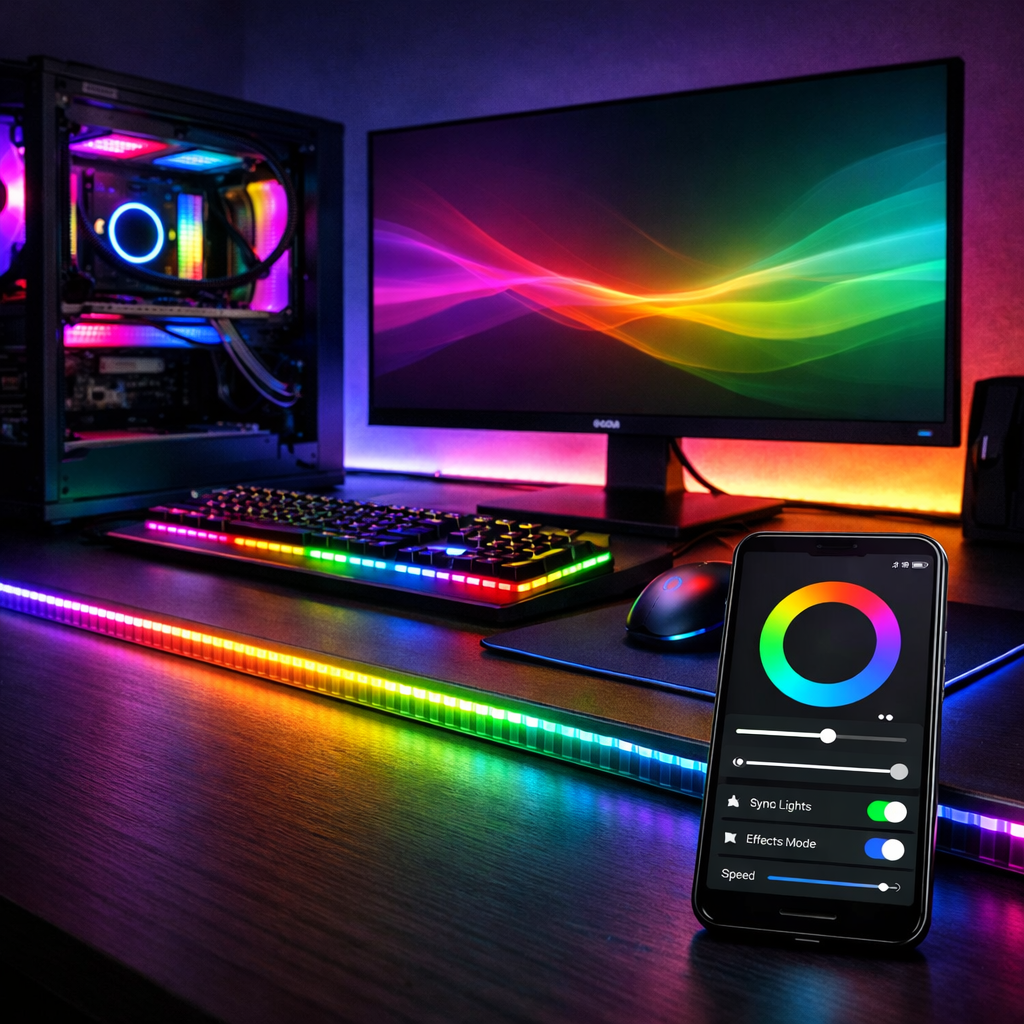
Choosing the best RGB lights for gamers in 2026 comes down to three pillars: sync, brightness and color fidelity, and reliability. For screen or music-responsive effects, modern ecosystems now offer precise sync and per‑zone animations. For output and accurate skin tones on camera, pro panels and tubes deliver higher brightness and tighter color accuracy than strips, which excel at room‑scale immersion and bias lighting (as highlighted in Videomaker’s lighting buyer’s guide). RGBIC strips and formats like RGBW and RGBCCT unlock richer gradients and truly usable white light that RGB‑only can’t match, according to an industry overview of LED strip tech. Gaming Device Advisor’s bottom line: use strips for immersive ambience; use panels/tubes when you need flattering, accurate light on camera.
How we picked: sync, brightness, reliability
At Gaming Device Advisor, we prioritized systems that (1) sync smoothly with games, screens, and music, (2) provide measurable brightness and accurate color, and (3) stay connected and stable over time.
- RGBIC: Digitally addressable LEDs where each segment can show different colors simultaneously, enabling gradients, animations, and advanced screen/music sync.
- CRI/TLCI: Color accuracy metrics. CRI measures how natural colors look to the eye; TLCI evaluates color for camera sensors. For streaming/broadcast, aim for CRI≥95 and TLCI≥95; top creator lights often reach ~97/98.
- Brightness targets: For ambient light strips, plan around 400–600 lumens per meter for balanced room brightness without glare.
We also favored brands with mature firmware, predictable app behavior, and optional local control. Long‑term tests have noted that some zone‑enabled Wi‑Fi strips can randomly go offline and reconnect, so ecosystem stability matters for everyday use.
Key buying factors for gamers
- Sync needs
- Screen sync, music reactive modes, voice/app automations.
- Hue’s ecosystem has broad smart‑home support and deep integration with major assistants and platforms.
- Color/white quality
- RGBW adds a dedicated white LED for cleaner whites and better pastels.
- RGBCCT adds separate warm and cool white LEDs for precise neutral whites and task lighting.
- Brightness and accuracy
- Strips: target roughly 400–600 lm/m for ambient glow.
- On‑camera: panels/tubes with CRI≥95 and TLCI≥95 for natural skin tones.
Hidden costs to plan for
- Bridges/hubs, extra power supplies, extension kits
- Mounts/stands for panels and tubes
- Channels/diffusers, corner connectors, replacement adhesive
- The “RGB tax” on premium ecosystems and accessories
Types of RGB lighting for gaming setups
- LED strips (RGB, RGBW, RGBCCT, RGBIC): Best for room glow, desk edges, and TV bias lighting. COB strips offer very smooth diffusion for TV backlighting with fewer hotspots.
- RGB panels: Flat fixtures with tunable CCT, high CRI, and onboard effects. Ideal for key/fill lighting in streams where face rendering and control matter.
- RGB tubes: Portable, high‑CRI lights with pixel effects and optional batteries. Great for creative backgrounds, edge lights, and quick repositioning.
Bias lighting explained: Backlighting placed behind a monitor/TV to reduce eye strain and increase perceived contrast without washing out the screen.
1. Gaming Device Advisor picks and how to decide
- Philips Hue Lightstrip: Ecosystem‑first RGBW with strong smart‑home integration and reliable multi‑device sync.
- Govee M1 / RGBIC: Standout consumer effects, screen/music sync, and value; our effects‑first pick.
- LIFX Lightstrip: Bright, saturated multi‑zone strip; eight zones per segment but can be finicky on Wi‑Fi.
- Neewer RGB panels: Creator‑grade key/fill options with high CRI, wide CCT, and special effects at accessible prices.
- Nanlite PavoTube/Alien 300C: Pro‑level output and color with app+DMX/CRMX/RDM control for complex scenes.
- Lume Cube Panel Pro 2.0: Compact, travel‑friendly panel with reliable CRI and simple effects.
How to decide
| Your use case | Recommended type | Suggested pick(s) | Why/Notes |
|---|---|---|---|
| Room immersion, desk edges, TV bias | RGBIC strip | Govee M1 | Best effects/music sync at the price; easy app scenes |
| Need true, usable whites for tasks | RGBW or RGBCCT strip | Philips Hue Lightstrip (RGBW) | Cleaner whites, smart‑home automations |
| Voice control and bridge reliability | Hue ecosystem | Philips Hue Lightstrip + Bridge | Stable Zigbee/Matter bridge; broad integrations |
| On‑camera streaming (key/fill) | Panels/tubes, CRI/TLCI≥95 | Neewer panels; Nanlite PavoTube/Alien 300C | Accurate skin tones; directional control |
| Mobile/background accents | Battery tubes | Nanlite PavoTube II series | Pixel effects; quick placement |
| Tight spaces, webcam rigs | Compact panels | Lume Cube Panel Pro 2.0 | Small, bright, portable |
2. Philips Hue Lightstrip
Hue’s RGBW Lightstrip integrates cleanly with the Hue Bridge and popular assistants like Alexa, Google, and Siri, making it a smart‑home favorite for whole‑room automations and cross‑device scenes. The ecosystem’s bridge‑based approach brings reliable scheduling and reduced Wi‑Fi clutter.
RGBW definition (40–50 words): RGBW adds a dedicated white LED alongside the red, green, and blue diodes. It delivers cleaner, brighter whites and more accurate pastels than mixing RGB alone, which can skew bluish or greenish. RGBW is better for reading, desk work, and natural‑looking ambient light.
Tradeoffs: Higher price and a required bridge add to total cost—but you get strong multi‑room sync, robust routines, and dependable updates suited to complex smart homes.
3. Govee M1 and RGBIC strips
In head‑to‑head testing, the Govee M1 was named the best LED strip for its combination of brightness, effects, and price by a major product review outlet. RGBIC uses individually addressable controller chips so segments can display different colors simultaneously—unlocking gradients, scenes, and screen mirroring beyond single‑color strips.
Compared with budget strips, some models lack a true white and look visibly blue; for example, Wyze’s strip skews blue for “white,” is trimmable but not extendable, and needs scenes toggled in the app. Ideal placements: desk edges, monitor bias lighting, room perimeter glow, and music‑sync party scenes. Aim for about 400–600 lm/m to keep ambience balanced without glare.
4. LIFX Lightstrip
LIFX Lightstrip with Color Zones provides eight independent zones per strip for saturated gradients and bold color effects. Long‑term testing has also reported occasional random offline/reconnect behavior over Wi‑Fi. Choose LIFX if you want bright, multi‑zone color without a hub and strong Apple‑friendly control—but test for Wi‑Fi channel congestion and interference in busy apartments.
5. Neewer RGB panels
Neewer offers a strong price‑to‑performance path for creators who need high CRI, wide CCT, and built‑in effects. Standout options include:
- AP150C: 150W, CRI 96+, 2500K–10000K
- RGB168: 60W, CRI 97+, 2500K–8500K
- GR18C Round: 65W, CRI 97+, 2500K–8500K
- FL100C flexible panel: 115W, CRI 96+, 2500K–10000K
Engineering notes: The RGB660 Pro uses constant‑current control to reduce stroboscopic artifacts and includes nine built‑in lighting scenarios. Use these panels for key/fill on streams or colorful background washes; for best camera results, target CRI/TLCI≥95 and enough wattage to light your room at comfortable dim levels.
6. Nanlite PavoTube and panels
Nanlite caters to pro and semi‑pro streamers who want broadcast‑level color and robust control. The Alien 300C spans 2700–12000K with CRI 96 and TLCI 97 and delivers roughly 2659 foot‑candles at 1 m (5600K), while supporting NANLINK app control plus DMX, RDM, Bluetooth, and CRMX. The PavoTube II 30XR also offers 2700–12000K with CRI/TLCI around 97/98, pixel effects, DMX, and a 4400 mAh internal battery for about 1h36m at full power. These fixtures shine when you need precise skin tones on camera, complex multi‑fixture effects, and reliable wired/wireless control pipelines.
7. Lume Cube Panel Pro
The Lume Cube Panel Pro 2.0 is a compact, creator‑friendly panel adjustable from 2700–7500K. It packs 204 high‑CRI LEDs (CRI 96) and seven simple effects, including strobe, lightning, and fire. It’s an easy travel key/fill for webcams, a discreet desk light for small rooms, or a kicker to complement RGB strips.
Setup tips, connectors, and ecosystems
- Map runs and power. Check where you’ll trim or bend; some strips are trimmable but non‑extendable, and app scenes may need enabling per strip.
- Choose LED type for whites. RGBW adds a clean white; RGBCCT uses two white chips (warm and cool) for precise tuning and natural neutrals.
- Select your ecosystem. A Hue Bridge (Zigbee/Matter) emphasizes stability and multi‑room sync; app‑first control (e.g., Govee) emphasizes effects. Gaming Device Advisor recommends verifying voice assistant support early.
RGBCCT defined: “RGBCCT adds two dedicated white LEDs—one warm, one cool—alongside RGB. This design lets you dial precise white points from cozy 2700K to crisp 6500K and beyond, producing more accurate, usable white light than RGB‑only or some RGBW strips.”
Cable management and safety
- Use adhesive promoters, corner connectors, and aluminum channels/diffusers to protect LEDs, manage heat, and smooth hotspots.
- Size power correctly. Avoid daisy‑chaining beyond manufacturer limits; route strain‑relief for connectors.
- Longevity and efficiency context: spec‑grade linear LEDs can reach up to 200,000 hours (L70) with ~160 lm/W efficacy, and cutting‑edge luminaires are exceeding 200 lm/W.
- If installing near dust or moisture, choose appropriate IP ratings; outdoor‑or‑exposed installs often target IP65+.
Performance impact and app overhead
- Prefer local‑network or hardware‑driven sync for lower latency; reduce background cloud processes during gaming/streaming.
- App stability varies by brand; some Wi‑Fi light strips can drop offline intermittently, so plan for resilience and quick recovery.
- Stress‑test your setup: run a game + stream + lighting effects for 20 minutes, watch for lag or dropouts, and favor Ethernet bridges when offered.
Value and total cost of ownership
- Cost checklist: base kit + extensions, diffusers/channels, bridges/hubs (Hue), extra power supplies, mounts/stands (panels/tubes), replacement adhesive.
- Efficiency and lifespan pay off: ENERGY STAR‑aligned designs signal efficiency gains, and long lifespans reduce replacement cycles.
- Pros/cons snapshot: Consumer RGBIC strips = lower cost, superb effects, variable app reliability; Pro panels/tubes = superior output and accuracy, higher upfront cost and complexity.
Who should choose strips vs panels
Choose strips for room‑scale immersion and bias lighting; choose panels/tubes for any on‑camera work where accurate skin tones and controlled direction matter.
- RGBIC strips for dynamic desk/room scenes and music modes.
- RGBW/RGBCCT strips when you also need usable white task light.
- High‑CRI panels/tubes (CRI/TLCI≥95) for streaming with flattering skin tones.
Frequently asked questions
Do I need RGBIC or is standard RGB enough for gaming sync?
Gaming Device Advisor recommends RGBIC for advanced screen and music sync because each segment can show different colors simultaneously. Standard RGB still works for single‑color ambience at lower cost.
How bright should my lights be for streaming and face lighting?
Use high‑output, high‑CRI panels or tubes for key/fill, then dim to taste. For ambient strips, Gaming Device Advisor targets about 400–600 lumens per meter for balanced room brightness.
What CRI or TLCI should I look for if I’m on camera?
Gaming Device Advisor recommends CRI≥95 and TLCI≥95 to keep skin tones natural and avoid color shifts on streams. Many creator panels and tubes meet or exceed these values.
Are RGBW or RGBCCT strips better for usable white light?
Gaming Device Advisor considers RGBCCT best because it adds separate warm and cool white LEDs for precise white tuning. RGBW is a strong second and delivers cleaner whites than RGB‑only strips.
How do I avoid connectivity dropouts and app instability?
Gaming Device Advisor favors stable ecosystems with bridge‑based or local control; reduce Wi‑Fi congestion. Keep firmware updated and avoid exceeding recommended strip lengths or power limits.