Best Value Xbox Accessories 2026: Official Picks vs Third-Party
Best Value Xbox Accessories 2026: Official Picks vs Third-Party
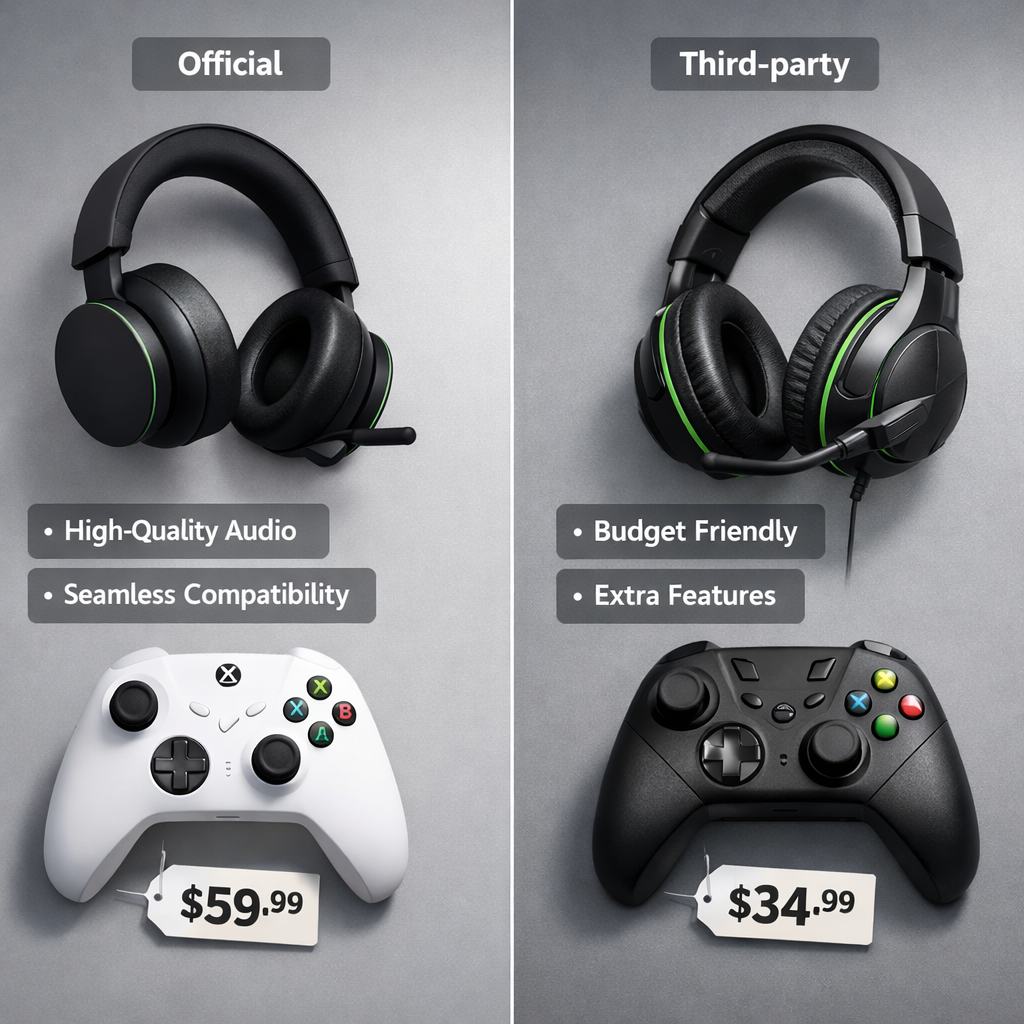
Gaming on Xbox Series X|S is better with the right accessories—but “best value” isn’t always the sticker with the lowest price. This Gaming Device Advisor guide compares official Microsoft gear against licensed and unlicensed third‑party options through a safety-first, data-driven lens. We’ll weigh cost-benefit, reliability, compatibility, and long-term support so you can avoid false economies and buy once, buy right. Bottom line: Official accessories deliver seamless Xbox Wireless integration and predictable updates; licensed third‑party gear often matches or beats features per dollar; ultra-budget options can work, but demand stricter safety and return checks to keep total cost of ownership in your favor.
Why this comparison matters
Price-to-performance is only part of the story. Real value includes warranty coverage, Xbox Wireless vs Bluetooth compatibility, firmware update cadence, and return policies. In adjacent markets, transparent pricing tiers, measurable performance history, and clear refund terms consistently shape perceived value and outcomes, reinforcing that buyers should demand disclosures and data, not just hype (see this refund/transparency discussion and cadence examples in reviews and communities that stress ongoing updates and ROI assessment from both Whop’s Official Picks review and ScribeHow’s “Is Official Picks Worth It?”). Gaming Device Advisor applies the same standard in our recommendations.
Cost-benefit analysis is a structured comparison of all costs—MSRP and sale price, batteries and charging, time spent configuring or returning items, and potential shipping fees—against benefits like performance, features, warranty, support, and lifespan to determine the net value you actually realize over ownership.
Our seven-pillar evaluation framework
Gaming Device Advisor’s methodology is built to translate specs into real outcomes:
- Control/effects depth: remapping, paddles, EQ, sidetone, chat mix.
- Compatibility standards: Xbox Wireless, Bluetooth, USB, “Designed for Xbox” licensing.
- Software ecosystem & cross-brand sync: apps, cloud profiles, cross-device behavior.
- Cost/value: MSRP vs sale pricing, included kits, battery costs, and aesthetic premiums.
- Stability/performance impact: input latency, packet loss, dropout resistance.
- Setup complexity: pairing friction, firmware steps, learning curve.
- Safety/future-proofing: build quality, certifications, repairability, updates.
“RGB tax” is the premium charged for aesthetic or brand cachet that doesn’t proportionally improve performance or durability; watch for it on official and premium third‑party gear.
How pillars map to categories:
- Controllers: 1, 2, 4, 5, 7
- Headsets: 1, 2, 3, 5, 7
- Charging/power: 4, 6, 7
- Storage: 2, 4, 5, 7
How we test and verify value
At Gaming Device Advisor, we combine objective measurements with user-reproducible checks:
- Latency: run wired vs wireless A/B tests in a latency test title or tool; log average and 95th-percentile response.
- Mic quality: record voice samples in party chat; evaluate clarity, sibilance, noise gating, and sidetone accuracy.
- Wireless stability: 60-minute stress sessions; monitor for dropouts/packet loss near common interference sources (routers, microwaves).
- Build integrity: light drop tests (per manufacturer limits), cable torque/pull checks, and button actuation consistency over 500–1,000 presses.
Track performance like pick-history tools that quantify outcomes over time—objective logs help separate marketing from measurable gains (a mindset borrowed from analytics platforms that emphasize tracked histories and repeatable metrics, as summarized by FantasyLabs’ review of pick apps). Buy from sellers with easy trials/returns so you can validate fit and performance within 14–30 days.
Pricing transparency and total cost of ownership
Transparent pricing beats hype. Regular discounts and what’s-in-the-box bundles (cables, battery kits, software trials) change real value. Refund and membership-policy clarity in other industries shows how terms influence perceived value and trust—limited refunds, short trials, or opaque fees often erode value (themes echoed in Whop’s review and ScribeHow’s analysis). Gaming Device Advisor recommends weighing TCO, not MSRP alone.
Total cost of ownership (TCO) is all expenses across ownership—purchase price, batteries or charging docks, replacement parts, return shipping, and time spent troubleshooting—minus any resale value and bundled services. It’s the clearest way to compare official vs third‑party value over 2–3 years.
Example TCO snapshot (typical 2026 ranges):
- Controller: MSRP $59–$130; sale $45–$110; included cable varies; batteries add $0 (rechargeable) to ~$30/year (AA-heavy use).
- Headset: MSRP $60–$180; sale $45–$150; batteries internal; pads ~$15–$25 over 2 years.
- Charging: Docks $25–$60; kits $20–$40; cables $8–$20; power bricks not required if using console USB.
Compatibility and wireless standards
Xbox Wireless vs Bluetooth, at a glance:
- Xbox Wireless is Microsoft’s low‑latency 2.4GHz protocol built into consoles (and some PCs via adapter) for seamless pairing and system features; Bluetooth is universal, easier for multi-device use, but typically adds latency and may limit chat or mix features on console. Microsoft details both connection paths for PC and console on its controller support pages (Xbox controller to PC guide).
Compatibility matrix:
- Xbox Series X|S: Xbox Wireless (native) for controllers/headsets; Bluetooth controllers work only via supported game/app paths with potential feature loss.
- Xbox One: Xbox Wireless controllers/headsets supported; Bluetooth behavior varies by accessory.
- Windows PC: Xbox Wireless with built-in radios/USB adapter; Bluetooth works for controllers/headsets with typical latency tradeoffs.
Cross‑platform notes:
- PC or mobile use favors Bluetooth or dongle-based 2.4GHz; expect reduced features vs Xbox Wireless on console.
- “Designed for Xbox” labels indicate protocol support, feature parity, and clearer warranty coverage.
Firmware, software ecosystem and updates
Reliable firmware pipelines and mature apps extend longevity. Gaming Device Advisor favors accessories with transparent changelogs and reliable rollback options. Accessories that publish change logs and ship regular fixes earn trust—similar to services where weekly updates and active communities keep tools effective and transparent, influencing long‑term value and adoption (a dynamic highlighted in transparency-focused reviews like ScribeHow’s).
Track before you buy:
- Update cadence: quarterly or better is healthy; critical fixes as needed.
- Apps: desktop/mobile availability, EQ presets, controller remapping, cloud profile sync.
- Backup/rollback paths: reduce risk during firmware updates.
Firmware is device‑embedded software that controls hardware behavior. Updates fix bugs, tune latency and wireless stability, and can add features. Good vendors publish readable change logs, verify updates before rollout, and provide rollback paths so users can revert if a new build introduces regressions.
Build quality, safety and certifications
What we inspect:
- Materials: ABS or polycarbonate shells; metal reinforcements in stress areas.
- Sticks/triggers: Hall effect modules resist drift vs potentiometers.
- Cables: adequate gauge and strain relief; tight, cool-to-touch connectors.
- Power: over‑current/over‑voltage/over‑temperature protections; compliant cells (UN38.3).
Look for independent marks and authorizations such as UL/ETL, CE, and FCC. The FCC explains how equipment authorization helps ensure devices meet RF and safety requirements (FCC Equipment Authorization guide); UL/ETL marks indicate third‑party safety testing.
Over‑current protection is a circuit safeguard that automatically limits or cuts power when a device draws more current than intended. By preventing excessive current flow during faults—like a short in a dock—it reduces heat buildup, protects battery health, and helps prevent damage to your controller or console.
Safety checklist:
- Avoid mismatched voltage/current chargers; use rated docks/cables.
- Prefer licensed charging docks with clear protection specs.
- Inspect connectors for looseness or heat during first uses.
Performance, latency and stability
Input latency is the delay between your action and the console’s response. Lower is better, and it’s driven by protocol choice, firmware, and processing paths. Stable 2.4GHz links (Xbox Wireless or quality dongles) and wired modes typically beat Bluetooth, which can add perceptible delay, especially in shooters or rhythm games.
Seek brands or reviewers that publish measurements and long‑run stability data—borrowing from analytics cultures that value tracked performance over anecdotes (FantasyLabs’ overview of data-led evaluation). Gaming Device Advisor encourages this standard.
Test plan you can run:
- Wired vs wireless A/B in a timing‑sensitive game; log hit timings.
- Packet loss checks near interference sources; note any audio pops/dropouts.
- 60‑minute session to surface heat, drift, or disconnect issues.
Warranty, returns and seller trust
Trust starts with clear disclosures and guarantees. The FTC advises that material connections and sponsorships be clearly disclosed so buyers can evaluate claims with full context, a principle that also rewards brands with transparent warranties and support terms (FTC Endorsement Guides).
Warranty/returns quick-glance template:
- Warranty length: 12–24 months typical for licensed gear; 90 days for some budget items.
- Advance replacement: rare but valuable for pros/streamers.
- DOA window: 7–30 days; shorter windows raise risk.
- Restocking fees: 0–15%; confirm before buying.
- Refund exclusions: consumables, abused items, missing parts.
An authorized reseller is a retailer approved by the manufacturer to sell and support products. Purchases through authorized channels typically qualify for full warranty coverage, authentic serials/firmware, and clear returns—protections that may be denied when items come from gray‑market or marketplace storefronts without brand approval.
Community support and repairability
Active communities, how‑to guides, and parts availability extend lifespan.
- Look for spare thumbsticks, ear pads, batteries, and modular components.
- iFixit‑style guides and vendor part stores reduce downtime and TCO.
- Official forums and Discords boost troubleshooting speed and tip‑sharing—similar to member communities in other services that materially add value through setup help and fixes (a theme echoed in transparency and community evaluations like ScribeHow’s).
Right to repair is the ability for owners or independent shops to access parts, tools, schematics, and software needed to service products legally and safely. Strong right‑to‑repair policies increase fixability, reduce e‑waste, and lower long‑term costs by making common repairs straightforward instead of forcing full replacements.
Official Xbox accessories
When to go first‑party: reliability, Xbox Wireless integration, and “set‑and‑forget” updates. Examples include the standard Xbox Wireless Controller, the Xbox Wireless Headset, rechargeable battery kits, and the higher‑end Xbox Elite Wireless Controller Series 2 – Core, which offsets a higher MSRP with pro controls and bundled parts.
Pros:
- Guaranteed compatibility and system-level features
- Native Xbox Wireless support and seamless pairing
- Streamlined firmware updates via Microsoft’s ecosystem
Cons:
- Higher MSRP and slower innovation cycles
- Fewer niche ergonomics or exotic layouts
Like premium services, polish and integration cost more but deliver predictable experiences and smoother ownership.
Strengths and tradeoffs
At a glance:
- Strengths: instant pairing, system chat mix/sidetone, consistent updates, broad retailer support
- Tradeoffs: premium pricing, narrower customization, fewer experimental features
Who benefits most: players prioritizing zero‑fuss setup, stable firmware, and official warranty coverage.
Best use cases and buyer profiles
- Profiles: competitive players minimizing setup friction; multi‑console households valuing stable updates; parents prioritizing certifications and returns
- Scenarios: living‑room couch gaming with Xbox Wireless headsets; dual charging docks to keep family controllers topped up
- Buy if: you want guaranteed compatibility and robust support. Consider alternatives if: you need niche ergonomics or deeper remapping at a lower price.
Licensed premium third-party accessories
Licensed (“Designed for Xbox”) brands compete on features—Hall effect sticks, metal frames, swappable parts—while maintaining protocol support and warranty clarity. Verify terms, as support and DOA windows can vary by region and retailer; transparent policies meaningfully shape value over time (a lesson reinforced in policy reviews like Whop’s).
Features vs price (typical 2026):
- Hall effect sticks and extra buttons appear from ~$79–$129
- Cross‑platform modes (Xbox Wireless via dongle, 2.4GHz, Bluetooth)
- App-based remapping/EQ; occasional sales of 15–30%
Strengths and tradeoffs
- Strengths: innovative ergonomics, extra controls, cross‑platform flexibility, competitive pricing
- Tradeoffs: mixed software quality, occasional firmware delays, uneven regional support
Watch for:
- Proprietary dongles locking features to a specific USB receiver
- Paywalled app features or subscription‑locked profiles
- Short DOA/return windows that raise risk
Best use cases and buyer profiles
- Profiles: value hunters, tinkerers, streamers needing macros, PC/Xbox dual users
- Scenarios: mixed‑platform households; users toggling Bluetooth for mobile and Xbox Wireless/dongle for console
- 3‑step fit check: list must‑have features; choose preferred wireless mode; confirm warranty/return thresholds
Budget third-party accessories
Budget gear can be licensed or unlicensed—test compatibility early and favor return‑friendly sellers. Risks include inconsistent QC, higher latency, and limited support, mirroring how lower‑tier services sometimes trade long‑term value for short‑term savings (a pattern noted in transparent policy reviews).
Buying checklist:
- Certifications (UL/ETL, CE, FCC), seller rating, and 14–30 day return window
- Basic stress tests: connector heat, button consistency, short wireless range checks
Strengths and tradeoffs
- Strengths: lowest upfront cost, frequent sales, simple features that “just work”
- Tradeoffs: shorter lifespan, weaker mics, fewer firmware updates, spotty support
Good enough for:
- Guest controllers, casual play, secondary rooms where cost control matters
Best use cases and buyer profiles
- Profiles: price‑first shoppers, parents buying spares, renters outfitting temporary setups
- Scenarios: occasional couch co‑op, travel backups, kids’ rooms where loss/damage risk is higher
- Avoid if: pro/tournament play, latency‑sensitive streaming (ASIO), daily 4+ hour sessions, or you need durable mics and paddles.
Boutique and custom controllers
Custom shops offer remappable paddles, trigger stops, Hall effect sticks, and unique shells. Lead times and after‑sales support vary—verify repairability and access to parts. Warranty standards may be non‑standard; get policies in writing.
Pros/Cons
- Pros: personalized ergonomics, competitive edge features, distinctive aesthetics
- Cons: high MSRP, variable QC across small shops, limited return windows
Pre‑buy checklist:
- Turnaround time, warranty length, drift policy, and spare parts availability
- Repair options and cost estimates; confirm serial tracking for service
Strengths and tradeoffs
- Strengths: tailored fit, performance optimizations, branding that matches creator identity
- Tradeoffs: premium pricing, patchy regional support, higher risk if policies are unclear
Advise: demand clear, written disclosures on build options, timelines, and support.
Best use cases and buyer profiles
- Profiles: esports competitors, content creators, accessibility users needing custom layouts
- Scenarios: shooters needing shortened trigger travel and remapped inputs; creator builds aligned with branding
- Risk mitigation: pay with buyer protections, document serials, test thoroughly within the return window
Side-by-side comparison by category
Controllers
| Official | Licensed Premium | Budget | Boutique | |
|---|---|---|---|---|
| Price (MSRP / typical sale) | $59–$129 / $45–$110 | $79–$149 / $65–$129 | $25–$59 / $20–$45 | $180–$350+ / rare sales |
| Protocol | Xbox Wireless; some wired | Xbox Wireless/dongle, wired, some BT | Wired or BT; occasional licensed Xbox Wireless | Xbox Wireless (licensed chassis) or wired |
| Features | Core ergonomics; Elite adds paddles, profiles | Hall sticks, extra buttons, profiles, swappable parts | Basics; limited remap | Full remap, trigger stops, custom shells |
| Measured latency (typical) | Wired ~2–4 ms; Xbox Wireless ~6–9 ms | Wired ~2–4 ms; 2.4GHz/Xbox Wireless ~6–10 ms | Wired ~4–8 ms; BT ~12–25+ ms | Wired ~2–4 ms; Xbox Wireless ~6–9 ms |
| Warranty | 12 months+ | 12–24 months | 90 days–12 months | 6–12 months (varies) |
| Community support | Broad, official docs | Active brand forums/Discords | Limited | Niche but passionate |
Gaming Device Advisor buying tip: Pay more for Hall sticks/paddles if you play shooters; otherwise, wait for official/licensed sales to stretch value.
Latency note: Xbox Wireless generally beats Bluetooth on console; wired is best for competitive play.
Headsets
| Official | Licensed Premium | Budget | Boutique | |
|---|---|---|---|---|
| Price (MSRP / sale) | $99–$129 / $79–$109 | $79–$199 / $65–$169 | $25–$69 / $20–$55 | $250–$500+ / limited sales |
| Protocol | Xbox Wireless (native) | Xbox Wireless/dongle, 2.4GHz, BT | BT/wired USB; rare licensed | 2.4GHz/Xbox Wireless (select), wired |
| Battery life | ~15–20 hrs | ~20–50 hrs | ~8–20 hrs | ~20–60 hrs |
| Mic quality | Consistent, tuned for party chat | Often stronger mics; ENC available | Serviceable; weak noise rejection | Creator-grade, detachable booms |
| App/EQ | Xbox app integration | Brand apps, EQ, chat mix | Minimal | Advanced suites |
Quick mic test: record a party-chat clip, toggle sidetone/noise gate, and verify plosive control and clarity before the return window closes.
When to pay more: Xbox Wireless-native models simplify console pairing and chat mix; dongle models with strong mics suit streamers.
Storage expansion
Series X|S “next‑gen” titles require the official storage path. Microsoft notes that expansion cards deliver full console performance for optimized titles, while USB drives are for backward‑compatible games and cold storage (Xbox storage guidance).
| Expansion Card (Licensed) | External USB SSD | |
|---|---|---|
| Works with Series X | S optimized titles | Yes |
| Typical price (1TB, sale) | $119–$149 | $60–$100 |
| Setup | Plug-and-play | Plug-and-play (format as media/storage) |
| Best use | Full-speed next-gen gaming | Back-compat games, cold storage, transfers |
Tip: Watch retailer promos; licensed cards often see seasonal discounts that materially change TCO.
Charging and power
| Charging Dock (official/licensed) | USB-C Cable + Rechargeable Kit | |
|---|---|---|
| Protections | OCP/OVP/OTP commonly listed | Depends on wall brick/cable |
| Convenience | Drop-in, visible status | Flexible, lower cost |
| Battery care | Matched chemistry, safe rates | Control via cable/brick choice |
Daily-use tips:
- Rotate batteries to extend cycle life.
- Avoid fast-charging bricks beyond rated specs.
- Prefer licensed docks with clear safety disclosures.
Stands, grips and add-ons
High-utility, low-cost picks:
- Under $25: thumb caps, textured grips, braided USB-C cables
- $25–$60: vertical stands with ventilation, dual controller docks
- $60+: modular stands with charge bays, media hubs
Check material grip quality, adhesive strength, and console ventilation paths.
Recommendations by budget and risk tolerance
- Budget: maximize essentials; prioritize licensed labels; buy from sellers with 14–30 day returns; run quick stress tests.
- Midrange: premium third‑party or official on sale; target Hall sticks, strong mics, and Xbox Wireless/dongle modes.
- Flagship: official or boutique with proven warranty and apps; pay for seamless pairing and dependable support.
Gaming Device Advisor risk rubric (weight each 25%): return window length, warranty duration, community strength, firmware cadence. Score gear before purchase and favor items that pass at least three categories strongly.
Deal timing: wait for major retailer cycles and bundles; TCO often shifts 15–30% in your favor.
Safety and setup best practices
Initial setup checklist:
- Update firmware via console/app before first play
- Verify button remaps/profiles; test triggers and paddles
- Pair over intended wireless mode; confirm stable links
- Calibrate one full charge/discharge cycle for new batteries
Safety notes:
- Avoid mismatched power adapters; use rated cables and docks
- Check connectors for heat or wobble on first uses
- Keep batteries within recommended temperature ranges; use surge protection
Where to buy and how to avoid counterfeits
A counterfeit accessory is a product falsely branded or presented as licensed/official that often lacks safety certifications, proper firmware support, and valid warranties. Counterfeits can mimic packaging but fail authorization checks, putting your console and data at risk while voiding brand support.
Buy from authorized sellers; verify model numbers, serials, and packaging seals; and cross‑check warranty eligibility on the manufacturer’s site before purchase. Marketplace listings should show clear provenance and return terms aligned with brand policies.
Frequently asked questions
Are third-party Xbox accessories safe to use if they are not licensed
Many unlicensed accessories work, but the risk of failures and incompatibilities is higher. Gaming Device Advisor recommends favoring licensed third‑party gear with listed certifications and buying from authorized sellers offering 14–30 day returns.
Do I need Xbox Wireless or is Bluetooth good enough for controllers and headsets
Xbox Wireless offers lower latency and seamless pairing on consoles. Gaming Device Advisor suggests Bluetooth for casual or multi‑device use where small delays are acceptable.
How can I tell if a seller is legitimate and the accessory is covered by warranty
Gaming Device Advisor recommends checking the brand’s authorized reseller list, confirming serials/model numbers, and reading warranty terms on the manufacturer’s site. On marketplaces, look for “sold by” the brand or verified partners and clear, written return policies.
What return policy terms should I look for before buying accessories
Aim for a 14–30 day window with minimal restocking fees and clear DOA/exchange terms. Gaming Device Advisor also checks that opened items are returnable for basic functionality testing.
Will Xbox One accessories work on Xbox Series X and Series S
Many Xbox One accessories—especially controllers—work on Series X|S, but features vary by model and protocol. Gaming Device Advisor suggests confirming the product’s Series X|S compatibility details and looking for “Designed for Xbox” labeling.