Best VR Gaming Rig Recommendations For 2026: Builds That Perform
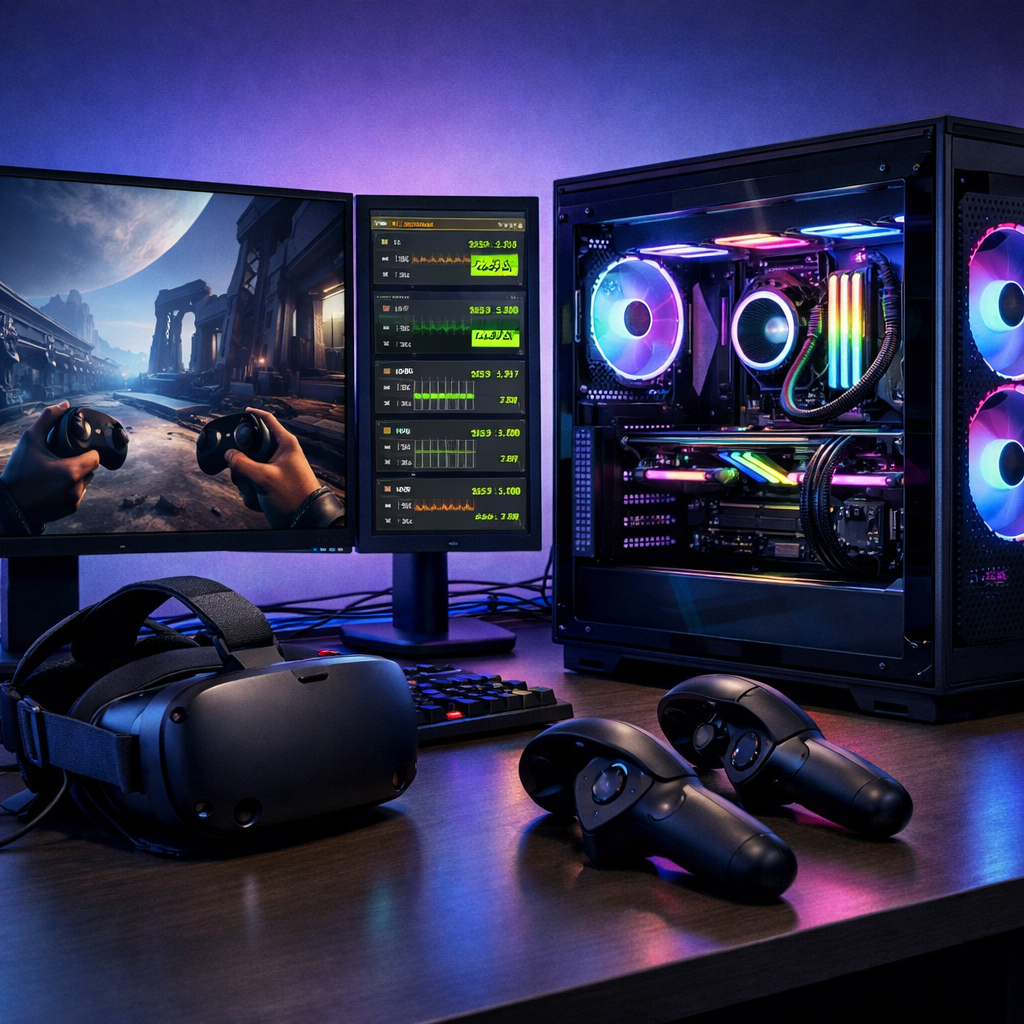
Best VR Gaming Rig Recommendations For 2026: Builds That Perform
If you’re shopping for the best VR gaming rig recommendations in 2026, here’s the short answer: pick a headset that matches your platform and refresh targets, then size your GPU to the resolution and field of view you want. This Gaming Device Advisor guide distills editor-tested picks and clear PC VR requirements into starter, console-first, and high-end builds that balance performance, comfort, and long-term value—so you buy once and play for years.
Strategic Overview
VR in 2026, in our testing at Gaming Device Advisor, falls into three practical lanes: standalone headsets with compelling value, console/PC hybrids (notably PS VR2 with a PC adapter path), and high-end tethered sets for maximum fidelity. The trade-offs are straightforward—higher resolution and refresh boost clarity and responsiveness but raise GPU load; inside-out tracking cuts setup friction but trails base-station precision; and ecosystems lock content to Quest, PlayStation, or SteamVR libraries, respectively (as summarized by leading headset roundups from GamesRadar) The best VR headsets overview.
Quick picks:
- Starter: Meta Quest 3 or Quest 3S — strong standalone play, optional PC tethering/streaming.
- Console-first: PS VR2 + PS5 — OLED HDR, 120Hz, eye-tracking and haptics; optional PC adapter exists.
- High-end PC: Vive Pro 2, Valve Index, or Pimax Crystal — elite clarity/WFoV and tracking with modern GPUs.
How we test and score VR rigs
At Gaming Device Advisor, we score rigs on performance (resolution, refresh, frame stability), value, build quality, thermals/acoustics, tracking accuracy, comfort/fit, and ecosystem/library depth. Hands-on testing spans fast-twitch and sim scenes with consistent tools and metrics to compare across the best VR rigs of 2026.
Motion-to-photon latency is the time between your head movement and the updated pixels appearing on the display; lower is better for comfort and presence.
Test plan and tools:
| Test scene | Target/notes | Tools/telemetry |
|---|---|---|
| Rhythm (Beat Saber) | 120–144Hz tracking/clarity stress | In-headset frame overlays, SteamVR frame timings |
| Sim racing (ACC/iRacing) | Dense scenes, high pixel load | FCAT VR/SteamVR frametime graphs, GPU VRAM use |
| Room-scale tracking | Controller occlusion edge cases | Lighthouse vs inside-out comparisons, guardian tests |
| Mixed reality/passthrough | Latency and color fidelity | Built-in capture, measured passthrough delays |
Reference anchors we validate against: Valve Index supports up to 144Hz with roughly 130° FoV, a gold standard for high-refresh testing in SteamVR ecosystems Index spec context.
Definition: Inside-out tracking uses cameras on the headset to track your position and controllers without external base stations. It’s easier to set up but can lose precision when controllers leave the cameras’ view due to line-of-sight limits Tracking basics.
What to know before you buy
Three segments dominate 2026: standalone (lowest friction and cost), console-first hybrids (polished experience, platform-bound), and high-end tethered PC (top fidelity and precision). As resolution and refresh climb—especially on high-FoV headsets—GPU demand increases sharply, and room-scale tracking expectations rise.
“Field of view (FoV) describes how wide your visual window appears in VR, measured in degrees. Wider FoV enhances immersion and situational awareness but typically requires more rendering power and precise optics. Ultra-wide FoV headsets can be more expensive and demand stronger GPUs.”
Ecosystems matter: PS VR2 focuses on PS5 with a growing, separate PC adapter path; Quest excels in standalone convenience; SteamVR remains the most open and expansive PC library, especially for sims and mod-heavy titles Platform context.
Our comparison criteria
We evaluate headsets and rigs on:
- Resolution (per-eye) and optics
- Refresh rate targets (90/120/144Hz)
- FoV (standard ~100–110°, wide ≥120°)
- Tracking (inside-out vs base-station)
- Platform compatibility (Standalone, PS5, PC/SteamVR)
- Required GPU/CPU for target refresh
- Comfort/weight and thermals/noise
- Price and accessory ecosystem
Reference specs:
- PS VR2: 2,000×2,040 per-eye OLED HDR, 120Hz, ~110° FoV, eye-tracking and headset haptics PS VR2 highlights.
- Valve Index: ~1,440×1,600 per eye, up to 144Hz, ~130° FoV; full kit historically around $999 Index kit context.
Definition: Base-station (Lighthouse) tracking uses external beacons to provide sub-millimeter precision across room-scale space. It’s more complex to set up but remains the most accurate option for sims and competitive play.
Editor’s picks by use case
- Best value starter: Meta Quest 3 or 3S — excellent standalone library with a smooth path to PC streaming or USB‑C tethering when you’re ready.
- Best console-first: PS VR2 + PS5 — OLED HDR panels, 120Hz, integrated eye-tracking/haptics; optional PC adapter if you later want SteamVR.
- Best fidelity PC: Vive Pro 2 or Pimax Crystal — superb clarity and wider FoV; budget for top-tier GPUs and room-scale setups.
Callout: Many reviewers advise trying VR with a more affordable standalone first to confirm comfort and tolerance before investing heavily in PC VR hardware Begin with standalone.
Starter rig comparison
| Feature | Meta Quest 3 | Meta Quest 3S |
|---|---|---|
| Per-eye resolution | ~2,064×2,208 | ~1,832×1,920 |
| SoC | Snapdragon XR2 Gen 2 | Snapdragon XR2-class (cost-optimized) |
| Lenses | Pancake | Pancake |
| PC VR options | USB‑C wired link; Wi‑Fi streaming | USB‑C wired link; Wi‑Fi streaming |
| Tracking | Inside-out; reliable in most rooms | Inside-out; more sensitive to controller line-of-sight |
| Notes | Best mix of clarity and features | Budget-friendly; slightly lower resolution |
| Typical price | ~$499 (varies by storage) | ~$300–$399 |
For PC streaming, use Wi‑Fi 6E with a clear line of sight to your router, or prefer a quality 10Gbps+ USB‑C cable for maximum stability. In Gaming Device Advisor testing, Quest 3 specs and optics continue to lead in this bracket for all-around value Quest 3 roundup context.
Console-first rig comparison
PS VR2 strengths for PS5:
- 2,000×2,040 per-eye OLED HDR panels, 120Hz, ~110° FoV
- Eye-tracking and on-headset haptics enhance immersion
- Polished console integration; no PC tuning required
PC option: A separate adapter (around $59.99) enables DisplayPort 1.4 connectivity on PC. Feature support and game compatibility vary by title and driver maturity; check requirements and community reports before committing PS VR2 PC adapter overview.
Simple decision flow:
- Own a PS5 and want plug-and-play with console exclusives → choose PS VR2.
- Want the broadest PC libraries and mods → consider a PC-first headset.
High-end PC rig comparison
| Headset | Per-eye resolution | FoV (approx) | Refresh | Tracking | Price ballpark | GPU recommendation |
|---|---|---|---|---|---|---|
| Vive Pro 2 | ~2,448×2,448 | ~120° | Up to 120Hz | SteamVR base stations | Premium | RTX 4080/4090-class for 120Hz targets |
| Valve Index | ~1,440×1,600 | ~130° | Up to 144Hz | SteamVR base stations | Kit historically ~$999 | RTX 4070–4080 for 120–144Hz |
| Pimax Crystal | Very high clarity (~2K+ per eye) | Wide (≥120° modes) | 90–120Hz class | Inside-out + optional base-station support | ~$1,699 | RTX 4080/4090+ for wide FoV/high res |
Notes:
- Vive Pro 2 works with Index controllers; excellent clarity but can run warm and is expensive. Wireless adapters typically reduce resolution/refresh versus wired.
- Pimax Crystal prioritizes extreme clarity and wide FoV, but demands top-shelf GPUs and careful fit.
Headset overview and tradeoffs
Standalone wins on cost and simplicity; tethered PC rigs win on absolute fidelity, tracking precision, and mod support—at the expense of higher PC VR requirements and more setup space.
Meta Quest 3 and Quest 3S
Quest 3’s Snapdragon XR2 Gen 2 chip and ~2,064×2,208 per-eye panels with pancake lenses deliver sharp standalone visuals, color passthrough, and seamless wired or wireless PC VR. Quest 3S lowers cost with ~1,832×1,920 LCD panels; great for newcomers, but controller occlusion shows up sooner in edge cases. Choose 3S for budget, 3 for best long-term clarity and features.
PlayStation VR2
With 2,000×2,040 per-eye OLED HDR, 120Hz, ~110° FoV, plus eye-tracking and headset haptics, PS VR2 sets the console bar. It’s designed for PS5 and PSVR1 games aren’t backward compatible; a developing PC adapter path exists for broader libraries. Ideal for PS5 owners wanting premium visuals with minimal setup.
HTC Vive Pro 2
At ~2,448×2,448 per eye and ~120° FoV, Vive Pro 2 pushes clarity in SteamVR. Floor specs (e.g., i5‑4590/Ryzen 1500 and RTX 2060/RX 5700) are only for entry; real 120Hz play needs far stronger GPUs. Pros: superb text readability; Cons: heat and cost; wireless use lowers peak visuals.
Valve Index and Deckard outlook
Index still nails high-refresh smoothness (up to 144Hz) and precise base-station tracking for rhythm games and sims. Availability can vary and successor chatter persists, but Index remains a reliable, tactile standard for PC enthusiasts who value motion precision.
Pimax Crystal and Reality 12K QLED
Crystal, priced around $1,699, prioritizes extreme clarity and wide FoV options. It’s best for power users with flagship GPUs who want cockpit-grade readability. Wide FoV headsets extend peripheral vision to ≥120°, heightening speed perception and immersion—at the cost of higher pixel throughput and, often, more weight.
Pico 4 Ultra
At roughly 2,160×2,160 per eye, ~105° FoV, and 90Hz, Pico 4 Ultra offers a lightweight, value-forward standalone alternative. Availability and storefronts vary by region, making it a stronger pick outside the U.S. or for users seeking a lighter fit.
Bigscreen Beyond and Apple Vision Pro
Bigscreen Beyond is a boutique, ultra-light PC headset tuned for comfort and cinema-like clarity at up to 90Hz, but it’s niche and assumes an existing SteamVR base-station setup. Apple Vision Pro ($3,499) delivers premium eye/hand tracking and mixed reality; for most, it’s a productivity/media device first, not a gaming-first VR rig.
PC requirements and component guidance
Focus your budget on the GPU—VR scales brutally with resolution, refresh, and FoV.
Build tiers:
- Starter PC VR: RTX 4060 Ti/7700 XT, modern 6–8-core CPU, 16GB RAM, 1TB NVMe. Targets 90Hz at ~1.8–2K per-eye with tuned settings.
- Mid-Range: RTX 4070/4070 Ti or RX 7800 XT, 8–10 P-cores, 16–32GB RAM, 1–2TB NVMe. Balances 90–120Hz at ~2K per-eye.
- Enthusiast: RTX 4080/4090 (or next-gen equivalents), 10–12 P-cores, 32GB RAM, 2TB+ NVMe. Aims for 120–144Hz or wide-FoV/high-res headsets.
Selection flow:
- Choose headset and platform.
- Set resolution/FoV and refresh targets.
- Pick GPU to meet those targets.
- Ensure CPU headroom and RAM capacity.
- Size PSU and cooling for sustained VR loads.
GPU recommendations
| Target | Suggested GPU class |
|---|---|
| 90Hz at ~2K×2K per-eye | GeForce RTX 4070 / Radeon 7800 XT |
| 120–144Hz or ultra-wide FoV/high-res (Vive Pro 2, Pimax Crystal) | GeForce RTX 4080/4090 or next-gen equivalents |
Notes: Vive Pro 2’s high-resolution optics push beyond its published minimums; plan above-baseline GPUs for consistent frametimes.
CPU, RAM, and storage
- CPUs: Modern 6–8 performance cores minimum; 8–12 for sim-heavy play.
- Memory: 16GB baseline; 32GB recommended for high-end fidelity and modded sims.
- Storage: NVMe SSDs cut load times and reduce asset-streaming hitch.
Motion-to-photon latency is the span from head movement to updated pixels. Keeping it very low improves comfort and reduces motion sickness; stable frametimes matter as much as raw averages.
Thermals, acoustics, and power
- Power: 80+ Gold PSU with 20–30% headroom for transient GPU spikes.
- Cooling: Dual/triple-fan GPUs; quality air or 240–360mm AIOs for high-end CPUs.
- Airflow: Positive-pressure cases with tuned fan curves for 90–144Hz VR loads.
- Practicalities: Manage cables for tethered rigs; favor quieter GPU models to limit coil whine fatigue.
Wireless vs tethered experience
Wired USB‑C or DisplayPort maximizes clarity and bitrate with the lowest and most consistent latency; Wi‑Fi 6E streaming delivers cable-free convenience but adds compression and occasional latency artifacts. Some wireless adapters also limit resolution/refresh versus a direct cable—plan expectations accordingly.
Recommendation by genre:
- Rhythm/high-refresh and competitive sims: prefer wired.
- Casual, exploration, social VR: wireless is often great.
Setup complexity and room requirements
Inside-out headsets set up in minutes; tracking is good but controllers can occlude outside the cameras’ view. Base-station rigs demand more space and time but reward you with elite precision.
Room guidance:
- Seated sims: desk + chair, 1×1.5m clear floor.
- Room-scale: roughly 2×2m clear area with safe boundaries.
5-step SteamVR base-station setup:
- Mount base stations diagonally at ~2–2.5m height, slight downward tilt.
- Power and sync (wired or optical).
- Define play area in SteamVR.
- Pair headset and controllers; run room setup.
- Test extremes of arm reach and crouch for occlusion.
Cable tips: Route along walls, use floor covers near desks, or add ceiling retractors to prevent tangles.
Long-term reliability and ecosystem support
- Libraries: SteamVR’s breadth for PC; Quest’s strong standalone catalog; PS VR2’s console-first lineup with a growing PC adapter pathway.
- Continuity: Check stock and warranty windows, and consider availability of replacement straps, face pads, and controllers.
- Software: Favor headsets with active firmware updates and clear roadmaps.
Accessories that improve VR rigs
- Comfort and hygiene: upgraded head straps, face cushions, and prescription lens inserts.
- Tracking and input: controller grips; SteamVR base stations and Index controllers for compatible headsets.
- Connectivity: Wi‑Fi 6E routers for wireless PC VR; high-quality 10Gbps+ USB‑C cables for wired links.
- Tethered quality of life: cable management kits and ceiling retractors.
Final recommendations by budget
- Under $500: Meta Quest 3S or Quest 3 for the best standalone value; add PC streaming later.
- $500–$1,200: PS VR2 + PS5 for console-first polish; or Quest 3 plus a mid-range GPU for hybrid play.
- $1,200+: High-end PC VR with Vive Pro 2, Valve Index, or Pimax Crystal; pair with RTX 40/50-class GPUs and 32GB RAM for 90–144Hz stability.
Frequently asked questions
What PC specs do I need for smooth VR in 2026?
At Gaming Device Advisor, we suggest a modern 8‑core CPU, an RTX 4070-class GPU for 90Hz at ~2K×2K per eye, and 16–32GB RAM. For high-res or wide‑FoV headsets, step up to RTX 4080/4090 or equivalent and 32GB RAM.
Is standalone VR enough, or should I plan for PC VR?
Standalone is ideal for cost, convenience, and a strong game library. For maximum fidelity, wide FoV, or 120–144Hz in sims and rhythm games, Gaming Device Advisor recommends planning a PC VR path with a stronger GPU.
How much VRAM and system RAM should I target?
Target 12GB+ VRAM for modern PC VR at high resolutions, and 16GB RAM minimum. Gaming Device Advisor recommends 32GB for high-end sims and modded titles to keep frametimes stable.
Which headsets are best for high refresh rhythm games and sims?
Base-station–tracked headsets known for 120–144Hz excel for rhythm and competitive sims. For high-resolution sims, wide‑FoV models with very high per‑eye resolution are best but require top-tier GPUs; check Gaming Device Advisor’s latest picks for specifics.
Can I upgrade my current PC for VR instead of rebuilding?
Often yes—upgrade the GPU, add 16–32GB RAM, and move to an NVMe SSD for the biggest gains. Gaming Device Advisor also recommends verifying PSU wattage and required ports (DisplayPort/USB‑C) before buying a headset.