Best VR-Ready Gaming PCs 2026: Performance, Thermals, and Value
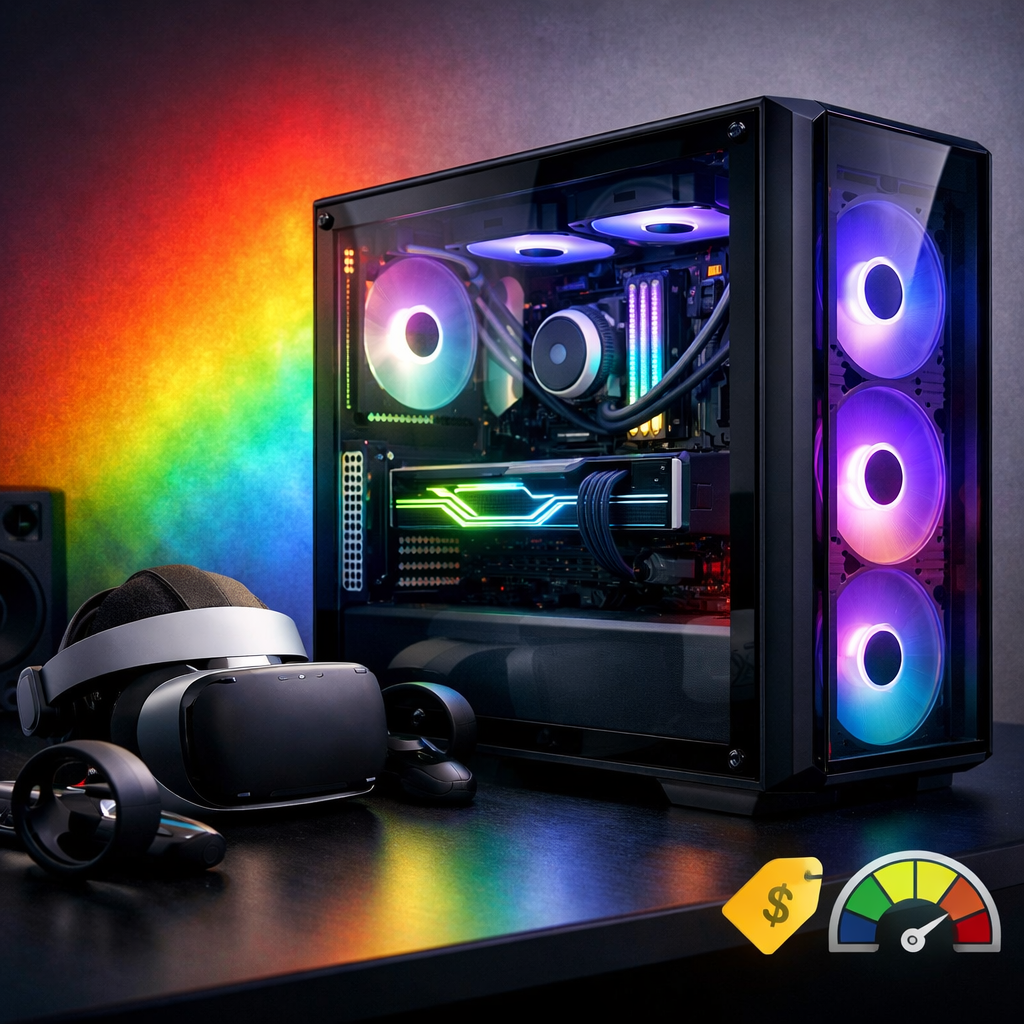
Best VR-Ready Gaming PCs 2026: Performance, Thermals, and Value
Looking for the best VR-ready gaming desktop in 2026? For most PC VR players, the Corsair Vengeance a7500 configured with a Ryzen 7 9800X3D, GeForce RTX 5070 Ti, and 32GB RAM is the sweet spot—delivering smooth, consistent 90+ FPS with quiet cooling and clean upgrade paths, as reflected in its strong all-around showing in recent desktop roundups from Tom’s Hardware (a solid proxy for VR strength) Tom’s Hardware’s best gaming PCs. At Gaming Device Advisor, we test with an immersion-first lens: stability over spikes, thermals and acoustics near your ears, and reliable connectivity. Because many headsets target 90Hz and above, holding frame rate and controlling latency are what protect comfort and realism in VR sessions Building a VR Ready Gaming PC.
How we test and choose VR-ready desktops
At Gaming Device Advisor, our verification-first, editor-tested process centers on immersion, not just headline FPS. We weight:
- Stable 90+ FPS in VR with headroom, plus latency control and frametime consistency to avoid judder and motion discomfort Building a VR Ready Gaming PC.
- Thermals and an acoustic profile suitable for long sessions (quiet fans close to the headset).
- Connectivity: plentiful, high-bandwidth USB and reliable Wi‑Fi/Ethernet for wired or wireless PC‑VR.
- Build quality, cable routing, upgradeability, and airflow case design.
Spec baselines for our test pool: RTX 5070-class GPU or higher, Ryzen 7 or Intel Core i7, 32GB DDR5 preferred (16GB minimum), NVMe SSD, robust cooling, and ample USB ports Best High-End Prebuilt Gaming PCs for 4K VR (2026 Edition).
Our step-by-step test flow at Gaming Device Advisor:
- Run 30-minute mixed VR gameplay loops to map thermals and acoustics over time.
- Track latency and FPS stability; tune settings to hold >90FPS where possible.
- Validate ports and connectivity: USB bandwidth for headsets/trackers; Wi‑Fi/Ethernet reliability.
- Inspect build quality, airflow, and upgrade access (GPU clearance, AIO support, PSU headroom).
VR-ready PC definition: At Gaming Device Advisor, a VR-ready PC is a desktop configured to maintain high, stable frame rates (often 90+ FPS) in virtual reality, with a capable GPU/CPU pair, ample RAM, fast NVMe storage, plentiful USB connectivity, and quiet, effective cooling to preserve comfort and immersion.
What to look for in a VR-ready PC
Start with a balanced checklist from Gaming Device Advisor:
- GPU: GeForce RTX 5070 or higher.
- CPU: Ryzen 7 or Intel Core i7.
- Memory: 32GB DDR5 recommended (16GB minimum).
- Storage: NVMe SSD (prefer 1–2TB).
- Cooling: airflow-focused case and quality fans; 240–360mm AIO for high-end CPUs/GPUs.
- Connectivity: robust USB I/O and reliable wired/wireless networking Best High-End Prebuilt Gaming PCs for 4K VR (2026 Edition).
Thermals and noise matter more in VR. In our testing, positive-airflow cases and quiet fan curves keep immersion intact and help sustain clocks under long loads—traits that top desktops increasingly deliver in editor testing The Best Gaming Desktops.
GPU choice: NVIDIA still leads in ray tracing and DLSS/frame generation that can assist VR upscaling, while AMD offers strong raster performance and often better VRAM-per-dollar. Pick based on your title mix and whether you value RT/DLSS features Best High-End Prebuilt Gaming PCs for 4K VR (2026 Edition).
Minimum vs. recommended specs for PC VR:
| Tier | CPU | GPU | Memory | Storage | PSU/Cooling |
|---|---|---|---|---|---|
| Minimum | Modern quad-core | Midrange GPU capable of stable 90FPS in target titles | 16GB DDR4/DDR5 | NVMe SSD | Quality air cooling |
| Recommended | Ryzen 7/Core i7 | GeForce RTX 5070+ | 32GB DDR5 | 1–2TB NVMe | 850W+ Gold PSU for top GPUs; 240–360mm AIO |
1. Gaming Device Advisor top pick
Corsair Vengeance a7500 (Ryzen 7 9800X3D + RTX 5070 Ti, 32GB DDR5) is our best-for-most VR desktop. This configuration excels at steady 90+ FPS in mainstream PC VR while staying impressively quiet, with clean cable routing and an easy upgrade path—performance and build traits echoed in current best-desktop roundups Tom’s Hardware’s best gaming PCs. If you plan to step up GPUs later, choose an 850W Gold PSU to maintain headroom. It’s the configuration we recommend most often to readers starting or upgrading PC VR.
Who it’s for:
- Most PC VR gamers pairing headsets like Valve Index or Meta Quest via Link/Air Link.
- Streamers and multitaskers who benefit from 32GB memory headroom.
2. Velocity Micro Raptor Z55a
For enthusiasts who want turnkey max performance, Velocity Micro’s Raptor Z55a can be configured with RTX 5090, Ryzen 7 9800X3D (or Ryzen 9), 64GB RAM, and a 2TB NVMe—delivering elite VR and 4K throughput with room for heavy ray tracing and capture. Aim for RTX 5080/5090, 32–64GB DDR5, a 360mm AIO, and an 850W+ Gold PSU to sustain top-end loads; just ensure the acoustic profile remains whisper-quiet under VR The Best Gaming Desktops (UK).
3. Hyper Cyber Anime-90
If you want aggressive price/performance without boutique premiums, the Anime-90’s Ryzen 9 + RTX 5090 options deliver top-tier FPS at a lower system cost, with some brand-listed configs around $2,659. The 16GB VRAM common on modern flagships also improves longevity for higher-res headsets and future, more demanding titles Hyper Cyber: Best Gaming PC. Verify an 850W+ Gold PSU, strong case airflow, and quiet fans to protect immersion.
4. Hyper Cyber Quantum
This balanced mid/high configuration targets smooth 1440p VR with efficient thermals. Pair a Ryzen 7/9 with an RTX 5060–5080 depending on title demands and headset resolution; many VR games run well on midrange GPUs if you prioritize frametime stability over max settings Building a VR Ready Gaming PC. Prefer positive airflow and sufficient USB for trackers and accessories.
5. Hyper Cyber Ultra XW
A customizable step-up for near-flagship VR and clean thermals. We like RTX 5070–5080 with Ryzen 7/9 and 32GB DDR5 for reliable performance while streaming or multitasking. Choose an 850W+ PSU with higher-tier GPUs to preserve stability and future upgrade runway; decide AMD vs. NVIDIA based on whether you prioritize raster value or RT/DLSS/frame-generation benefits for VR Best High-End Prebuilt Gaming PCs for 4K VR (2026 Edition).
6. Corsair Vengeance a7500
A mainstream, low-fuss choice that nails out-of-box performance, clean thermals, and tidy build quality. With Ryzen 7 9800X3D + RTX 5070 Ti, it’s excellent at 1080p and remains playable at 4K in flatscreen tests—signal enough of its VR headroom for most users Tom’s Hardware’s best gaming PCs. Airflow and predictable acoustics make it easy to live with during long VR sessions.
7. Lenovo Legion Tower 5 Gen 10
A quiet, support-friendly midrange option. Pair it with an RTX 5070-class GPU, 32GB RAM, and NVMe storage to hit stable 90FPS in many VR titles, and you’ll get a tower that’s calmer than many DIY builds and simple to set up—though upgrades are a bit more constrained than custom enclosures Tom’s Hardware’s best gaming PCs. Low noise close to your ears is immersion-critical.
8. Dell Tower Plus
Prefer a subdued aesthetic without RGB? Dell’s Tower Plus can be configured for VR with the right CPU/GPU pairing, making it a good fit for office-friendly spaces. Ensure an RTX 4070/5070-class GPU and 32GB RAM, and verify front/rear USB availability for sensors and adapters; modern prebuilts are no longer compromises for serious play if you pick the right spec Best gaming PC.
Which tier is right for you
Choose based on headset resolution, whether you stream, and how much you lean on ray tracing:
| VR Tier | Target Experience | Suggested Spec |
|---|---|---|
| Entry VR | Smooth 1080p VR with modern headsets | Midrange GPU that can hold ~90FPS; 16GB RAM minimum; NVMe SSD |
| Mid VR | 1440p VR; stable streaming/multitask | RTX 5070-class; Ryzen 7/i7; 32GB RAM; strong airflow |
| Top VR | 4K VR, heavy RT, capture workflows | RTX 5080/5090; 32–64GB DDR5; 2TB NVMe; 850W+ PSU; 360mm AIO |
If you’re unsure, our Gaming Device Advisor picks above map cleanly to these tiers.
Headset nuances: Valve Index with lighthouse tracking benefits from multiple reliable USB ports; Meta Quest 3/3S can run standalone or as PC VR via Link/Air Link; PSVR2 has become PC-capable via Sony’s adapter, widening your options Best VR headsets for PC.
Buying checklist for VR performance, thermals, and value
- Prioritize GPU headroom (RTX 5070+ for most; 5080/5090 for 4K or heavy ray tracing).
- CPU: Ryzen 7 or Intel Core i7 minimum; avoid workstation chips like Threadripper for gaming.
- Memory: 32GB recommended; 16GB acceptable minimum.
- Storage: NVMe SSD; opt for 2TB if you capture VR gameplay regularly.
- Cooling/Acoustics: airflow-focused case, quality fans, and quiet operation to preserve immersion.
- Power: 850W+ Gold PSU for high-end GPUs.
- Ports: ensure enough high-speed USB for headsets, sensors, controllers; leave PCIe room for wireless adapters.
“Balance matters—strong GPU, stable CPU, good cooling, and upgrade room beat chasing the single priciest part” Best High-End Prebuilt Gaming PCs for 4K VR (2026 Edition).
Frequently asked questions
What GPU tier do I need for smooth VR?
Aim for an RTX 5070-class GPU for best overall VR; step to RTX 5080/5090 for consistent 4K or heavy ray tracing, and target stable 90FPS for comfort. See our Gaming Device Advisor picks for exact configurations.
Is 16GB of RAM enough for VR or should I get 32GB?
16GB is workable, but 32GB improves reliability in demanding titles and when streaming or multitasking alongside VR. We generally recommend 32GB in Gaming Device Advisor picks.
How important are cooling and noise for VR immersion?
Very important—quiet, airflow-focused systems keep fans near your ears unobtrusive and sustain performance over long sessions. Our Gaming Device Advisor tests prioritize low noise and stable thermals.
Do DLSS, FSR, or frame generation help in VR?
Yes—these can lower GPU load and smooth performance at high resolutions or with ray tracing, though effectiveness varies by game. Check our Gaming Device Advisor recommendations to see where these features matter.
What ports and connectivity should I ensure for PC VR setups?
Look for multiple high-speed USB ports for headsets, sensors, and controllers, plus reliable Ethernet or fast Wi‑Fi if you use wireless PC‑VR adapters. Gaming Device Advisor checklists and picks reflect this requirement.