Budget to Pro: Top RGB Lights for Immersive Gaming Setups
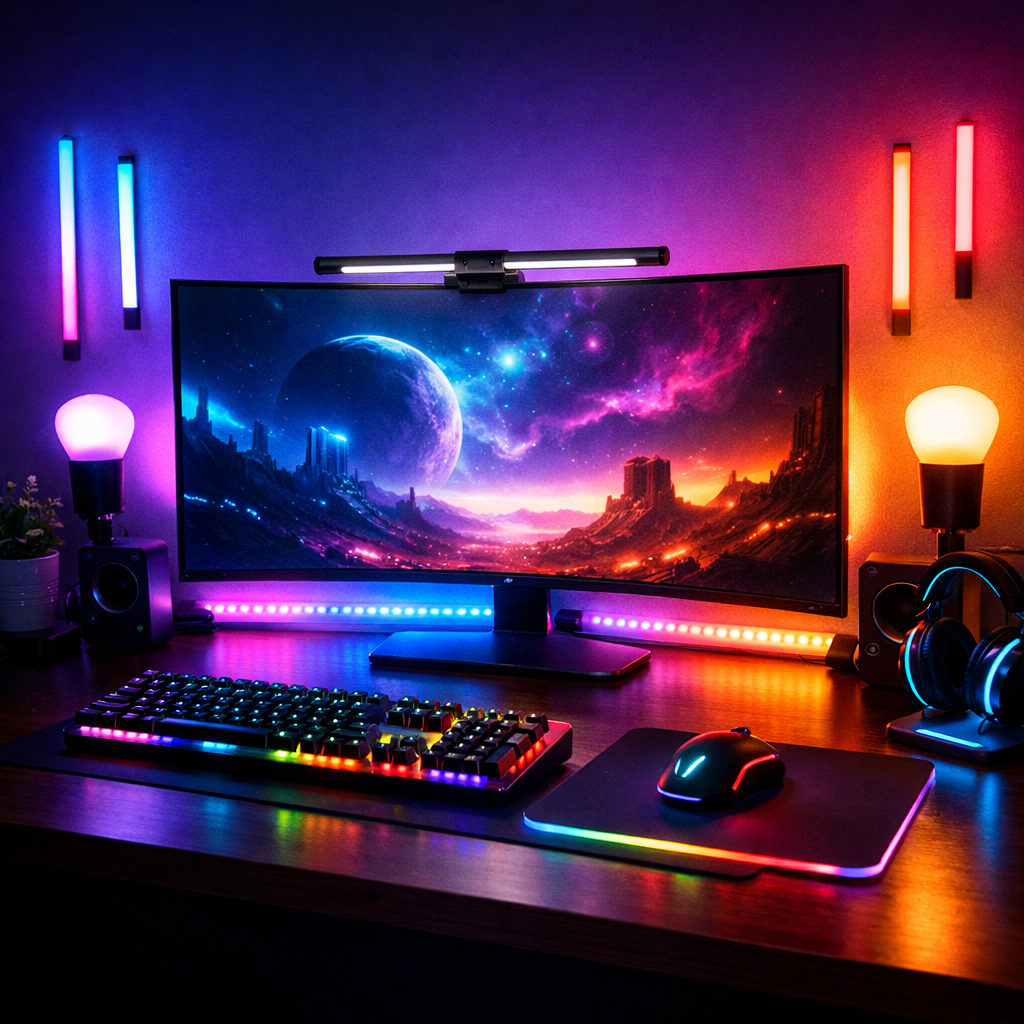
Budget to Pro: Top RGB Lights for Immersive Gaming Setups
Want immersive gaming room lighting without wasting money? This guide highlights top-rated RGB lights for gaming setups, from value strips to pro studio panels. We verify performance, ecosystem behavior, and install basics so value-conscious gamers, parents outfitting kids’ rooms, and live streamers can pick confidently. Our picks balance price, immersion, and longevity—covering addressable LED (RGBIC) smart light strips for gradients, RGBW options for truer whites, and PC streaming lights with flicker-free power. Where possible, we link to authorized sellers, note warranties, and flag stock realities.
Comparison at a glance
| Product | Type | Brightness | Addressability | App/Ecosystem | Ideal Use | Typical Price Tier |
|---|---|---|---|---|---|---|
| Govee RGBIC LED Strip Lights | Smart light strip | Accent-bright (varies by kit) | RGBIC (multi-zone) | Govee Home | Monitor/TV bias lighting, room accents | Budget–Mid |
| Elgato Light Strip Pro | Pro strip | ~2,000 lumens | Multi-zone | Elgato + Stream Deck | PC streaming lights, broadcast scenes | Premium |
| Nanoleaf Essentials Bulb | Smart bulb | ~1,100 lumens | Single-source | Matter/Thread (Essentials) | Desk lamps, room lighting | Budget–Mid |
| Nanoleaf Panels (Shapes/Lines) | Modular wall panels | Panel-bright (varies) | Zone-based | Nanoleaf App | Design-forward backdrops, stream sets | Mid–Premium |
| Philips Hue Lightstrip Plus | Smart light strip | ~1,600 lumens (2m) | RGBW zones | Hue + Bridge | Whole-room sync, TV mirroring | Premium |
| Wyze Light Strip | Budget strip | Accent-bright | RGB or RGBIC (model dependent) | Wyze App | Under-desk, shelving runs | Budget |
| Daybetter LED Strip | Budget strip | Accent-bright | RGB (basic) | 2.4 GHz controller/app | Long ambient runs, baseboards | Ultra-Budget |
| COLBOR CL220R | Studio light | High-output 220W | Full color (RGBCW) | COLBOR App | Key/fill/backlight for pro streams | Pro |
| COLBOR PL8R | Pocket LED panel | Portable, dimmable | Full color (CRI 98+) | COLBOR App | On-camera fill, travel rigs | Pro–Mid |
Gaming Device Advisor
We review lighting with a verification-first lens so you can buy once and enjoy for years. Our criteria: brightness (lumens/lux), color accuracy (CRI), addressability (RGB/RGBIC/RGBW/RGBWW), sync features, durability/adhesive quality, smart control, and price-to-performance across authorized sellers and clear warranties, anchored to independent test patterns and buyer feedback from reputable roundups such as IGN and TechGearLab (see IGN’s best LED strip lights and TechGearLab’s performance testing for representative baselines): IGN: best LED strip lights TechGearLab: LED strip lights review. Where possible, we cross-check brightness claims, app behavior, and adhesive quality against those baselines.
Addressable RGB (often called ARGB or RGBIC) means each segment or diode can display different colors simultaneously, enabling gradients and dynamic effects that sync with games or music. It’s richer and more flexible than single-color-per-strip RGB, and it’s especially popular for bias lighting and immersive room scenes.
Before you buy, prioritize authorized sellers and clear return windows. We include official store links and callout typical warranties so you can avoid gray-market surprises and preserve coverage.
- Internal guide: For a deeper ecosystem breakdown, see our take on ARGB vs. RGB for gaming PCs: Gaming Device Advisor guide: Which lighting ecosystem fits you?
Govee RGBIC LED Strip Lights
Govee’s RGBIC strips are strong value for vivid gradients, music-reactive scenes, and quick app setup. RGBIC allows multiple colors per segment, so you get smoother transitions and game-synced effects that feel more “alive” than basic RGB. Consumer kits commonly include music sync and prebuilt scenes to boost immersion with minimal tweaking, a pattern reflected in mainstream recommendations like IGN’s category roundup IGN: best LED strip lights.
Pros
- Vivid gradients and dynamic effects
- Intuitive app with music sync and scenes
- Broad availability, strong value for gaming backlights
Cons
- White balance/true-white precision can trail RGBW-class options
Authorized sellers: Govee official store (watch for periodic stock shifts); check included adapters/lengths to match your desk or TV.
Elgato Light Strip Pro
For creators who need PC streaming lights that won’t flicker on camera, Elgato’s Light Strip Pro delivers. Expect roughly 2,000 lumens in RGB+white, adhesive backing, cut points, and extension up to 32 ft. It’s designed for stable, video-friendly output and desktop control via Stream Deck and Elgato’s software, which many creator roundups highlight for broadcast-ready workflows IGN: best LED strip lights.
- Why it costs more: tighter stability, higher brightness, and robust integrations versus budget strips.
- Best for: lighting a background, desk surround, or accent wall you’ll capture on camera.
Authorized sellers: Elgato store. Typical warranty support is straightforward; verify return windows with the retailer during sales.
Nanoleaf Essentials Bulbs and Panels
Nanoleaf is ideal when you want gaming room lighting that doubles as wall art. The Essentials Matter Bulb is a budget-friendly smart bulb alternative to pricier ecosystems, great for lamps and room-wide scenes at mid-range prices—often cited as a value pick for smart bulbs in enthusiast roundups PC Gamer: RGB lighting kits. For aesthetic backdrops, modular panels (Shapes, Lines) let you create striking layouts behind monitors or in streaming frames.
Layout ideas (quick picks)
- Triangles: a stacked “V” around a monitor for symmetry
- Lines: a rectangle outline behind a display for even glow
- Mixed: a diagonal ribbon leading to shelves for depth
Pros
- Modular, design-forward panels with scene variety
- Matter support on select products improves ecosystem reach
Cons
- Panel costs add up faster than strips
- Brightness varies by panel type and finish
Authorized sellers: Nanoleaf store. Stock swings during promos; confirm controller/power inclusions before checkout.
Philips Hue Lightstrips
If you want premium whole-room coordination and reliable color accuracy, Hue is the smart-home staple. It supports TV mirroring and adaptive/circadian white alongside rich RGB scenes, so your setup can switch from immersive gaming to natural daytime lighting without fuss, as echoed in mainstream recommendations IGN: best LED strip lights.
RGBW explained (40–50 words): RGBW adds a dedicated white LED to produce pure white without color mixing. Compared with RGB, which blends red, green, and blue to approximate white, RGBW is more efficient and yields truer whites—better for accurate task lighting and everyday, natural-looking scenes Gemstone Lights: RGBW vs RGBWW EOS Light: RGB vs RGBW.
Value framing: higher upfront cost, but consistent color fidelity, a robust app, and a mature accessory ecosystem can justify the premium for mixed gaming-and-living spaces.
Authorized sellers: Philips Hue (check whether a Hue Bridge is required for your features).
Wyze and Daybetter LED Strip Kits
If you need many feet of smart light strips on a tight budget, Wyze and Daybetter cover basics well. TechGearLab’s testing shows some budget kits are surprisingly bright (e.g., LE at ~645 lux, Nexlux at ~598 lux) but often ship with short cords, flimsy remotes, or confusing labels—so verify kit contents carefully before buying TechGearLab: LED strip lights review.
Trade-offs
- White balance consistency and adhesives can vary
- Great for ambient color washes across desks, shelving, or baseboards
Best uses
- Under-desk and shelf runs where perfection isn’t critical
- Long accent lines where cost matters more than precision
Authorized sellers: Wyze store, Daybetter. Expect frequent sales; confirm return policies.
COLBOR CL220R and PL8R Panels
When accuracy and control matter for on-camera work, studio-grade RGB/RGBCW panels are worth it. The COLBOR CL220R is a 220W full-color point-source light with wireless app control and FX effects—ideal for bright, color-accurate sets. The PL8R is a pocket-size RGB panel with 0–100% intensity, CRI 98+, and 2500K–9000K CCT for precise whites and color accents. COLBOR’s CL60R adds portability with an audio-responsive mode for sound-reactive scenes—useful for compact stream rigs COLBOR: guide to RGB lights.
Recommended use cases
- Pro streaming rigs, interviews, and product shots needing high CRI and flicker-free output
- Overkill for casual ambient-only gaming rooms
Authorized sellers: COLBOR store. Check battery/adapter options and return windows before live shoots.
How to choose the right RGB lighting
Use this quick path to match needs and budgets:
- Want gradients and game sync on a budget? Choose RGBIC addressable strips (e.g., Govee).
- Need true whites and everyday room lighting? Consider RGBW/Hue.
- Streaming or filming? Prioritize brightness, flicker-free output, and high CRI (Elgato/COLBOR).
CRI defined (40–50 words): Color Rendering Index (CRI) measures how accurately a light reveals object colors compared to a natural reference. Higher CRI (90+) produces more lifelike skin tones and product hues—critical for streaming, photography, and any on-camera work where color fidelity influences perceived quality.
Brightness and color accuracy
Lux measures illuminance on a surface; lumens measure total light output. As a reference point, Elgato Light Strip Pro reaches about 2,000 lumens, while budget kits in TechGearLab’s tests measured around 598–645 lux at the test surface, enough for ambience but not key lighting IGN: best LED strip lights TechGearLab: LED strip lights review.
- For camera work: seek flicker-free, high-output options with high CRI.
- For ambience: diffusion, length, and placement often matter more than peak lumens.
RGB vs RGBW vs RGBWW
- RGBW uses a dedicated white LED for truer, more efficient whites—better for task lighting and natural scenes Gemstone Lights: RGBW vs RGBWW.
- RGBWW adds warm-white diodes for warmer tones and cozy ambience Gemstone Lights: RGBW vs RGBWW. Recommendation: pick RGBW/RGBWW for accurate whites and mixed-use rooms; stick to RGB/RGBIC for decorative gradients and game/music sync EOS Light: RGB vs RGBW.
Addressable effects and sync
Addressable RGBIC lets segments show different colors simultaneously for richer gradients and smoother effects. It shines for monitor/TV bias lighting, music-reactive party scenes, and animated backdrops. Most consumer kits bundle app control, music sync, and prebuilt animations for fast setup, a pattern noted in major roundups IGN: best LED strip lights.
Adhesive, mounting, and power
A solid install prevents sagging and signal drop:
- Clean, dry surfaces; test a small area first. Add clips for corners/under-desk spans. Some budget kits include short power cords—plan outlet reach TechGearLab: LED strip lights review.
- Mounting styles: standard top-emitting strips and side-emitting flex for wall-wash effects and tight reveals LEDSupply: mounting overview.
- Match voltage and power supply to total run; respect daisy-chain limits to avoid dimming.
Smart home and control apps
Choose an ecosystem that matches your devices:
- Streamer-centric: Elgato integrates tightly with Stream Deck and PC software IGN: best LED strip lights.
- Whole-home: Hue supports TV mirroring and adaptive white; voice assistant integrations are now table stakes across many systems Gemstone Lights: RGBW vs RGBWW.
- Check Matter/Alexa/Google/HomeKit support and whether a hub/bridge is required.
Setup tips for reliable installs
Follow this 6-step flow to avoid headaches and preserve warranties:
- Measure runs and plan controller/power placement.
- Prep surfaces (clean, dry), test adhesive.
- Dry-fit with low-tack tape; confirm cut points and corners.
- Adhere/mount; add clips at stress points.
- Cable-manage; keep power bricks ventilated.
- Power on and test scenes before final tidy.
Warnings
- Don’t bend strips past the rated radius; use corner connectors.
- Keep IR receivers/controllers visible if your kit relies on remotes.
Measuring runs and planning layouts
Measure the total path including corners. Plan for factory cut points and controller placement, and add 10–15% slack for routing. Map zones (desk underside, monitor back, shelving, wall outlines); pick addressable strips for gradient-heavy areas like behind monitors and TVs.
Cable management and heat considerations
Use adhesive cable clips, raceways, and Velcro ties. Keep power bricks off carpet and allow airflow. LED longevity is strong: many retain about 80% brightness at 30,000 hours and roughly 70% near 50,000 hours—over eight years at 24/7, and longer with typical use Holiday Bright Lights: LED longevity.
Bias lighting for monitors and TVs
Bias lighting is a soft backlight behind screens that reduces eye strain and improves perceived contrast. Choose neutral white for accuracy or RGBIC gradients for gaming flair. For TV/PC sync, Hue and Govee ecosystems are popular; place strips evenly along screen edges for a uniform glow IGN: best LED strip lights.
Warranty, returns, and authorized sellers
Buy from authorized retailers to secure genuine warranties and reliable support. Typical return windows run 14–30 days; confirm before installing adhesive-backed gear. Keep proof of purchase, avoid gray-market listings, and verify included adapters, connectors, and power supplies to prevent non-warranty install issues noted in budget-kit tests TechGearLab: LED strip lights review.
Gaming Device Advisor links to authorized sellers throughout this guide to streamline that step.
Frequently asked questions
Do RGB lights improve gaming immersion or performance?
RGB lighting enhances immersion through color ambiance and synchronized effects, but it doesn’t boost frame rates. Gaming Device Advisor recommends addressable strips or smart ecosystems to match in-game events for a more engaging experience.
What is the difference between RGB and RGBIC?
RGB shows one color per strip at a time, while RGBIC is addressable, allowing multiple colors simultaneously for gradients and dynamic effects. For immersive backlighting and sync, Gaming Device Advisor favors RGBIC.
Can RGB light strips be primary room lighting?
They’re best as accent or mood lighting. Gaming Device Advisor suggests pairing them with brighter fixtures or RGBW/RGBWW options that deliver truer, more efficient white light.
How long do LED RGB lights last?
Many LEDs maintain about 80% brightness at 30,000 hours and roughly 70% around 50,000 hours, translating to years of typical use. Gaming Device Advisor uses these ranges as planning baselines; heat and power quality still matter.
Do I need a hub to control my RGB lights?
It depends on the ecosystem. Gaming Device Advisor recommends checking whether a hub/bridge is required before buying.