Compare Console And VR Headset Bundle Offers Across Top Stores
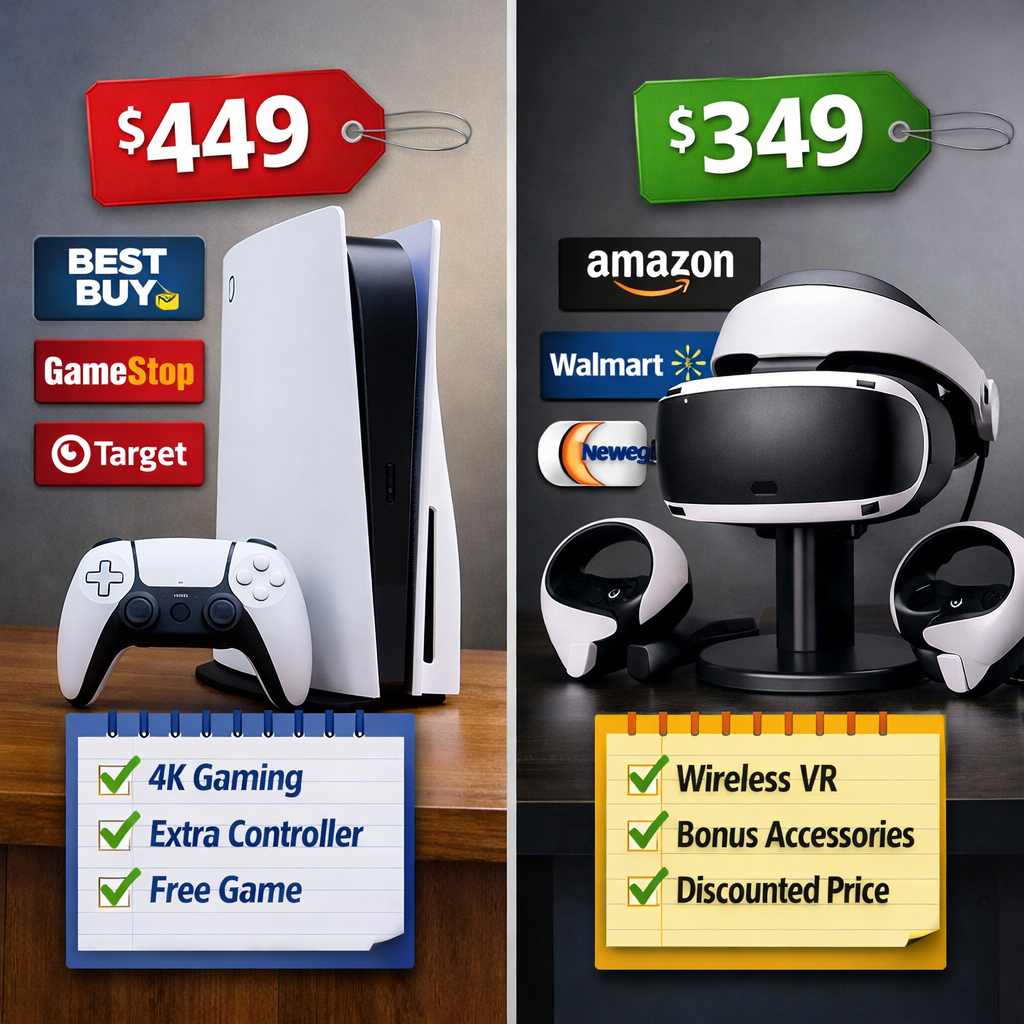
Compare Console And VR Headset Bundle Offers Across Top Stores
Looking to buy a console and VR headset bundle in 2025? Start by deciding between three families: console‑tethered (PSVR2 + PS5), standalone (Meta Quest 3 or the lower‑cost Quest 3S), and PC‑tethered (Valve Index, Vive Pro 2, Pimax). Console bundles deliver premium visuals and haptics with simple setup, while standalone VR offers the fastest, lowest total cost with no console or PC required. PC‑tethered kits unlock the highest fidelity and tracking precision if you have a capable gaming rig. Below, Gaming Device Advisor compares what actually moves value across top stores—price, included items, return policies, and content—so you can time VR bundle deals and avoid missing accessories. Gaming Device Advisor cites hands-on, lab‑tested resources such as CNET’s best VR headsets guide, PCMag’s picks, GamesRadar’s 2026 roundup, and TechGearLab’s testing to anchor specs, features, and requirements.
How to choose the right bundle
Make your choice in three steps:
- Confirm your platform. Own a PS5? A PSVR2 bundle is the plug‑in path. Have a gaming PC? PC‑tethered kits unlock the deepest libraries. No hardware yet? A standalone Quest bundle keeps costs low.
- Pick fidelity vs. convenience. HDR OLED and eye‑tracking push immersion on PSVR2, while inside‑out tracked standalone headsets are cordless and quick to set up. PC kits trade time and money for peak smoothness and tracking.
- Compare what’s in the box vs. add‑on costs. Controllers, cameras/base stations, cables, and pack‑in games swing real value.
“Inside‑out tracking” is when cameras on the headset track your movement without external sensors; “outside‑in” uses base stations or room‑placed cameras for precision and wider coverage, often favored by enthusiasts for latency and accuracy see PC Gamer’s VR headset guide. Note requirements: PSVR2 needs a PS5 and runs tethered via cable, while PC‑tethered kits require a discrete GPU, DisplayPort/USB ports, and more setup time (summarized in TechGearLab’s VR headset tests).
What to compare across stores
These line items shift total bundle value more than MSRP. Use this quick planner when checking official listings and retailer pages. They’re also the criteria Gaming Device Advisor uses when comparing bundles.
| Bundle type | Price (list vs. sale) | Included accessories | Included games/trials | Return window | Warranty |
|---|---|---|---|---|---|
| Console‑tethered (PSVR2 + PS5) | Std: PSVR2 ~$549; Sale: has dropped to ~$300 in holiday windows (stock varies) per CNET’s best VR headsets guide | PSVR2 Sense controllers, cable; verify extra HDMI/USB cables | Look for Horizon or GT7 promos on product pages | 14–30 days typical (retailer dependent) | Usually 1 year (region/store dependent) |
| Standalone (Quest 3/3S) | Quest 3S around ~$300; Quest 3 commonly ~$499; seasonal promos shift value (see GamesRadar’s 2026 VR roundup) | Touch controllers, charger/cables; storage tier matters (128GB/256GB+) | Bonus games/subscriptions rotate by store | 14–30 days typical | Usually 1 year |
| PC‑tethered (Index/Vive Pro 2/Pimax) | Index Full Kit historically around ~$999; Vive Pro 2 varies by Headset‑Only vs. Full Kit (context in PCMag’s picks) | Confirm base stations, controllers, link boxes, cables | Viveport trials add content value on Vive Pro 2 | 14–30 days typical | 1 year consumer; business terms vary |
Verification steps that prevent surprises:
- Confirm cameras/controllers are included—some PS-era bundles historically omitted cameras in certain SKUs, changing true cost (see Wired’s original PSVR review).
- Validate content value: PSVR2 exclusives like Gran Turismo 7 and Horizon: Call of the Mountain can tip the scale even if price is higher (noted in CNET’s best VR headsets guide).
Console-tethered bundles
Expect plug‑into‑console simplicity, premium visuals, haptics, and eye‑tracking, balanced by a cable and the need for a PS5. Watch sale windows: PSVR2 pricing has occasionally approached standalone territory during major holidays per CNET’s best VR headsets guide. On store pages, confirm Sense controllers, cables, and any pack‑in titles.
PlayStation VR2 with PS5
PSVR2’s per‑eye ~2,000 × 2,040 resolution, HDR OLED panel, eye‑tracking, and Sense controller haptics deliver standout immersion for console VR (spec context from PCMag’s picks and CNET’s best VR headsets guide). Content highlights include Gran Turismo 7 and Horizon: Call of the Mountain. Pricing has seen swings down to roughly $300 during select holidays, but stock can be volatile (CNET). Buying tip: verify inclusions and age guidance (PlayStation advises VR is not for under 12) on the PlayStation VR bundles page, then cross‑check retailer SKUs like GameStop’s Horizon Call of the Mountain bundle.
Standalone bundles
Standalone VR means the headset runs games on‑device—no console or PC needed. It’s cordless, quick to set up, and ideal for first‑time buyers, though demanding titles can surface lag and battery drain (see setup trade‑offs in TechGearLab’s VR headset tests). Store‑to‑store value hinges on storage tiers, bonus games or subscriptions, and return policies more than raw MSRP. A simple “good, better” pick works: Quest 3S for lowest price; Quest 3 for sharper visuals and mixed‑reality features.
Meta Quest 3 and Quest 3S
Quest 3S is widely positioned as the best affordable entry around ~$300, reusing Quest 2‑style Fresnel lenses and an LCD that trades optics for cost (pricing notes in CNET’s best VR headsets guide). Quest 3 is often favored thanks to a stronger processor, higher resolution, and full‑color passthrough, making it a current gold standard for standalone VR (see GamesRadar’s 2026 VR roundup). Buying tips:
- Prefer bundles with popular titles or accessory credits.
- Confirm storage capacity on the listing (128GB vs. 256GB+) so you don’t outgrow it quickly.
Pico 4 Ultra
Where available, Pico 4 Ultra is a compelling Quest alternative; reporting indicates it can outperform Quest 3 in demanding games with fewer frame drops, though availability is region‑dependent (context from GamesRadar’s 2026 VR roundup). Before purchasing, verify storefront region support, warranty, and return windows. Search terms like “Pico 4 Ultra bundle,” “Quest alternative,” and “standalone VR deal” can surface limited‑time promos.
PC-tethered bundles
Why go PC‑tethered? Connecting a headset to a robust GPU lowers latency, expands game access, and can reduce VR sickness risk while maximizing fidelity and tracking precision (summarized by TechGearLab’s VR headset tests and PC Gamer’s VR headset guide). Requirements typically include a discrete GPU, DisplayPort and USB ports, base stations (when applicable), and dedicated play space.
Recommended requirements quick‑look:
| Headset | Tracking type | Usually included in bundle | Typical PC needs | Ports | Playspace |
|---|---|---|---|---|---|
| Valve Index | Outside‑in (Lighthouse) | Headset, controllers, 2 base stations (confirm “Full Kit”) | Mid‑to‑high‑end GPU, modern CPU | DisplayPort, USB | Room‑scale area |
| HTC Vive Pro 2 | Outside‑in (Base stations) | Varies by “Headset‑Only” vs. “Full Kit” | Mid‑to‑high‑end GPU | DisplayPort, USB | Room‑scale area |
| Pimax (wide‑FOV models) | Outside‑in (Base stations) | Headset; controllers/base stations may be separate | High‑end GPU strongly recommended | DisplayPort, USB | Larger area helpful |
Valve Index
Index remains a tracking and hand‑presence favorite for enthusiasts; motion tracking is excellent and overall value solid, though glasses wearers may need fit tweaks for comfort (notes echoed in TechGearLab’s VR headset tests). Confirm you’re buying the Full Kit (base stations and controllers) to avoid surprise costs. Secondary keywords: Valve Index bundle, outside‑in tracking, lighthouse base stations.
HTC Vive Pro 2
Vive Pro 2 targets pros and studios with a sharp image and enterprise‑friendly options. Its Viveport subscription meaningfully shifts content value—access to a large rotating library can offset higher hardware pricing (positioning in PCMag’s picks). Compare “Headset‑Only” vs. “Full Kit” SKUs across stores, and check business warranty terms if you’re purchasing for commercial use.
Pimax options
Pimax’s ultra‑wide field of view suits sim and flight enthusiasts who want maximum immersion, but it demands strong GPUs and careful cable/base station planning. Field of view (FOV) is the visible extent of the virtual world at once; wider FOV increases immersion but can amplify GPU load. Check stock and shipping lead times—availability can vary widely by region and storefront.
Pricing and value by bundle type
- Historical context: The original PS VR launch bundles often packed the PlayStation Camera, Move controllers, and a game around the ~$499 mark, but components varied by SKU, creating confusion (see Wired’s original PSVR review and corroborating sentiment in Best Buy customer reviews on the PSVR launch bundle).
- Modern sales: PSVR2 has dipped to about ~$300 during some holidays; Quest 3S commonly lands near ~$300 with seasonal promos, while Quest 3 hovers higher (pricing trends summarized by CNET’s best VR headsets guide).
Typical pricing snapshot:
| Category | Standard price range | Common sale range | What you typically get |
|---|---|---|---|
| Standalone (Quest 3/3S) | ~$299–$499 | ~$249–$449 | Headset, controllers, charger; occasional game/subscription bonuses |
| Console‑tethered (PSVR2) | ~$549 (headset) | ~$299–$399 (select holidays) | Headset, Sense controllers, cable; periodic game bundles |
| PC‑tethered (Index/Vive/Pimax) | ~$699–$1,199+ (varies by kit) | ~$599–$999 | Headset; Full Kits add controllers/base stations; trials (e.g., Viveport) |
Setup, requirements, and space considerations
Console and standalone headsets are usually quick to set up; PC kits can require external sensors, driver installs, and more calibration (per TechGearLab’s VR headset tests). Practical cautions:
- Bright rooms can degrade camera‑based tracking; early PSVR/Move systems struggled under harsh lighting, and light leakage reduced comfort—adjust lighting and face gaskets accordingly (historical insight from Wired’s original PSVR review).
- Pre‑purchase fit check:
- Power/ports available (PS5 HDMI/USB; PC DisplayPort/USB).
- Cable length and routing for tethered kits.
- Clear play space (room‑scale vs. seated use).
- Storage needs (standalone) and charging access.
Content libraries and included games
Content often decides where to buy. PSVR2’s standout console exclusives—Gran Turismo 7 and Horizon: Call of the Mountain—can make pricier bundles worthwhile (CNET’s best VR headsets guide). Always confirm included titles on official or retailer pages (e.g., GameStop’s Horizon Call of the Mountain bundle), and watch for subscription trials like Viveport on Vive Pro 2 (PCMag’s picks). Platform strengths:
- PSVR2: premium haptics, HDR OLED, eye‑tracking; Sony first‑party/system‑level polish.
- Quest: largest standalone library, frequent promos, social features, easy casting.
- PC VR: deepest sim and mod scenes; widest hardware/accessory ecosystem.
Comfort, build quality, and long-term ownership
From Gaming Device Advisor’s verification‑first testing, long‑term experience hinges on more than specs:
- Comfort: face gasket quality, light‑block performance, strap adjustability, and glasses accommodation. Early PSVR’s light leakage issues inform Gaming Device Advisor’s lighting and fit tips today (Wired’s original PSVR review).
- Controllers: ergonomics, button placement, and haptics influence session length.
- Cables and thermals: manage tether routing; standalone headsets benefit from good airflow and battery health habits.
- Durability and serviceability: prioritize replaceable pads/straps, clear warranty terms, and ecosystems with steady software updates.
Where to find reliable store bundles
Start at the source, then validate retailer listings. Gaming Device Advisor tracks official listings and major retailers to flag bundle changes and promo add‑ins:
- For accurate inclusions and age guidance, check the PlayStation VR bundles page, then cross‑check retailer SKUs and photos.
- Look for retailer pages known to host PSVR2 bundles, such as GameStop’s Horizon Call of the Mountain bundle, to confirm pack‑in titles.
- Scan real‑world feedback on trusted retailers; for historical context, see Best Buy customer reviews on the PSVR launch bundle. Prioritize clear in‑box photos, model numbers, return policy length, and warranty terms.
Editor testing methodology and scoring
Gaming Device Advisor’s recommendations weight performance, value, reliability, and long‑term ownership. We assess:
- Comfort over multi‑hour sessions; strap and gasket fit; glasses compatibility.
- Tracking reliability in varied lighting; controller latency and coverage.
- Thermal and battery stress (standalone); noise and cable management (tethered).
- Software/library depth, ecosystem cadence, and replacement part availability.
This mirrors Gaming Device Advisor’s editor‑tested gaming PC work and verification‑first RGB evaluations, where experience factors—noise, thermals, build quality, and upgradability—matter as much as raw specs.
Best-for recommendations
- Best for console owners who want premium VR: PSVR2 with PS5 for HDR OLED, eye‑tracking, and advanced haptics (features summarized by CNET and PCMag).
- Best for first‑time buyers and portability: Meta Quest 3/3S for turnkey setup and value; 3S sits around $300 in many promos.
- Best for sim/VR enthusiasts: Valve Index or HTC Vive Pro 2 for top tracking/visuals and the broadest libraries on PC.
- Best Quest alternative where available: Pico 4 Ultra—strong performance reports; verify regional availability before purchase.
Gaming Device Advisor updates these picks as pricing and inventory fluctuate. Deal timing tip: Watch holiday windows when PSVR2 has historically dipped toward ~$300 (CNET).
Frequently asked questions
Do I need a PS5 or gaming PC for a VR bundle?
Standalone headsets run on‑device, while console‑tethered models require the matching console and PC‑tethered models need a capable gaming PC. Gaming Device Advisor clearly flags these requirements in our bundle checklists.
Are standalone headsets good enough for first-time VR buyers?
Yes— they’re all‑in‑one, cordless, and easy to set up, trading some peak fidelity for simplicity and value. Gaming Device Advisor’s testing finds they suit most new users.
What should I confirm on a retailer’s bundle page before purchasing?
Verify included accessories (controllers, camera/base stations), any pack‑in games, storage capacity, return policy, warranty terms, and platform/space requirements. Gaming Device Advisor’s pre‑purchase checklist covers these points.
How much room do I need for room-scale VR?
Most room‑scale setups work best with a clear 6.5 × 6.5 ft area or larger; always follow each headset’s safety guidelines and map your play space, managing cables for tethered kits. Gaming Device Advisor also recommends basic cable management for tethered setups.
Can I expand or upgrade my VR setup over time?
Usually—comfort straps, prescription inserts, audio, and extra batteries are common adds, and PC‑tethered setups allow the most upgrades. Gaming Device Advisor highlights worthwhile accessories in our guides.