Exclusives, Backward Compatibility, Subscriptions: Choosing Xbox or PlayStation
Exclusives, Backward Compatibility, Subscriptions: Choosing Xbox or PlayStation
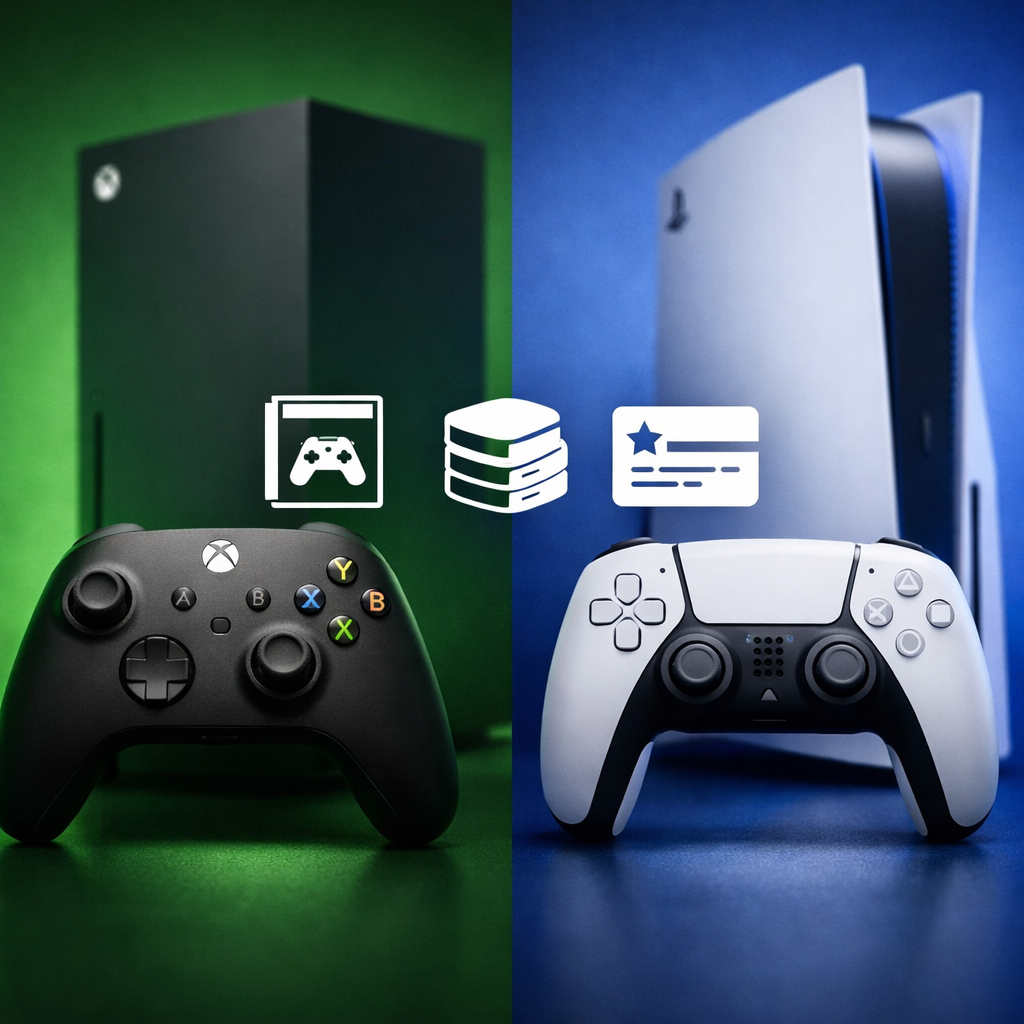
Choosing between Xbox and PlayStation comes down to which ecosystem will feel better and cost less to enjoy over the next 3–5 years. For most new buyers, Xbox offers superior breadth and savings if you rotate through lots of games via subscriptions and want deep backward compatibility. PlayStation delivers stand‑out single‑player exclusives and the most immersive controller tech. Both target 4K at 60 frames per second with optional 120 Hz modes, and most third‑party games play similarly. Below, we break down the long‑term value pillars—exclusives, backward compatibility, subscriptions/cloud, performance, storage, and accessories—to help you choose the platform that best fits your library plans and budget.
How we evaluate long-term value
Our framework looks beyond day‑one specs to what actually sustains value over a console’s lifespan:
- Library durability: How backward compatibility and subscriptions compound your playable catalog.
- Performance sustainability: 4K/60 targets, 120 Hz headroom, frame pacing, and I/O that keeps loading fast as games grow.
- Total cost of ownership (TCO): Hardware price, storage expansion, controllers/headsets, and recurring subscription fees.
This is the lens Gaming Device Advisor uses across our console guides to judge real-world value.
Total cost of ownership (TCO) is the combined cost of the console over time, including the console itself, storage expansions, any extra controllers or headsets, and ongoing subscriptions for online play or game libraries.
Both Xbox Series X and PS5 are designed for 4K at 60 fps with optional 120 Hz modes; while 8K is occasionally listed, it’s not a practical factor for current games, as summarized in major head‑to‑heads like the feature comparison from Wired’s PS5 vs Xbox guide.
Decision criteria overview
Here’s a quick orientation before the deep dives.
| Category | Xbox Series X/S | PlayStation 5 |
|---|---|---|
| Exclusives quality | Growing first‑party slate; output and polish have varied by title | Consistent, highly polished single‑player epics and curated first‑party hits |
| Backward compatibility depth | Extensive: Xbox One plus a large list of 360 and original Xbox titles | Strong for PS4; notably weaker for PS3/PS2/PS1 without streaming |
| Subscription value | Game Pass delivers day‑one titles, EA Play, and cloud play in top tier | PS Plus has deep catalogs but fewer day‑one first‑party drops |
| Raw performance | Slight GPU edge; robust 120 Hz support; Quick Resume | Highly optimized first‑party; excellent I/O utilization |
| Controller features | Familiar ergonomics; Dynamic Latency Input; wide cross‑gen pad support | DualSense adaptive triggers and nuanced haptics elevate immersion |
| Storage approach | 1TB internal; proprietary expansion card matches internal speeds | 825GB (1TB on Slim) internal; open M.2 NVMe slot for off‑the‑shelf drives |
| Cloud features | Cloud gaming included with upper‑tier Game Pass | Cloud streaming in higher PS Plus tiers; library varies by region |
| Price | Series X launched at $499; Series S at $299 | PS5 Disc $499; Digital $399 at launch; hardware variations affect bundles |
Platform leans:
- Xbox: breadth via Game Pass, best‑in‑class backward compatibility, Quick Resume, and strong raw specs.
- PlayStation: standout first‑party exclusives, DualSense immersion, and strong platform optimizations.
For launch pricing context and feature positioning, see the cross‑platform summary in Wired’s PS5 vs Xbox roundup.
Exclusive games and studio roadmaps
Exclusive games are titles funded or published by a platform holder and playable only on that platform (or within that ecosystem) for a defined period. They shape a console’s identity and often drive purchase decisions.
PlayStation typically leads in high‑profile, single‑player exclusives with excellent polish and platform‑level optimization. Xbox’s first‑party slate has broadened and now spans more genres, including live‑service titles, though cadence and optimization have been mixed across releases according to coverage tracking and platform comparisons like TechRadar’s PS5 Pro vs Series X analysis.
If your must‑play list skews toward cinematic single‑player campaigns and prestige studios, PlayStation’s roadmap tends to deliver steadier “event” games. If you prefer variety, co‑op, and trying more games for less up front, Xbox’s growing first‑party mix plus subscription access is compelling.
Backward compatibility and legacy libraries
Legacy support can multiply your day‑one library and reduce spending by reusing what you own:
- Xbox supports nearly all Xbox One games plus curated lists of Xbox 360 and original Xbox titles without a subscription, significantly deepening your playable backlog for returning buyers. It also offers Quick Resume to suspend and hop among multiple games rapidly—excellent for sampling backlogs and live‑service rotations, as outlined in Tom’s Guide’s PS5 vs Series X breakdown.
- PS5 plays almost all PS4 games (including many with PS4 Pro‑style enhancements), but native support for PS3 and older generations is limited, guiding expectations for legacy collections.
If you’re carrying a large last‑gen library or love revisiting classics with modern boosts, Xbox’s approach delivers more day‑one value.
Subscriptions and cloud value
Subscriptions can swing total cost by hundreds of dollars over a few years.
- Xbox Game Pass Ultimate includes a rotating catalog of hundreds of games, EA Play access, day‑one releases from Xbox Game Studios, and cloud play in supported regions—excellent if you sample widely or prefer not to buy each game outright, as summarized in Private Internet Access’s neutral overview of platform ecosystems.
- PlayStation Plus has multiple tiers with sizable catalogs and classic libraries, but historically fewer day‑one first‑party inclusions. It’s strong if you’re curating a set of hits and want occasional classics, less so if day‑one access is your priority.
Cloud gaming definition (40–50 words): Cloud gaming streams games from remote servers to your device over the internet. It reduces local storage needs and lets you try games quickly, but performance depends on connection speed and latency. It’s great for sampling libraries, though demanding shooters still feel best installed locally.
Hardware performance and real-world play
On paper, Xbox Series X has a modest GPU advantage (12 TFLOPS, RDNA 2, 52 CUs) over PS5’s ~10.3 TFLOPS (36 CUs). Both use 16GB GDDR6 RAM; CPUs are 8‑core Zen 2 designs (Series X up to 3.8 GHz; PS5 around 3.5 GHz, variable). PS5’s SSD offers roughly 5.5 GB/s raw throughput (~8–9 GB/s compressed) versus Series X’s ~2.4 GB/s raw (~4.8 GB/s compressed), which can benefit load times and asset streaming in optimized titles. These specs and I/O differences are laid out in IGN’s PS5 vs. Xbox Series X comparison chart.
In real play, most cross‑platform games target similar frame rates and resolutions, with minor leads shifting by title. Expect 4K60 performance modes, 120 Hz options in select games, and broadly fast loading on both. Both systems are generally quiet under load; perceived smoothness often comes down to frame pacing and developer optimization rather than raw TFLOPS alone.
Controllers and user experience
The PS5’s DualSense adds adaptive triggers, advanced haptics, and a built‑in mic array that meaningfully deepens immersion when games support it. Xbox’s controller leans on proven ergonomics, Dynamic Latency Input to reduce input lag, and broad cross‑generation pad compatibility—great if you already own Xbox accessories.
On the AV front, Xbox supports Dolby Vision gaming, which can offer more consistent HDR tone‑mapping on supported displays; PS5 does not. If you have a VRR/120 Hz TV or monitor, both platforms can deliver smoother motion in performance modes.
Ecosystem fit and cross-platform flexibility
Before you buy, run this quick checklist:
- Where do your friends play (for party chat and co‑op)?
- Do you want PC cross‑buy or cross‑save (Xbox Play Anywhere, shared ecosystems)?
- Will your current controllers/headsets carry over?
- Does your display support VRR/120 Hz (and Dolby Vision if that matters)?
- How much will you use cloud play on mobile/secondary screens?
Multiple reviews agree both platforms center on 4K@60 with 120 Hz options; 8K is a non‑factor today. Some third‑party reports have noted Microsoft’s comparatively stronger track record on data practices and breaches than Sony, which a subset of buyers weighs when choosing an ecosystem.
For more platform‑fit guidance, see Gaming Device Advisor’s console buying guides.
Storage, upgrades, and total cost of ownership
Base storage and expansion shape how many big games you can keep installed:
- PS5: Custom 825GB SSD (PS5 Slim moves to 1TB). Open M.2 NVMe slot supports off‑the‑shelf PCIe Gen4 drives with heatsinks.
- Xbox Series X: 1TB internal NVMe SSD. Expansion via proprietary cards that match internal speeds and hot‑swap convenience.
An NVMe SSD is a high‑speed solid‑state drive using the PCIe interface for rapid data transfer. It slashes load times and improves asset streaming compared to HDDs and older SATA SSDs—especially helpful in open‑world games and quick swapping between titles.
Typical AAA install sizes: 50–120GB (live‑service titles can exceed 150GB with updates). Plan your expansion early.
Estimated storage planning (prices fluctuate by brand and sales):
| Item | PS5 | Xbox Series X |
|---|---|---|
| Usable space (approx.) | ~667GB on 825GB model; ~800+GB on 1TB Slim | ~800+GB of 1TB |
| Expansion method | Standard M.2 NVMe PCIe Gen4 drive | Proprietary expansion card |
| Typical AAA size | 50–120GB (some >150GB) | 50–120GB (some >150GB) |
| 2–3 year expansion estimate | 1–2TB M.2: roughly $60–$200 depending on speed/brand | 1–2TB card: roughly $100–$250 depending on brand/sales |
TCO tip: Budget for one extra controller, a headset if needed, and your chosen subscription tier. Over three years, subscriptions often become the largest cost after the console itself.
Which offers better long-term value for new buyers
- Choose Xbox if you value day‑one access via Game Pass, deep backward compatibility across four generations, Quick Resume for easy backlog hopping, and Dolby Vision gaming—plus slightly stronger raw specs at the $499 hardware tier.
- Choose PlayStation if flagship single‑player exclusives, DualSense haptics, and platform‑level optimizations matter most, and you’re fine with weaker older‑gen compatibility and fewer day‑one first‑party inclusions.
If PS5 Pro fits your budget, it improves fidelity and frame‑rate stability but at a higher price (reports peg it around $699.99), which tilts pure value back toward Series X for cost‑sensitive buyers, as noted in TechRadar’s PS5 Pro vs Xbox overview. Gaming Device Advisor prioritizes long‑term library fit and TCO when making a pick.
Frequently asked questions
Do I lose access to games if I cancel my subscription
You keep any games you bought outright, but you’ll lose access to subscription catalog titles when your membership lapses; resubscribe or purchase to play again. Gaming Device Advisor’s guides outline how each tier handles access.
Will my existing controllers and headsets work on a new console
Most same‑family accessories carry forward, but cross‑platform support varies; check controller generation and whether your headset connects via 3.5mm, USB, or a proprietary wireless dongle. Gaming Device Advisor maintains compatibility checklists for popular models.
Is cloud gaming good enough to replace downloads for most players
It’s great for sampling and casual play on solid, low‑latency internet, but competitive shooters and graphics‑intense titles still feel best installed locally. Gaming Device Advisor’s network tips can help you tune for smoother streams.
How much storage do I realistically need for modern AAA games
Plan for 1–2TB total if you rotate several big games, since base storage fills quickly with 50–120GB installs plus patches. Gaming Device Advisor’s storage planning guides can help you size an upgrade.
Does variable refresh rate or 120 Hz matter if I play mostly single-player titles
They’re nice‑to‑have for smoother motion and reduced stutter, but not essential for 4K60 cinematic modes. Gaming Device Advisor’s TV/monitor recommendations explain when VRR/120 Hz is worth it.