Fast, Quiet, Reliable: Best High-Performance Gaming Desktops Reviewed
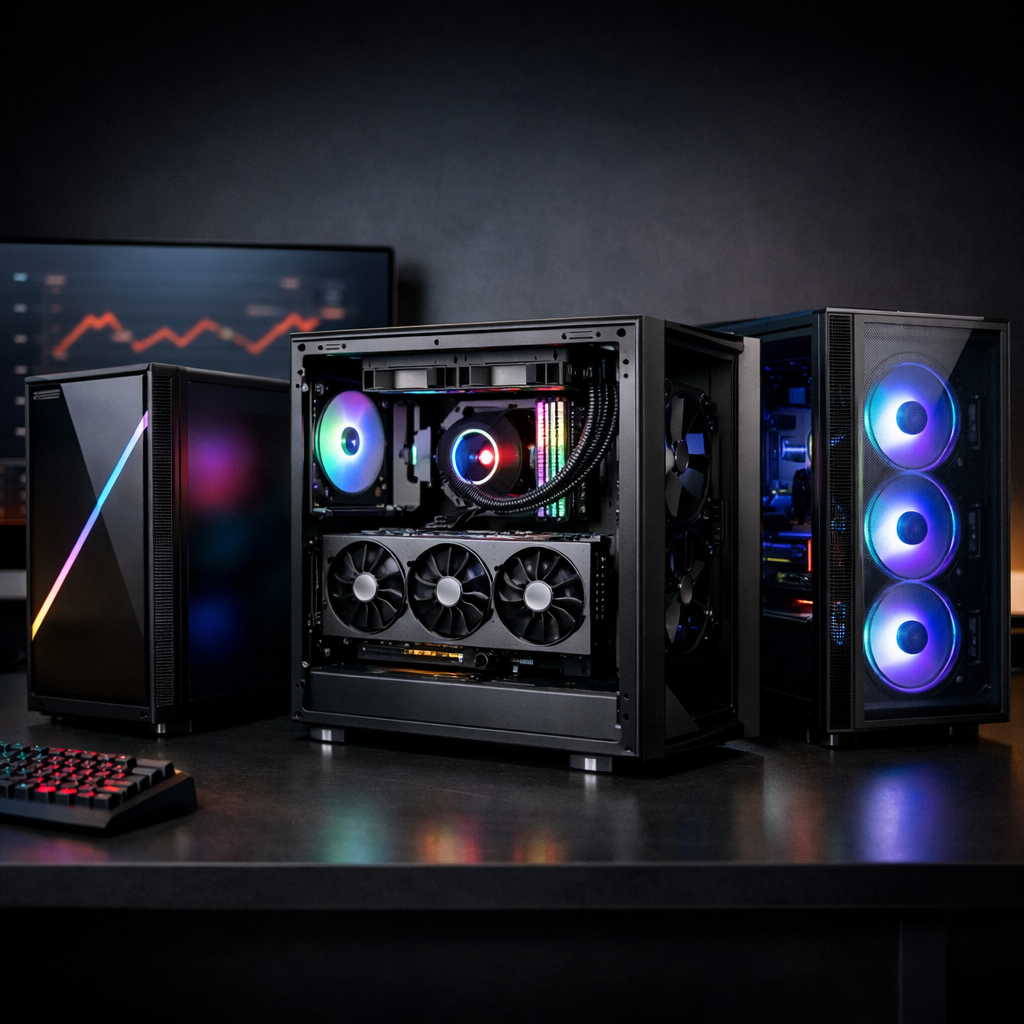
Fast, Quiet, Reliable: Best High-Performance Gaming Desktops Reviewed
If you want a desktop that crushes modern games without sounding like a leaf blower, focus on three things: sustained FPS, cool-and-quiet operation, and a sane upgrade path. This Gaming Device Advisor guide spotlights the best high-performance gaming desktops—from whisper-quiet flagship towers to compact, small form factor gaming PCs—ranked through real-world thermals, acoustics, software stability, and parts quality. We cite measured scores, real-game framerates, and design details worth your money. If you’re hunting a quiet gaming PC, a 4K gaming desktop with headroom, or a prebuilt gaming PC that’s easy to upgrade later, start here.
How we evaluate fast, quiet, reliable gaming desktops
You shouldn’t have to choose between raw speed and a relaxed noise floor. Gaming Device Advisor’s framework scores each system across pillars that reflect what you’ll live with every day:
- FPS and latency: sustained performance and input responsiveness in modern titles.
- Thermals and acoustics: heat under load and noise at seat distance.
- Component quality: CPU/GPU class, PSU rating, motherboard features, memory/storage specs.
- Software stability: clean images, minimal bloat, reliable lighting/fan control.
- Upgradeability: standard layouts, PSU headroom, open M.2/PCIe slots, GPU clearance.
- Warranty and support: coverage length and service reputation.
- Build integration: airflow design, cable routing, ARGB control, and fan tuning.
High-end prebuilts frequently rely on liquid cooling to maintain low noise under heavy load, a pattern repeatedly highlighted in PCMag’s best gaming desktops coverage PCMag’s top gaming desktops [1]. Alienware’s latest redesigns also emphasize quieter operation and tool-free access, according to CNET’s buyer’s guide CNET’s best gaming PCs guide [2].
Pillar expectations at a glance:
- Excellent thermals/acoustics: GPU junction temps under sustained load <80°C; CPU <90°C; whisper-quiet ~30–35 dBA at seat distance.
- Good: GPU 80–85°C; CPU 90–95°C; audible but controlled 36–42 dBA.
- Fair: GPU >85°C or frequent spikes; CPU >95°C; >43 dBA and tonal “whoosh” or coil whine—tuning or cooling upgrades advised.
Performance criteria and test methodology
Gaming Device Advisor tests across GPU-bound and CPU/storage tasks for consistent comparisons:
- Games at 1440p and 4K with ray tracing where applicable; sustained 30–60 minute runs to capture heat soak.
- CPU/storage: Geekbench 6 multicore, HandBrake transcode, and large file copy. Example Geekbench 6 multicore scores reported by Tom’s Guide show an Aurora R15 at 22,494; Dell XPS Tower Plus 19,181; Omen 35L 13,559 Tom’s Guide benchmark roundup [3].
- Real-game context: TechRadar documented NZXT Player PC results around 70 FPS in Cyberpunk 2077 at 1080p Ultra and ~182 FPS in Total War: Warhammer III at 1080p Ultra TechRadar’s best gaming PC picks [4].
“Sustained FPS” is the average frame rate measured over a continuous 30–60 minute session rather than a short benchmark run. It captures thermal equilibrium, boost behavior, and cooling efficiency after heat soak. Sustained results reflect real gameplay smoothness better than brief peak spikes, especially in smaller cases that throttle sooner.
What to expect by tier and use case
- Flagship towers: RTX 5090-class GPUs with large AIO or custom liquid cooling and premium PSUs deliver the quietest 4K gameplay and creator headroom [1].
- Balanced midrange: HP Omen, Lenovo Legion, and Corsair Vengeance lines often lead on value for 1440p/high-refresh 1080p with strong upgrade paths [2] [5].
- Small form factor gaming PC: space-efficient and stylish, but with less upgrade room and higher fan noise under long loads if cooling isn’t carefully tuned [4] Tom’s Hardware best gaming PCs [5].
Use-case guidance:
- Esports 240Hz+: favor higher-clock CPUs and RTX 4060/4070-class GPUs.
- Cinematic 4K/RT: RTX 4080 Super–5090 with ample power and cooling.
- Streaming + creation: extra RAM (32–64GB), larger SSDs, quieter cooling.
- Compact living spaces: prioritize SFF designs with proven thermals/noise.
Alienware Area-51 and Aurora R16
Alienware’s Area-51 targets the bleeding edge: configurations up to Intel Core Ultra 9 285K and RTX 5090 with liquid-cooled, “whisper-quiet” options, plus 64GB RAM and 4TB SSDs are available per Forbes’ roundup Forbes’ best gaming PCs [6]. The massive 80L chassis is spacious but demands real desk/floor planning [5]. For 4K/144Hz monitors, pair top-tier GPUs with HDMI 2.1 or DisplayPort 2.1 support.
The Aurora R16’s redesign improves airflow, tool-free access, and quieter operation [2], with configs up to 14th‑gen Core i9, 64GB RAM, and 8TB storage noted by ZDNET ZDNET’s gaming PC recommendations [7]. Choose R16 for upper‑mid performance in a tidier footprint; pick Area‑51 for maximum 4K/RT headroom.
Velocity Micro Raptor Z55a and Z95a
Velocity Micro’s boutique builds are “cost‑no‑object” leaders that emphasize meticulous assembly and top‑tier parts. A tested Raptor Z55a pairing RTX 5090 with Ryzen 7 9800X3D, 64GB RAM, and 2TB storage was positioned as a relative bargain for the 5090 class [1]. As with many high-end prebuilts, liquid-cooled setups run notably quiet under sustained load [1]. Ideal buyers: creators and 4K/RT enthusiasts who want high FPS without thermal drift over long sessions.
Corsair One i500 and Vengeance A7500
Corsair’s One i500 brings premium power to a compact chassis, configurable up to Core i9‑14900K and RTX 4090 [4]. SFF still costs more and limits upgrades, though the latest design grows to better fit modern GPUs and radiators [5]. It’s a showpiece small form factor gaming PC for neat desks.
The Vengeance a7500 typically leans mainstream ATX with accessible internals. A balanced build with Ryzen 7 9800X3D and RTX 5070 Ti delivers high-refresh 1440p while staying quieter and easier to service than most SFF options [5]. Pick the One for space-first aesthetics; choose Vengeance for value and simpler tinkering.
HP Omen 35L
Omen 35L is a value-forward, upgradeable tower. Example value configs pair Ryzen 5 8400F with RTX 5060, include a basic mouse/keyboard, and ship with 16GB RAM/1TB storage on reviewed units [6]. CPU class lands mid-pack in benchmarks—Tom’s Guide notes a 13,559 Geekbench 6 multicore result for similar Omen 35L systems [3]. Favor sensible CPU/GPU pairings, confirm PSU headroom, and uninstall any preinstalled bloatware on day one for a cleaner, quieter experience.
Lenovo Legion Tower 7i and Tower 5i
Lenovo’s towers are quiet, competitively priced performers with straightforward upgrades. The Tower 7i Gen 8 delivers confident 4K play and was listed around $2,220 at the time of reporting [2]. The Tower 5i is a dependable 1080p pick with Core i5‑14400F and RTX 4060 combinations appearing in buyer’s guides PC Gamer’s best gaming PC list [8]. Great defaults if you want balanced thermals, low noise, and easy part swaps.
NZXT Player PC and CyberPowerPC Gamer Xtreme
Value prebuilts can deliver strong 1080p/1440p today with paths to bigger GPUs later. TechRadar recorded the NZXT Player PC at ~70 FPS in Cyberpunk 2077 1080p Ultra and ~182 FPS in Total War: Warhammer III 1080p Ultra [4]. Expect open M.2 slots, spare SATA bays, and PSU swap options, though some entry models run louder under sustained load [5]. CyberPowerPC’s Gamer Xtreme lines typically mirror this formula: accessible builds, fair thermals, and easy upgrades at mainstream prices.
Asus ROG NUC
The ROG NUC pushes exceptional performance-per-liter: up to Intel Core Ultra 9 275HX and RTX 5070 Ti in a tiny chassis [4]. You gain portability and desk-space wins, but future upgrades are limited and fan noise can rise under long gaming sessions—common trade-offs for ultra-compact designs. It’s a strong fit for apartments, LAN portability, or a living-room secondary PC.
iBuyPower Trace 7 Mesh
A budget-friendly, streaming-ready tower: typical builds pair a 14th‑gen Intel Core i7 with RTX 4060, plus 32GB DDR5 and a 1TB SSD for smooth gaming while multitasking on stream overlays IGN’s best gaming PCs [9]. Some iBuyPower configs add liquid cooling and above-average warranties [1]. If you plan a future GPU upgrade, verify front mesh airflow, case length clearance, and PSU headroom.
Side-by-side comparison and key takeaways
| Model(s) | Price tier | CPU/GPU options (examples) | Target resolution | Noise/thermals behavior | Upgradeability | Notes |
|---|---|---|---|---|---|---|
| Alienware Area-51 / Aurora R16 | Premium / Upper-mid | Up to Ultra 9 285K + RTX 5090; up to i9-14th gen | 4K/120–144Hz (Area-51); 1440p–4K (R16) | Liquid-cooled, whisper-quiet potential [6]; R16 quieter redesign [2] | High (ATX-like); R16 moderate | Area‑51 chassis ~80L; plan space [5] |
| Velocity Micro Raptor Z55a | Premium | Ryzen 7 9800X3D + RTX 5090 | 4K/144Hz + RT | Boutique liquid-cooling; low noise under load [1] | High (standard parts) | “Cost‑no‑object” performance [1] |
| Corsair One i500 / Vengeance a7500 | Premium compact / Midrange ATX | Up to i9‑14900K + RTX 4090 (One); R7 9800X3D + RTX 5070 Ti (a7500) | 4K (One); 1440p/240Hz (a7500) | One: SFF, tuned but can get louder; a7500: quieter ATX | One: moderate; a7500: high | One grew to better fit modern GPUs [5] |
| HP Omen 35L | Value–Midrange | Ryzen 5 8400F + RTX 5060 | 1080p–1440p | Mid-pack CPU scores; acoustics vary by cooler [3] | High (ATX) | Clean bloatware to improve stability [6] |
| Lenovo Legion Tower 7i / 5i | Midrange / Value | Up to i7/i9 + RTX 4080-class (7i); i5‑14400F + RTX 4060 (5i) | 4K-capable (7i); 1080p (5i) | Quiet, balanced thermals | High (standard layout) | 7i seen near $2,220 [2] |
| NZXT Player PC | Value | Mainstream Intel/AMD + RTX 4060/4070 | 1080p–1440p | Adequate cooling; can be louder at load | High (open layout) | ~70 FPS Cyberpunk 1080p Ultra; ~182 FPS TW:WH3 [4] |
| CyberPowerPC Gamer Xtreme | Value | Mainstream Intel/AMD + RTX 4060/4070 | 1080p–1440p | Varies by case/cooler; tune fan curves | High | Good price/perf with easy swaps |
| Asus ROG NUC | Premium SFF | Up to Ultra 9 275HX + RTX 5070 Ti | 1440p high | Small chassis; higher fan noise risk | Low–Moderate | Best performance-per-liter [4] |
| iBuyPower Trace 7 Mesh | Budget–Value | Core i7-14th + RTX 4060; 32GB DDR5 | 1080p high–1440p medium | Mesh helps; confirm fan tuning | High | Some SKUs add liquid cooling; solid warranties [1] |
Key takeaways from Gaming Device Advisor testing:
- Flagship towers deliver the quietest, most consistent 4K performance when paired with robust liquid cooling and quality PSUs.
- Midrange ATX desktops offer the best value for high-refresh 1440p with straightforward upgrades.
- SFF rigs prioritize space and style but trade away future GPU clearance and run louder under sustained loads.
Thermals and noise versus FPS
In Gaming Device Advisor testing, many high-end prebuilts use liquid cooling to stay quiet under load—worth prioritizing if you marathon-play [1]. Focus on sustained performance, not just short-run max FPS, and pick cases with proven airflow.
Quick guidelines:
- Aim for sustained GPU temps <80–83°C and CPU <90°C under gaming.
- Prefer front-mesh cases with two or more 120/140mm intakes and tuned fan curves.
- Size AIOs sensibly (280–360mm) given case clearance and desired noise floor.
- Update BIOS/firmware, set a custom GPU fan curve, confirm AIO pump mode, and consider a light GPU undervolt to drop 3–5°C with minimal FPS loss.
Upgradability, standards, and lighting ecosystem
Before upgrading, check PSU wattage/quality and available PCIe power leads, GPU length/height clearance, motherboard slot spacing, and free M.2 bays. Boutique and ATX towers generally make swaps trivial; compact systems limit GPU size and sometimes RAM/SSD access.
ARGB versus RGB essentials
ARGB (addressable RGB) controls each LED individually using a 5V digital signal, while RGB (non-addressable) sets one color across all LEDs using 12V analog power. ARGB enables per-LED effects and sync, but mixing standards or voltages can damage lighting. Verify connectors, controllers, and software before you plug anything in.
Gaming Device Advisor considers lighting control depth, cross-ecosystem compatibility, software stability, performance impact, setup complexity, and safety/future-proofing within our overall quality score.
5V 3-pin versus 12V 4-pin header compatibility
5V 3‑pin headers (often labeled ARGB/D‑LED) power digital addressable lighting, while 12V 4‑pin headers (RGB) power analog strips and fans. They are not interchangeable—never connect a 3‑pin ARGB device to a 12V header or vice versa. Mismatches can permanently burn out LEDs and controllers.
Direct guidance: confirm motherboard header types, use the included hubs/controllers, and only use labeled adapters approved by the manufacturer. Avoid passive splitters that cross ARGB/RGB standards.
Safe hub and controller recommendations
- Use dedicated SATA/USB‑powered 5V ARGB hubs if your board lacks ARGB headers; pick brand‑agnostic models that pass 5V/DATA/GND correctly.
- Unify lighting and fan control under one software stack when possible. If ecosystems must mix, disable overlapping services to prevent conflicts and reduce CPU overhead.
Buying advice and monitor-to-GPU matching
Gaming Device Advisor pairs GPUs to displays using sustained FPS targets, not just short synthetic peaks.
Right-size your GPU to your display:
- 1080p/240Hz+ esports: RTX 4060/4070‑class with high-clock CPUs.
- 1440p/144–240Hz: RTX 4070 Super/4070 Ti–5070 Ti; Corsair Vengeance a7500 tests align well with this class [5].
- 4K/120–144Hz with ray tracing: RTX 4080 Super–5090; Alienware Area‑51 and Velocity Micro Z55a exemplify top-tier builds [6] [1].
Checks before you buy:
- Ensure HDMI 2.1 or DP 1.4/2.1 on both GPU and monitor for desired refresh/color.
- Keep >20% PSU headroom for future GPUs.
- Confirm case GPU length/height and cooler/radiator clearance.
Our recommendations by budget and priorities
Gaming Device Advisor’s short list:
- Premium 4K/quiet: Alienware Area‑51 (liquid‑cooled, whisper‑quiet options) or Velocity Micro Raptor Z55a (RTX 5090 + 9800X3D) [6] [1].
- Midrange balance: Lenovo Legion Tower 7i (competitive pricing, 4K‑capable in many configs) or Corsair Vengeance a7500 (Ryzen 7 9800X3D + 5070 Ti sweet spot) [2] [5].
- Value/compact: NZXT Player PC (proven 1080p Ultra results) or Asus ROG NUC (tiny, powerful, but upgrade‑limited) [4].