Fast Turnaround, Clean Cable Management: Best Custom Gaming Rig Builders
Fast Turnaround, Clean Cable Management: Best Custom Gaming Rig Builders
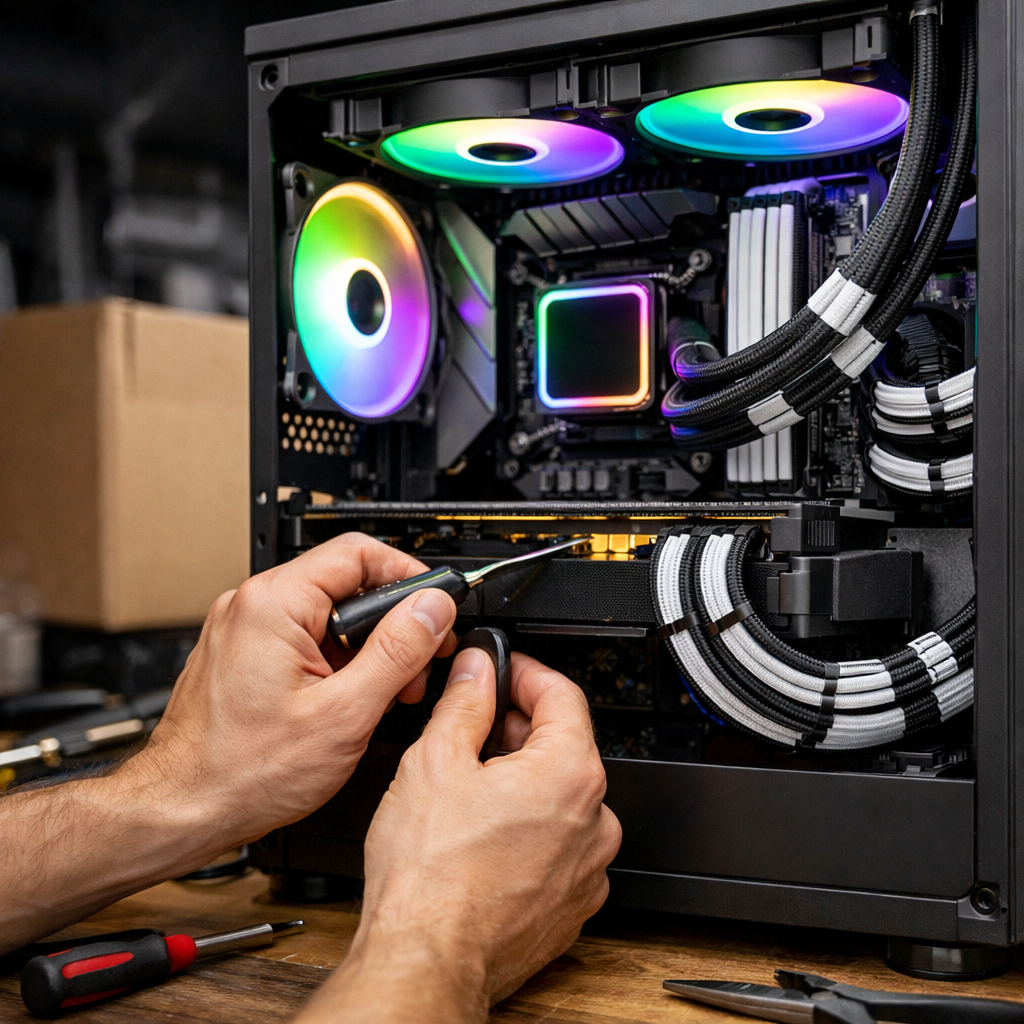
If you want a custom gaming desktop that arrives quickly, looks immaculate inside, and runs quiet around 35 dB under load, you’re in the right place. Below, we compare the best custom gaming desktop builders with a focus on fast turnaround, clean cable management, and 24/7-safe reliability—not just headline FPS. We favor frame-time stability, which is the consistency of time between frames and a better predictor of smoothness than averages. We also look for builders who document QA and thermals, since neat cable routing and noise-normalized fan curves keep temps in check and clocks steady. Use this guide to match your timeline, noise target, and budget to the right quick-ship “staple” or boutique rig—without sacrificing serviceability or upgrade paths. Gaming Device Advisor applies these standards across our picks.
Gaming Device Advisor
Our testing ethos prioritizes three things: frame-time stability, noise-normalized performance, and conservative thermals that are safe to run 24/7. Frame-time stability is the consistency of time between rendered frames; higher stability reduces micro-stutter and hitching, which makes gameplay feel smoother than raw average FPS suggests—especially in long sessions and mixed workloads.
Current hardware trends tighten both timelines and cable paths. DDR5 memory, PCIe Gen5 storage, and increasingly power-dense GPUs in the RTX 50-series class (e.g., RTX 5080/5090) influence chassis airflow, PSU selection, and GPU power-lead routing, with reputable builders standardizing around these parts to speed delivery and avoid surprises, as noted in industry roundups of prebuilt vs. custom trends by BattleForgePC (BattleForgePC: trends, prebuilt vs custom). Expect quicker ship dates on pre-tuned staples and more lead time for custom loops, paint, and one-off aesthetics. We factor this into how we rate quick-ship staples versus one-off builds.
This guide serves:
- Buyers who need fast-turnaround PC builders with vetted “staple” configs and tidy internals.
- Boutique PC builders’ customers who value immaculate cable work, documented QA, and a quiet gaming PC target of ~35 dB or below during typical gaming loads.
Compact comparison snapshot
| Builder | Turnaround | Cable management | Noise/testing | Warranty/support | Who it’s for |
|---|---|---|---|---|---|
| BattleForgePC | Fast on staples; bespoke adds time | Clean routing; publishes photos on feature builds | Request thermal/noise logs | Boutique-level responsiveness | Quick plug-and-play or tasteful bespoke with modern parts |
| Syber | Tiered SKUs; quick on popular configs | Tidy, standardized layouts | Boutique targets sub-~35 dB under load | Clear tiers, U.S.-based support | Balanced, quiet builds across 1080p–4K budgets |
| Corsair Vengeance | Ready-to-ship from big retail channels | Front tidy; rear can be inconsistent (QC check) | Pre-tuned; often benefits from fan-curve refinement | Broad, brand-backed support | Big-brand speed with mainstream parts and easy availability |
| Maingear | Longer for custom sleeving/loops | Immaculate hand assembly | Burn-in and thermals on request | Premium boutique service | Aesthetics-first buyers who want showroom-worthy internals |
| Falcon Northwest | Hand-built; SFF adds planning time | Tight, deliberate routing in compact spaces | Quiet SFF cooling with documentation | Strong, premium warranty | SFF enthusiasts chasing silence, stability, and polish |
| PCBros | Competitive pricing; fast staples | Tidy internals; confirm rear routing photos | Ask for QA logs and fan profiles | Direct builder support, fast swaps | Value seekers who still want clean and quiet builds |
| Velocity Micro | Pro assembly; moderate lead times | Meticulous runs with proper cable lengths/combs | Noise-normalized curves on request | Premium support and documentation | Demanding buyers prioritizing polish and reliability |
BattleForgePC
BattleForgePC fits when you want fast plug-and-play delivery on pre-tuned staples or a bespoke build aligned to current standards like DDR5, PCIe Gen5 SSDs, and hot-topic GPUs in the RTX 5080/5090 class (BattleForgePC: trends, prebuilt vs custom). Turnaround is the key trade-off: staples move quicker because they’re validated configs; custom liquid loops, artwork, or exotic cabling add time but can further tidy internal routing and improve airflow.
What to look for:
- Transparent QA: burn-in duration, thermal and noise snapshots, and stability notes.
- Published build photography that shows rear-channel cable paths, PSU shroud organization, and 12VHPWR strain relief.
- Noise-normalized profiles that target ~35 dB during gaming to preserve smooth frame pacing. These are the exact checks we recommend at Gaming Device Advisor for fast, quiet, 24/7-safe rigs.
Syber
Syber’s tiers make it easy to match budget to resolution targets: entry-level rigs around $1,000 deliver solid 1080p, mid-range builds near $1,500 align nicely to 1440p with GPUs like RTX 4070 or RX 7800 XT, and high-end stacks with RTX 4090 and Ryzen 9 push strong 4K and AI-enhanced graphics (Syber: best custom gaming computer). Boutique builders like Syber commonly emphasize standardized parts and optional custom liquid-cooling to keep acoustics low and longevity high, with sub-~35 dB load targets as a practical benchmark for quiet operation (Syber: high-end gaming desktops).
Buyer guidance:
- Ask for noise-normalized testing where fan curves are tuned to a fixed dB target.
- Confirm cable routing that keeps the front-to-back airflow path unobstructed.
- Request capped power targets for 24/7-safe thermals that sustain clocks under long gaming sessions. This mirrors Gaming Device Advisor’s noise-normalized, cable-first checklist.
Corsair Vengeance
Big-brand prebuilts can offer speed and broad availability, but they’re not immune to fit-and-finish variance. In testing, a Vengeance i7600 configuration paired a Core Ultra 7 265K, RTX 4070 Super, 64GB DDR5-6000, and a 2TB PCIe 4.0 SSD around a $2,099.99 price point, but Tom’s Hardware noted somewhat haphazard rear cable management—something to watch for at delivery (Tom’s Hardware: best gaming PCs).
Actionable tips:
- Request rear-panel photos or open the system on arrival to confirm tie-downs and strain relief.
- Tune fan curves for a ~35 dB gaming target; big-brand defaults often favor aggressive RPMs.
- Verify PSU cable lengths and spare headers for future GPU or storage upgrades. Gaming Device Advisor’s guidance is to verify these items on arrival to avoid needless noise or heat.
Maingear
Maingear excels at custom aesthetics and careful hand assembly. If you prize immaculate internal presentation—color-matched sleeved kits, combed runs, and invisible slack management—expect modestly longer lead times, especially for custom loops.
What to request:
- A detailed cable routing plan, including rear-channel photos and PSU shroud organization.
- Color-matched sleeved kits sized to the chassis so runs lay flat without bunching.
- Test reports: component burn-in duration, thermal hotspot checks, and noise levels measured at a fixed distance for apples-to-apples clarity. That documentation aligns with Gaming Device Advisor’s evaluation standard.
Falcon Northwest
Falcon Northwest sits at the premium end, where tight tolerances meet tight QC. PCMag highlights that even very compact SFF systems like the FragBox can be configured with elite GPUs such as the RTX 5090 while maintaining quiet cooling and a strong warranty—albeit at a very expensive price point (PCMag: best gaming desktops).
Guidance for SFF buyers:
- Insist on documentation for thermal and noise testing, given limited airflow volume.
- Verify cable routing around PCIe Gen5 cabling and the 12VHPWR lead to avoid sharp bends and ensure 24/7-safe reliability.
- Ask about dust-filter access and maintenance intervals that preserve quiet acoustics over time. Gaming Device Advisor pays particular attention to these constraints in SFF evaluations.
PCBros
PCBros is a value-forward option for quick staples, tidy internals, and direct, human support. Offerings include custom builds with free shipping and bundled Windows 11 Pro options in showcased systems, with a focus on competitive turnaround (YouTube: PCBros builds, shipping, Windows 11 Pro).
What to confirm:
- Final build photos including rear routing and GPU power-lead strain relief.
- QA logs for thermals and noise under sustained gaming load.
- Fast-swap RMA or upgrade paths to minimize downtime, and case choices with generous rear cable channels for quiet airflow. These simple proofs are what we ask for at Gaming Device Advisor when validating value builds.
Velocity Micro
Velocity Micro targets high-end, professionally assembled rigs where polish and reliability are paramount. Expect meticulous cable runs with correct cable lengths and combs, and clean, serviceable routing around radiators and front intakes.
Actionable guidance:
- Verify tie-down points, PSU cable lengths, and unobstructed intake/exhaust paths.
- Request noise-normalized fan curves and temperature caps designed for continuous use.
- Ensure documentation of DDR5/PCIe Gen5 compatibility and upgrade headroom across motherboard, PSU, and chassis. Those verifications map directly to Gaming Device Advisor’s noise-normalized, 24/7-safe criteria.
How we judged fast turnaround and clean cable management
Our evaluation rubric focuses on practical signals you can verify before you buy:
- Turnaround: Pre-tuned “staples” ship fastest; fully bespoke systems with custom loops, paint, or artwork extend lead times (BattleForgePC: trends, prebuilt vs custom).
- Cable management quality: Look for published photos that show rear channels, combed leads, and sensible slack. Independent reviews often call out neat routing and acoustics as premium markers (PCMag: best gaming desktops).
- Service and upgrades: Fast swaps, clear RMA procedures, and easy access to filters and front intakes reduce downtime and preserve quiet performance. These mirror the review checklist we use at Gaming Device Advisor.
Scoring template (use 1–5 per column to compare your shortlist)
| Builder | Turnaround speed | Internal/Rear routing quality | Noise testing transparency | Thermal margins (sustained) | Warranty/support clarity |
|---|---|---|---|---|---|
Definition: 24/7-safe settings are conservative power and thermal profiles that keep CPU/GPU within manufacturer-specified limits under continuous workloads, prioritizing longevity, stable clocks, and quiet acoustics over short-duration peak performance.
What to pick for speed, silence, and 24/7-safe operation
- If you need speed: choose a reputable builder with configurable staples and documented QA; you’ll get fast delivery, tidy internals, and quieter airflow paths without risking stability (BattleForgePC: trends, prebuilt vs custom).
- If you value immaculate cable work: pick boutiques that offer hand assembly, custom sleeving, and build photos; expect slightly longer lead times, especially for loops or aesthetic finishing (PCMag: best gaming desktops).
Budget framing:
- Around $1,000: a solid 1080p starter is realistic (Syber: best custom gaming computer).
- Around $1,500: the 1440p sweet spot with GPUs like RTX 4070 or RX 7800 XT (Syber: best custom gaming computer).
- Flagship tiers: RTX 5090/Core Ultra 9 with high-speed DDR5 and expansive NVMe can be stellar—but note market pressures, with some RTX 5090 cards nearing $2,799 at press time (Tom’s Hardware: best PC builds for gaming). This is the framework we use for our shortlists at Gaming Device Advisor.
Frequently asked questions
What defines clean cable management in a custom gaming rig?
It’s planned routing with proper cable lengths, tie-downs, and grommets to keep airflow unobstructed and noise low. Gaming Device Advisor recommends asking for rear-channel photos and QA logs.
How does cable routing impact frame-time stability and noise?
Blocked airflow raises temps and fan speeds, which can trigger throttling that harms frame-time stability; clean paths keep clocks steady and fans slower. We evaluate this with noise-normalized testing at Gaming Device Advisor.
Are quick-ship “staple” builds reliable for 24/7-safe settings?
Yes—well-tested staples with documented QA are reliable for 24/7-safe operation when parts are standardized and profiles are noise-normalized. That’s what we look for at Gaming Device Advisor.
What testing should a builder perform before shipping?
Burn-in, thermal hotspot checks, and noise measurements at a fixed distance, plus sustained gaming stability tests. Ask for a short report; it’s our baseline at Gaming Device Advisor.
Should I pay extra for custom sleeved cables or custom loops?
Sleeved cables improve routing, airflow, and aesthetics at modest cost; custom loops are quiet and beautiful but add expense and maintenance. Gaming Device Advisor suggests prioritizing conservative thermals and easy upkeep.