Future-Proof High-Performance Gaming Desktops: What to Buy Right Now
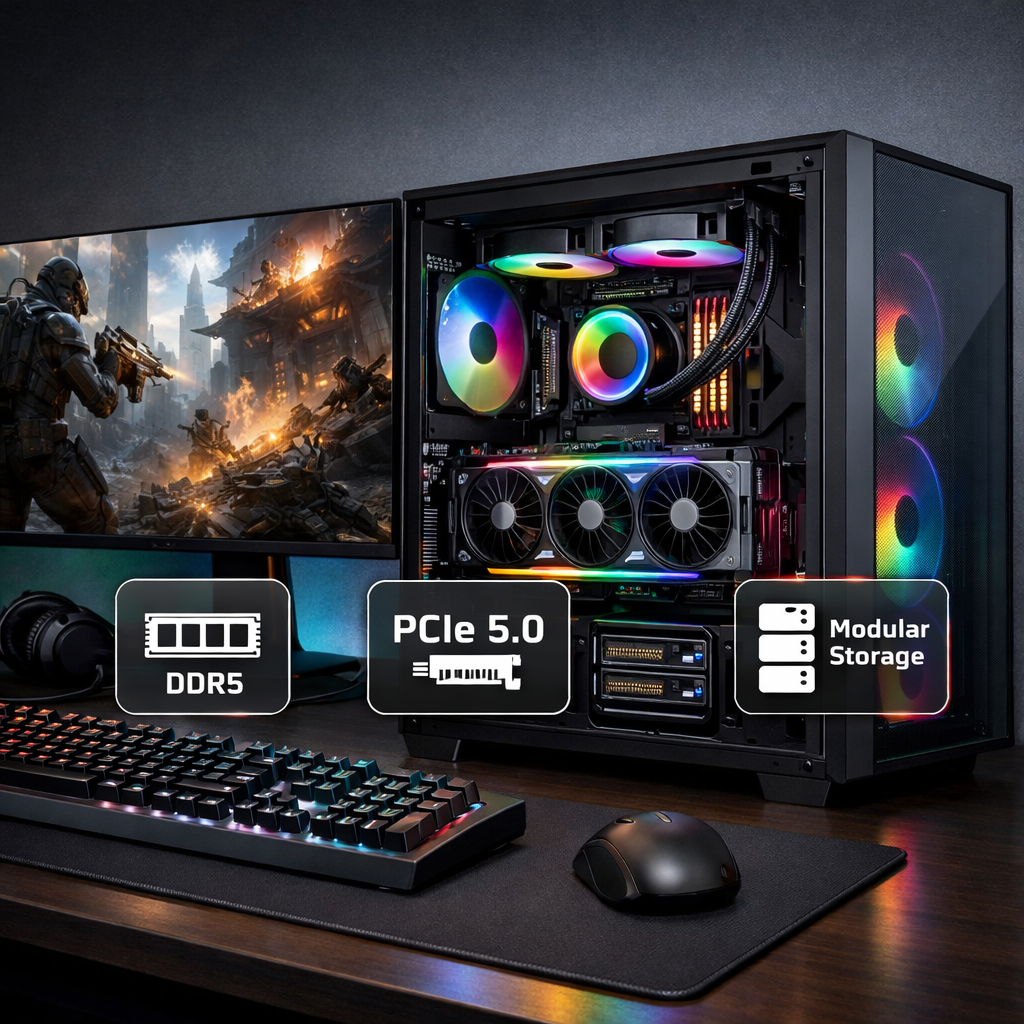
Future-Proof High-Performance Gaming Desktops: What to Buy Right Now
A great gaming desktop should crush today’s titles and stay relevant for years without a full rebuild. This guide zeroes in on the best gaming desktops for high performance with clear upgrade paths by resolution and budget. Future-proofing means choosing parts and standards that maximize a PC’s useful life and ease of upgrades. Focus on a GPU matched to your resolution, a long-lived CPU platform, fast DDR5 memory, NVMe storage, efficient power, and non-proprietary components so you can swap parts without replacing the entire system. At Gaming Device Advisor, we back every pick with standardized testing and price-per-FPS value, and we flag where to spend now versus what to upgrade later, whether you prefer a prebuilt or a DIY route.
Quick picks by resolution and budget
The GPU sets your practical ceiling. Map your target resolution to VRAM and budget, then layer CPU/platform choices for longevity. Fast NVMe SSDs also reduce asset streaming hitches in modern engines, improving consistency during open-world traversal and large scene loads, as seen across Gaming Device Advisor’s testing, mainstream best-PC roundups, and buying advice from CNET and boutique builders alike (see CNET’s Best Gaming PCs and Xidax’s future-proofing guide).
| Resolution target | Best now | Best value | Minimum specs | Upgrade notes |
|---|---|---|---|---|
| 1080p high refresh | Upper‑mid GPU tier (e.g., 70‑class) | Solid midrange (e.g., 60‑Ti/70‑non‑Ti) | 8GB VRAM, 16–32GB DDR5, 1TB NVMe | Start with 16GB RAM but plan for 32GB; prioritize GPU first, then CPU. |
| 1440p ultra | High‑end GPU tier (RTX 5080‑class) | Upper‑mid that excels at 1440p | 12GB VRAM, 32GB DDR5, 1–2TB NVMe | 32GB RAM baseline; keep a spare M.2 for a second SSD; GPU upgrade in ~2–3 years. |
| 4K/RT | Flagship GPU (RTX 5090) or AMD RX 8900 XTX (32GB) | RTX 5080‑class | 16GB+ VRAM, 32GB DDR5, 2TB NVMe | Favor 16–32GB VRAM for longevity; ensure strong cooling and an 80+ Gold PSU with headroom. |
- VRAM guidance: 8GB (1080p), ~12GB (1440p), ~16GB+ (4K) aligns with current industry advice and helps avoid texture cuts or hitching at higher settings (see CNET’s best gaming PC coverage).
- Storage: 1–2TB SSD baselines keep modern libraries installed; Gen4/Gen5 NVMe reduces streaming stalls and speeds installs (Xidax’s future‑proofing overview).
How we evaluate performance, thermals, and value
Gaming Device Advisor’s test pillars
- Frame rates and pacing: Average FPS at 1080p/1440p/4K with 1% lows to expose stutter.
- Acoustics: System noise in dBA at idle and gaming load.
- Thermals: GPU/CPU hotspot temps under extended load to assess sustained performance.
- Efficiency: Wall power draw to evaluate heat and power supply headroom.
How we score value
- Price‑per‑FPS: Gaming Device Advisor’s core metric that normalizes cost to delivered performance at your target resolution.
- Upgradability: Socket longevity, PSU headroom/connectors, free M.2 and PCIe slots, standard parts over proprietary.
- Total cost of ownership: Plan for a GPU/storage upgrade every 2–3 years instead of full replacement (Xidax highlights staggered upgrades to stretch life).
Glossary
- Frame pacing: The consistency of frame delivery; better pacing means fewer micro-stutters and smoother motion even at similar average FPS.
- Thermal headroom: The temperature margin before throttling; more headroom sustains boost clocks for longer sessions.
- VRAM: On‑card video memory; higher resolutions and textures need more of it—think ~8GB for 1080p, ~12GB for 1440p, and ~16GB+ for 4K (CNET’s best gaming PC guidance).
Platform first strategy for long-term upgrades
Pick a platform you won’t have to rip out in two years. AMD’s AM5 socket is publicly slated for an upgrade runway “through at least 2026,” giving you more CPU drop‑in options and helping defer a motherboard swap; choose boards with multiple PCIe slots for capture/storage and standard, modular parts to avoid lock‑in (see Syber’s high‑end desktop guidance). Gaming Device Advisor favors standard, modular components across our picks to keep upgrades simple.
What to look for
- Motherboard: AM5 or the latest Intel socket, with 2–3 M.2 slots and extra PCIe for future add‑ins. M.2 is a compact SSD slot that uses PCIe lanes for high‑speed NVMe storage.
- Case: Space for tall tower air coolers or 240–360mm radiators, clean cable paths, and dust‑filter access.
- Standards: DDR5 memory, ATX‑spec PSUs, and non‑proprietary layouts to preserve upgrade flexibility.
Decision checklist
- Socket longevity
- Count of PCIe/M.2 slots
- RAM standard (DDR5)
- Non‑proprietary PSU/motherboard/case
GPU choices for 1080p, 1440p, and 4K longevity
The GPU is the single biggest determinant of gaming longevity. Aim for 8GB at 1080p, ~12GB at 1440p, and ~16GB+ at 4K to keep ultra textures and RT viable without severe compromises (CNET’s best gaming PC roundups track this trend).
- 4K flagships: NVIDIA RTX 5090 (32GB GDDR7) for maximum performance; AMD Radeon RX 8900 XTX (32GB) for high‑res longevity and ample VRAM; RTX 5080 as a more attainable 4K option (Syber’s high‑end guidance).
- 1440p sweet spot: Upper‑mid/high‑end cards excel, with 12–16GB VRAM keeping high textures and RT on for years.
- 1080p high‑refresh: 8–12GB cards maintain competitive FPS with headroom for heavier titles.
AI upscaling uses GPU AI cores to reconstruct higher‑resolution frames from lower‑resolution inputs, boosting perceived image quality with a smaller performance cost. Favor cards with strong hardware AI acceleration to benefit from current and future upscalers; Gaming Device Advisor evaluates upscalers as part of our testing.
CPU tiers for high-FPS gaming and streaming
The CPU keeps frames flowing in CPU‑bound scenes and handles streaming/creation without hitching. Pair it to your GPU and resolution target.
- Elite gaming: Ryzen 9 X3D class (e.g., 8950X3D/9900X3D) for top‑tier frames, especially in CPU‑bound titles thanks to massive cache (Syber). 3D V‑Cache is AMD’s stacked cache technology that expands L3 cache capacity directly above CPU cores. Games benefit from faster access to large data sets, improving frame rates and 1% lows without raising power dramatically, especially at 1080p–1440p CPU‑bound scenarios.
- High‑end Intel: Core Ultra 9 385K‑class chips with high clocks, many cores, and built‑in AI acceleration balance gaming with heavy creation workloads (Syber).
- Upper‑mid: Intel Core i9‑14900K/Core Ultra 9/7 and Ryzen 7/9 non‑3D strike a strong price/perf balance for 1440p–4K (GamesRadar’s prebuilt guide notes robust options in this tier).
Memory and storage baselines for future-proof setups
- RAM: 32GB of DDR5 is the prudent standard for gaming plus multitasking/streaming; 16GB works for strictly single‑use builds but expect to upgrade. High‑end kits at 7200MHz+ are common; use XMP/EXPO profiles for stability and easy gains (Syber).
- Storage: Start with at least a 1TB NVMe SSD; 1–2TB is ideal for modern libraries. Prefer PCIe Gen4/Gen5 NVMe; top Gen5 drives can exceed 14GB/s sequential for lightning‑fast installs and large asset loads (Xidax).
Cooling, acoustics, and case airflow considerations
Sustained performance depends on thermals and noise. Choose cases with unobstructed front intakes and support for 240–360mm radiators or tall twin‑tower coolers. Notably, some compact SFF rigs still accommodate very large GPUs when designed with robust airflow and cooling paths (Tom’s Hardware’s best gaming PCs). Maintain dust filters and schedule cleanings to extend component life and stable acoustics (Xidax; ExtremeTech’s desktop deals coverage frequently calls out enhanced cooling in quality prebuilts).
Airflow check
- Ensure a front‑to‑back path with clear intake and exhaust.
- Confirm fan count/placement, and GPU/CPU cooler clearance.
- Aim for <40–45dBA under gaming load where feasible.
Power supply headroom and standards to prioritize
Use an 80+ Gold (or better) PSU with enough wattage and spare connectors for future GPUs; higher efficiency improves stability and reduces heat. Favor ATX 3.0/3.1 units with native 12VHPWR/12V‑2x6 support, and choose fully modular, non‑proprietary designs for easy replacements (Syber).
Sizing rule
- Leave 20–30% wattage headroom above measured peak system draw to keep fan noise down and accommodate future GPU upgrades (Xidax).
Prebuilt versus DIY for future-proofing
Prebuilts deliver convenience, warranty coverage, validated thermals, and often better value than equivalently fast laptops—just watch for proprietary layouts that curb upgrades (Windows Central’s best desktop PC guide notes these trade‑offs and has awarded prebuilts like Lenovo’s Legion Tower 7i with Editor’s Choice honors). DIY or boutique builds maximize control over parts and airflow and make long‑term upgrades simpler; verify DDR5 memory (DDR4 is rare in current prebuilts) and spare M.2 slots for growth (GamesRadar’s prebuilt roundup highlights DDR5‑based configs). Gaming Device Advisor highlights prebuilts that use standard parts and clear upgrade paths.
Recommended configurations by price tier
Value (~$1k–$1.5k): 1080p/entry 1440p
- GPU: 8–12GB VRAM midrange card
- CPU: Current‑gen 6–8 cores
- Memory: 16GB DDR5 (upgrade to 32GB later)
- Storage: 1TB Gen4 NVMe
- Platform: AM5 or latest Intel midrange board with 2+ M.2 slots
- PSU/Case: 80+ Gold 650–750W; airflow‑focused mid‑tower
- Path: Prioritize a GPU upgrade first, then RAM/SSD as needed (ExtremeTech’s deals reporting often spotlights strong value prebuilts here).
Midrange (~$1.5k–$2.5k): 1440p ultra/entry 4K
- GPU: 12–16GB VRAM upper‑mid/high‑end
- CPU: 8–16 cores from Intel Core Ultra or AMD Ryzen 7/9
- Memory: 32GB DDR5
- Storage: 1–2TB NVMe (room for another M.2)
- PSU/Case: 80+ Gold 750–850W; strong intake/exhaust and dust filters
- Plan: GPU/storage refresh every 2–3 years (Xidax’s staggered upgrade advice)
- Notable prebuilt: Configurations such as Skytech’s Legacy 4 pairing a Core Ultra 9 285K with RTX 5080 and 64GB RAM have appeared in deals coverage as ready 4K‑capable rigs (ExtremeTech’s desktop deals).
High‑end ($2.5k+): 4K with RT and creator headroom
- GPU: RTX 5090/5080 or Radeon RX 8900 XTX (32GB)
- CPU: Ryzen 9 X3D class or Core Ultra 9
- Memory: 32–64GB DDR5 (7200MHz+)
- Storage: 2TB Gen4/Gen5 NVMe; optional second Gen5 for massive libraries (14GB/s+ sequential)
- Platform/PSU: AM5 or latest Intel; 80+ Gold/Platinum 850–1000W+ with 12VHPWR/12V‑2x6
- Cooling: 360mm AIO or premium air; quiet fans and spacious case (Tom’s Hardware’s picks highlight acoustics on premium prebuilts)
Connectivity and I/O that won’t age out quickly
Look for at least three USB‑A 3.0/3.2 ports and one USB‑C, plus future‑proof extras like USB4 or Thunderbolt 4 for high‑speed peripherals and docking. Ensure your GPU offers HDMI 2.1/DisplayPort 2.1 for high‑refresh 1440p/4K monitors, and don’t skip front‑panel USB‑C for convenience (PCMag’s desktop buying advice emphasizes forward‑looking I/O).
I/O checklist
| Category | Target | Notes |
|---|---|---|
| Rear USB | 3–6x USB‑A 3.0/3.2; 1x USB‑C | Prefer at least one 10–20Gbps port |
| Front I/O | USB‑C + USB‑A + audio | Speeds match motherboard header capability |
| Display | HDMI 2.1 + DP 2.1 (GPU) | For 4K/1440p high‑refresh support |
| Internal headers | USB‑C (front‑panel), extra fan headers | Aids future case/front‑panel upgrades |
| Network | 2.5GbE + Wi‑Fi 6E/7 | Faster LAN and modern wireless support |
What to avoid in high-performance desktops
- Buying a motherboard you’ll soon replace—platform swaps often cascade into near‑total rebuilds; choose sockets with an upgrade runway (Xidax).
- Proprietary cases/PSUs/motherboards that restrict upgrades; prefer modular, standard parts (Syber).
- Undersized storage (aim for 1TB minimum) or outdated RAM standards in new prebuilts—DDR4 is increasingly rare on current platforms (CNET; GamesRadar).
Near-term trends that influence buying today
Expect broader AI acceleration in CPUs/GPUs, faster DDR5 kits, and more PCIe Gen5 SSD options. Choose standards‑based platforms so you can slot in next‑gen parts rather than pay a premium for niche features today (Syber). PCIe Gen5 NVMe is a storage interface enabling very high sequential speeds; top drives can exceed 14GB/s, which accelerates large asset loads and installs (Xidax). With planned GPU/storage upgrades and routine cleaning/cooling upkeep, a well‑built future‑proof gaming PC can last 5–7 years (Xidax). Gaming Device Advisor’s picks prioritize standards so you can upgrade rather than replace.
Frequently asked questions
How much RAM and storage do I really need for future-proof gaming?
Aim for 32GB of DDR5 for smooth multitasking and 1–2TB of fast NVMe SSD storage for modern game libraries. Gaming Device Advisor suggests budget builds start with 16GB and 1TB, then upgrade as needed.
Which matters more for longevity, CPU or GPU?
The GPU impacts gaming longevity more for most players, especially above 1080p. Choose a GPU class that matches your resolution and pair it with a current-platform CPU; Gaming Device Advisor’s picks balance both to avoid bottlenecks.
Is 1440p or 4K the smarter target right now?
1440p is the sweet spot for performance and cost, with many GPUs delivering high FPS. Go 4K if you’re chasing maximum detail and have the budget for a top-tier GPU and larger VRAM; Gaming Device Advisor marks which configs are 4K-ready.
Should I buy a prebuilt or build my own if I plan to upgrade?
Buy a prebuilt for convenience and warranty support, ensuring it uses standard parts; build your own if you want maximum control. Gaming Device Advisor highlights standard-parts prebuilts and provides DIY part guidance.
When is the best time to buy a high-performance desktop?
Buy when your current PC no longer meets your needs and prices stabilize after new GPU/CPU launches. Gaming Device Advisor updates picks post-launch and during seasonal sales so you can buy at a steady point.