Future‑Proof Gaming PCs for Creators and Gamers Who Multitask
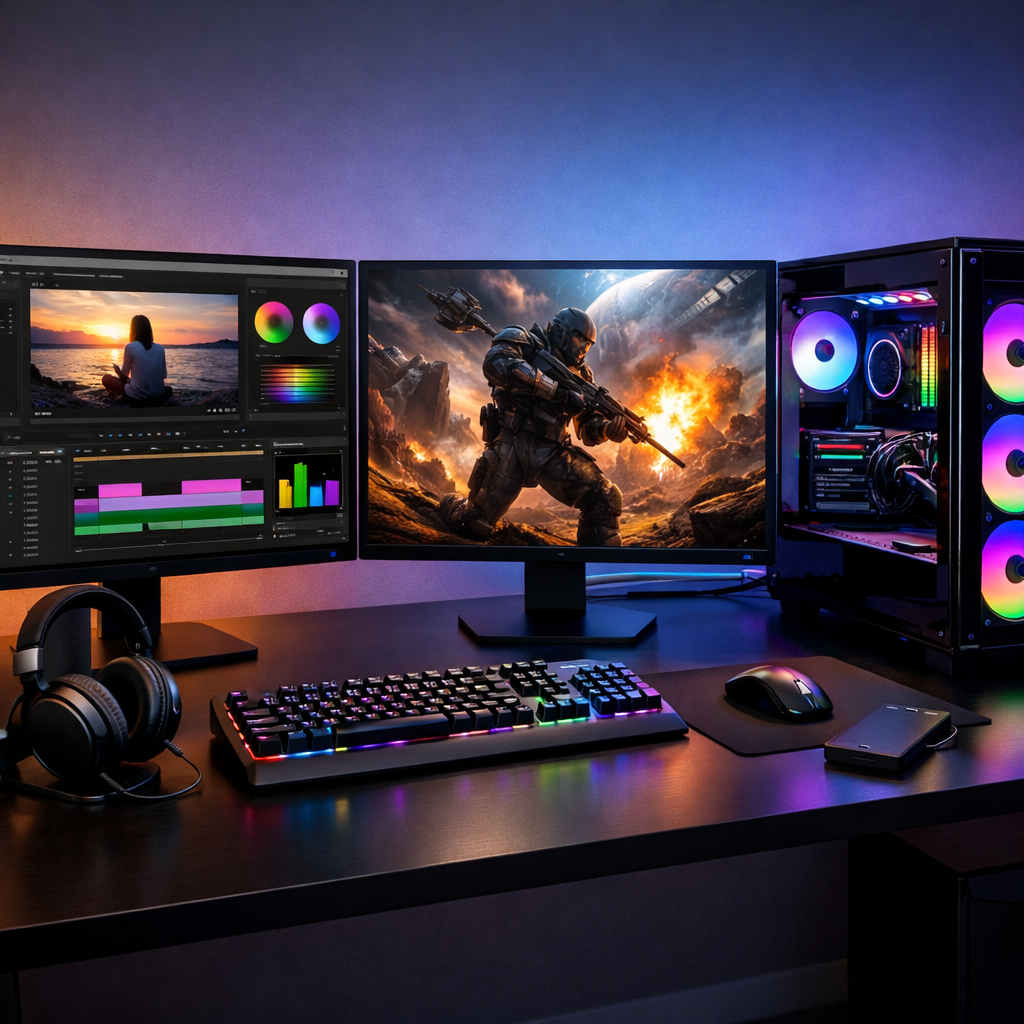
Future‑Proof Gaming PCs for Creators and Gamers Who Multitask
A do‑it‑all gaming PC should stream, edit, render, and game smoothly today—without boxing you into painful upgrades tomorrow. The key is balancing immediate performance with smart, modular choices that extend lifespan. In this guide from Gaming Device Advisor, we outline clear component priorities, test‑centric recommendations, and upgrade paths for the best gaming rigs that do it all. You’ll find quick picks, resolution‑mapped tiers, and realistic timelines so you can build or buy a future‑proof gaming PC that doubles as a creator PC for multitasking—then keep it sharp with inexpensive refreshes over time.
Quick recommendations for balanced, upgrade‑ready rigs
Start with a plan you can act on in 60 seconds:
- 1080p “Budget do‑it‑all”
- 6–8‑core CPU, 16–32GB RAM, mid‑range GPU, 1TB NVMe SSD, 650–750W 80+ Gold PSU.
- Upgrade path: add RAM to 32GB; drop in a faster GPU later; ensure a second M.2 slot is open.
- 1440p “Mid do‑it‑all”
- 8–12‑core CPU, 32–64GB RAM, upper‑mid GPU with ample VRAM, 2TB NVMe, 750–850W PSU.
- Upgrade path: prioritize GPUs with more VRAM for ray tracing and creator workloads; keep at least one DIMM and M.2 slot free.
- 4K “High‑end do‑it‑all”
- 12–16‑core CPU, 64–128GB RAM, flagship GPU with large VRAM, 2–4TB NVMe, 1000W modular PSU.
- Upgrade path: leave PSU/gpu power connectors ready for next‑gen cards; dedicate a separate NVMe scratch disk for edits.
Why VRAM headroom matters: 4K gaming, ray tracing, and creator pipelines push texture caches and frame buffers, so more VRAM delays GPU‑limited slowdowns and asset swapping. For a deeper explainer of platform choices and upgrade rationale, see Xidax’s guide to future‑proof PCs (lifespan and headroom) (xidax.com).
Gaming Device Advisor tip: use Ethernet for lowest latency and stability. If you go wireless, choose Wi‑Fi 6 now and keep an upgrade path to Wi‑Fi 7 via a replaceable module.
How we define future‑proof for creators and multitaskers
Future‑proofing is building around components and standards that deliver strong performance now while keeping clear upgrade paths—CPU socket support, PCIe/NVMe capacity, and PSU headroom. It accepts incremental refreshes as tech evolves, prioritizing flexible platforms and targeted upgrades instead of promising permanent top‑tier performance.
This is the standard we use in Gaming Device Advisor reviews and build guides.
AI‑assisted tools, many‑core game engines, and rising VRAM/storage footprints are pushing buyers toward higher‑thread CPUs, VRAM‑rich GPUs, and fast NVMe drives—choices that stretch useful life and keep multitasking performance smooth (xidax.com). Our recommendations reflect this shift.
A realistic expectation: a well‑planned desktop can stay capable for 5–7 years with 1–2 targeted upgrades in that span—usually GPU first, then RAM/NVMe, and finally CPU/motherboard when platform features or core counts become limiting (xidax.com).
Core components that extend usable life
Choose parts that directly improve longevity and multitasking performance.
Feature-to-benefit map:
| Component | What to prioritize | Why it extends life and multitasking |
|---|---|---|
| CPU | Current‑gen 8–16 cores, strong per‑thread and all‑core boost | Smooth gaming with background tasks; faster renders/exports; better 1% lows under load |
| GPU | Modern architecture with ample VRAM for target resolution | Delays VRAM limits at 1440p/4K and with ray tracing; accelerates creator apps |
| RAM | 32GB baseline for multitasking; 64–128GB for pro work | Keeps apps responsive; reduces swapping when streaming/editing |
| Storage | Multiple NVMe (PCIe 4.0/5.0) + SATA bays | Faster loads, quicker previews/renders; clean scratch/workspace separation |
| PSU | 80+ Gold/Platinum, 150–250W headroom, modular cables | Supports next‑gen GPUs; cleaner cable management; higher efficiency and quieter ops |
| Cooling | Quality air or AIO, tuned fan curves, roomy case | Prevents throttling; lower noise at load; thermal capacity for upgrades |
| I/O/Platform | PCIe 4.0/5.0 lanes, multiple M.2, replaceable Wi‑Fi, robust BIOS support | Easy storage/GPU refreshes; forward‑compatible interfaces; longer platform life |
For creators, the same muscle that drives high‑fps gaming shortens render/export times and keeps timelines snappy; gaming PCs make excellent workhorses for design and video when configured smartly, as outlined by Apex Gaming PCs on using a gaming PC for work (apexgamingpcs.com).
CPU choices for high‑thread workloads and frame pacing
Modern game engines are spreading work across more cores/threads; current‑gen chips with strong multi‑core throughput keep gameplay smooth while you stream, capture, and edit in the background (xidax.com).
Frame pacing is the consistency of time between frames rendered. Good pacing reduces stutter and micro‑hitching, making gameplay feel smoother even at the same average fps. Balanced CPU‑GPU pairing and careful background task management help stabilize pacing during gaming and streaming.
Gaming Device Advisor favors motherboards with long BIOS support and at least one higher‑tier CPU upgrade path on the same socket.
GPUs with VRAM headroom for 4K, RT, and creator apps
4K and ray tracing inflate VRAM demand; creator apps also benefit from larger buffers for textures, geometry, and AI effects (xidax.com). One powerful GPU with a clear upgrade path generally beats dual‑GPU setups due to scaling and compatibility caveats.
Mind the fit: compact prebuilts or SFF cases can limit GPU length, height, and thickness; reviewers like Tom’s Hardware regularly flag bay and clearance constraints in small systems (tomshardware.com).
Memory capacity and speed for heavy multitasking
A practical baseline is 16GB for gaming, while creators and streamers often need 32GB or more; stepping to 64GB+ benefits 4K footage, complex timelines, and 3D apps, as echoed in Tom’s Hardware’s best gaming PCs guide (tomshardware.com). Start at 32GB for serious multitasking; scale to 64–128GB for professional editing or heavy streaming schedules.
Adequate RAM prevents paging, keeping editing tools, reference browsers, and chat/overlay apps responsive under load.
NVMe storage layout and scratch‑disk strategy
Use fast NVMe SSDs (PCIe 4.0 or 5.0 where available) and ensure multiple M.2 slots plus SATA for bulk. Fast storage trims project loads, shader compilation, and scratch operations.
Recommended layout:
- Drive 1 (OS/Apps): 1TB+ NVMe.
- Drive 2 (Games/Active Projects): 1–2TB NVMe.
- Optional Scratch/Cache: dedicated NVMe for previews/renders.
- Archive: large SSD/HDD on SATA for long‑term assets.
Minimum good practice is a 256GB boot SSD paired with a larger secondary drive for games/projects—avoid cramming everything on one disk.
Cooling and PSU sizing for quiet headroom
Prioritize efficient cooling and a slightly oversized, modular PSU (80+ Gold/Platinum) so future GPUs don’t require replacing the power supply.
- Add 150–250W PSU headroom above current peak draw.
- Prefer modular cabling for tidy airflow.
- Ensure 12VHPWR or sufficient PCIe 8‑pin connectors for high‑end GPUs.
- Larger, well‑ventilated cases and tuned fan curves deliver performance without noise spikes.
Motherboard standards and I/O for the next cycle
Choose boards with multiple M.2 slots, ample PCIe 4.0/5.0 lanes, and a track record of BIOS longevity. Replaceable Wi‑Fi/Bluetooth modules, high‑speed USB, and optional Thunderbolt preserve flexibility over 3–5 years.
PCI Express 5.0 is a high‑speed interface that doubles bandwidth over PCIe 4.0 for GPUs and NVMe SSDs. It cuts I/O bottlenecks, enabling faster asset streaming, quicker file transfers, and better scaling with future graphics and storage devices.
Networking: prefer Ethernet for latency‑sensitive play and uploads; use Wi‑Fi 6 today with a path to Wi‑Fi 7 via an add‑in card or module swap. This checklist underpins Gaming Device Advisor’s platform recommendations.
Build strategy: one‑and‑done vs modular upgrade path
Trade‑offs to consider:
- One‑and‑done: flagship CPU, 128GB DDR5, dual top GPUs, and custom liquid can delay upgrades—but costs soar and platform shifts (sockets, power connectors) can blunt that investment (xidax.com).
- Balanced modular: a quality board, socketed CPU, roomy chassis, and spare NVMe/DIMM slots keep refreshes cheap and targeted.
Decision guide:
| Approach | Upfront cost | Performance‑per‑$ | Obsolescence risk | Serviceability |
|---|---|---|---|---|
| One‑and‑done maxed build | Very high | Lower | Higher (platform shifts) | Complex (custom loops, dense builds) |
| Modular, upgrade‑ready | Moderate | Higher | Lower (staggered refreshes) | Easy (air/AIO, open slots) |
Prebuilt convenience vs custom value for long‑term ownership
Prebuilts deliver pro assembly, stress testing, and warranties, which can be excellent value if you lack time or tools. DIY builds usually win on performance‑per‑dollar and tailored expandability over time.
Some vendors emphasize long‑term service and warranties that effectively extend usable life via supported upgrades and labor coverage (xidax.com). Before you buy a prebuilt, Gaming Device Advisor recommends verifying cooling capacity, internal layout, PSU wattage/connectors, drive bays, and GPU clearance so upgrades remain plug‑and‑play.
Performance tiers that do it all
A clear map from budget to high‑end, with targets and priorities:
| Tier | Resolution/Targets | CPU class | GPU class (VRAM notes) | RAM | Storage layout | PSU | Key I/O priorities |
|---|---|---|---|---|---|---|---|
| Budget | 1080p high settings; 60–144Hz; entry editing/streaming | 6–8 cores | Mid‑range; 8–12GB VRAM | 16GB (upgrade to 32GB) | 1TB NVMe + open M.2 | 650–750W Gold | 2+ M.2, USB‑C, DP 1.4/HDMI 2.1, 2.5GbE |
| Mid | 1440p high/ultra; 120–165Hz; serious edits | 8–12 cores | Upper‑mid; 12–16GB VRAM | 32–64GB | 2TB NVMe + scratch option | 750–850W Gold | PCIe 4.0/5.0 lanes, DP 2.1 on GPU, 2.5–10GbE or Wi‑Fi 6 |
| High | 4K with RT; heavy creator pipelines | 12–16 cores | Flagship; 16–24GB+ VRAM | 64–128GB | 2–4TB NVMe + dedicated scratch | 1000W modular | Multiple PCIe 5.0 M.2, Thunderbolt/USB 20Gbps, Wi‑Fi 7 upgradable |
Note: gaming desktops excel for design/video editing thanks to powerful CPUs/GPUs and modular upgrades—ideal for creator workflows and multitasking (apexgamingpcs.com).
Budget build path for 1080p gaming and entry‑level creation
Aim for a 6–8‑core CPU, 16GB RAM with room to grow to 32GB, a 1TB NVMe boot/game drive plus a second M.2 slot, and a 650–750W 80+ Gold PSU. Target a GPU that delivers high 1080p settings at your preferred refresh rate.
As a minimum, pair at least a 256GB SSD boot drive with a larger secondary disk so updates and projects don’t crowd the OS.
Remember: most gaming PCs are upgradeable—swap the GPU first later, then add RAM and storage for the biggest gains over time.
Mid‑range build path for 1440p high refresh and pro apps
Select an 8–12‑core CPU, 32–64GB RAM, and an upper‑mid GPU with ample VRAM for ray tracing and creator apps. Use a 2TB NVMe primary and a 750–850W PSU to leave headroom for next‑gen GPUs.
Higher resolutions push VRAM harder, making this tier a longevity sweet spot when you prioritize buffer size and bandwidth. Prefer Ethernet for stability; use Wi‑Fi 6 now with an easy upgrade to Wi‑Fi 7.
High‑end build path for 4K ray‑tracing and heavy workflows
Choose a 12–16‑core CPU, 64–128GB DDR5, and a flagship GPU with large VRAM. Pair 2–4TB of NVMe plus a dedicated scratch disk, and a 1000W modular PSU with the right GPU connectors.
Extreme builds with dual GPUs or custom liquid loops exist but face diminishing returns and platform risks. Compact cases can fit large cards in some designs, but always check dimensions and internal bays before buying.
Thermals, acoustics, and power draw under real workloads
Measure what matters: CPU/GPU temps, fan RPM, noise in dBA, and sustained fps with healthy 1% lows during gaming plus streaming or renders.
A hallmark of top “best gaming PC” picks is strong performance with controlled noise and temperatures, not just peak fps, as highlighted in TechRadar’s best gaming PCs roundup (techradar.com). Optimize airflow, tune fan curves, and consider safe undervolts or power limits. Size the PSU so normal play sits 15–25% below its rated capacity for efficiency and quieter operation.
Platform longevity and upgrade timelines
Expect a 3–6 year meaningful performance window for balanced builds, extendable with smart refreshes (xidax.com). A contrarian view is that true future‑proofing is unrealistic given fast GPU/AI cycles and socket shifts—plan targeted upgrades instead, as argued in this video analysis on future‑proofing pitfalls (youtube.com).
Recommended upgrade order:
- GPU first for gaming gains and creator acceleration.
- RAM and NVMe next to improve multitasking and project throughput.
- CPU/motherboard last when features, cores, or lanes become the limit.
Display, networking, and peripherals that won’t bottleneck
- Displays: match GPU to your resolution/refresh; seek VRR and HDR. Use HDMI 2.1 or DisplayPort 2.1 to unlock bandwidth and feature support.
- Networking: prefer Ethernet; if wireless, use Wi‑Fi 6 now with a path to Wi‑Fi 7 via add‑in cards or replaceable modules.
- Peripherals: external storage should support USB 20Gbps or Thunderbolt; streamers may want capture cards; creators benefit from color‑accurate monitors and calibrated workflows.
Accessibility, ergonomics, and creator‑centric workflow touches
Comfort and workflow matter for long sessions. Use adjustable chairs/desks, low‑force mechanical keyboards, precise mice, and controller options to reduce fatigue. Cable management and KVMs simplify multi‑system setups.
Creators benefit from color‑calibrated displays, quick‑access SD readers, and front‑bay or hot‑swap storage. Custom macro pads and stream decks speed repetitive tasks. If you need mobility, modern gaming laptops can approach desktop‑class power—just validate thermals and acoustics for your workload.
Our testing methodology and scoring rubric
Gaming Device Advisor measures average fps and 1% lows, frame pacing stability, render/export times, thermals, acoustics, and power draw—then audits upgradeability (free DIMM/M.2 slots, headers, bays) and serviceability. Ownership cost includes efficiency, warranty/support, durability, and expected resale value; strong service models and warranties can extend practical lifespan (xidax.com).
Weighted scoring:
- Performance: 35%
- Thermals/Acoustics: 20%
- Upgradeability/Serviceability: 20%
- Value (perf‑per‑$ and TCO): 15%
- Accessibility/Ergonomics: 10%
| Category | Weight | What we look for |
|---|---|---|
| Performance | 35% | High fps with solid 1% lows; quick renders/exports |
| Thermals/Acoustics | 20% | Low sustained temps; quiet under load |
| Upgradeability | 20% | Open slots/bays, PSU headroom, BIOS longevity |
| Value/TCO | 15% | Performance‑per‑$, efficiency, warranty, resale |
| Accessibility | 10% | Ports, ergonomics, noise profile, ease of service |
Frequently asked questions
Are prebuilts a good way to future‑proof without overspending?
Yes. Prebuilts can offer solid value through pro assembly, stress testing, and warranties; Gaming Device Advisor recommends verifying expandability (PSU wattage, drive bays, GPU clearance) to keep your upgrade path open.
How much RAM do I need for gaming while streaming or editing?
Gaming Device Advisor recommends 32GB as a strong baseline for gaming plus streaming or light editing. Move to 64GB if you juggle 4K footage, complex timelines, or 3D apps alongside play.
What matters more for longevity, CPU cores or GPU VRAM?
For gaming longevity, GPU VRAM typically ages first at higher resolutions and with ray tracing. Gaming Device Advisor also emphasizes strong multi‑core CPU performance for creators and streamers.
How long should I expect before my first major upgrade?
Expect a meaningful upgrade in about 3–5 years, often starting with the GPU. Gaming Device Advisor also sees RAM and NVMe boosts as earlier, cost‑effective refreshes if your platform has BIOS and slot headroom.
Can I upgrade a prebuilt later without replacing everything?
Usually yes. Gaming Device Advisor advises checking PSU wattage/connectors, motherboard slots/lanes, and clearance; many prebuilts allow straightforward GPU, RAM, and storage upgrades that meaningfully extend service life.