Top Pro Controllers 2026: Extra Paddles and Triggers for Competitive Play
Top Pro Controllers 2026: Extra Paddles and Triggers for Competitive Play
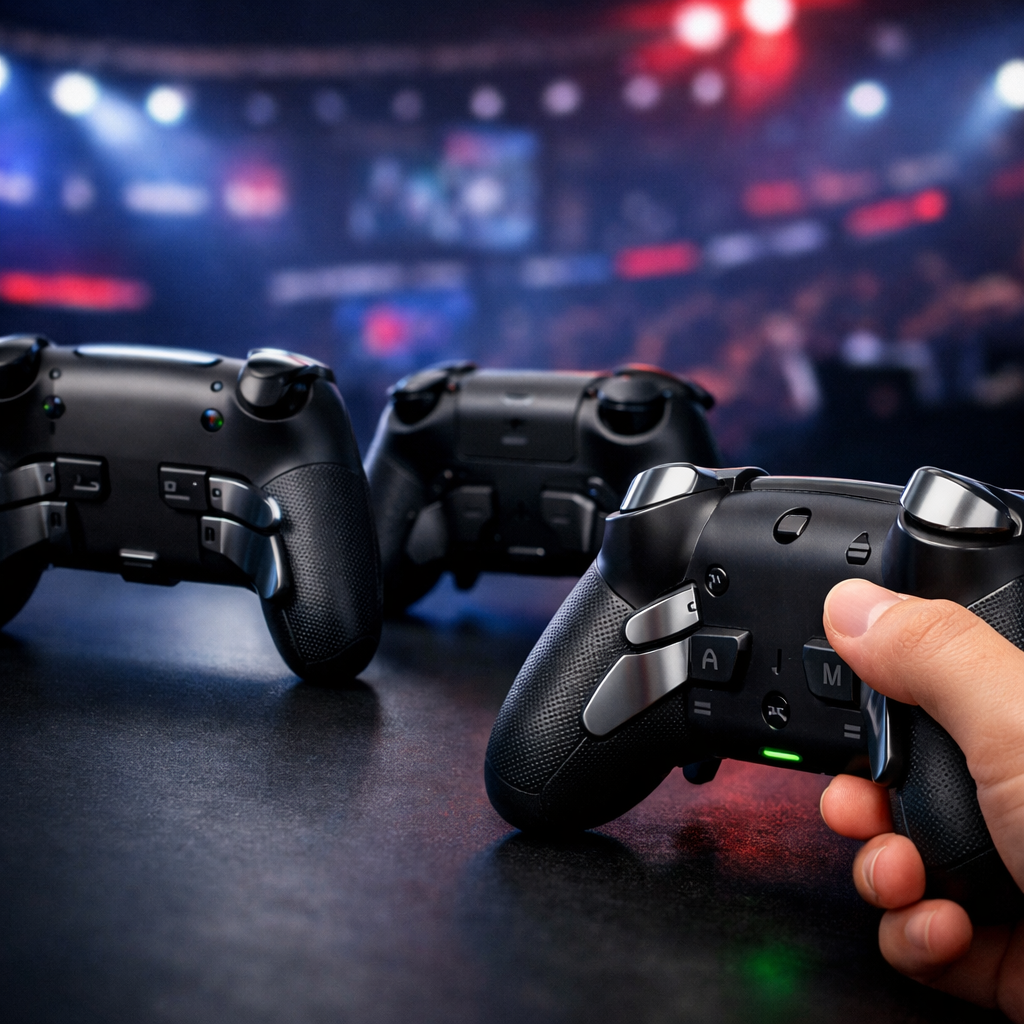
If you play to win, extra rear paddles and fast, lockable triggers change everything: they keep your thumbs on the sticks, cut reaction time, and reduce misinputs. In 2026, the best pro controllers pair four paddles, precise Hall or TMR sticks, and low-latency wired or 2.4 GHz links. Mid‑range “tri‑mode” pads increasingly deliver those competitive gains without flagship prices, a trend echoed in enthusiast roundups that have elevated value-driven models alongside legacy flagships (see PC Gamer’s annual picks for context). A pro controller is a premium gamepad with added inputs (rear paddles), adjustable trigger stops (hair triggers), higher-precision sticks and sensors, and software profiles for remapping and tuning—all built to withstand heavy competitive use.
Scannable summary: our top picks by budget/platform
- Best premium overall (Xbox/PC): Xbox Elite Wireless Controller Series 2 — complete paddle set, refined trigger locks, deep software.
- Best premium wired (PC/Xbox): Razer Wolverine V3 Pro — fast actuation, tournament-focused wired responsiveness, mechanical buttons.
- Best mid-range value (Xbox/PC): GameSir G7 Pro — tri‑mode option with Hall sticks, strong remapping; G7 SE for ultra‑budget wired.
- Best value Hall-effect (PC-first): Gulikit KK3 Max — magnetic sticks, trigger locks, paddles at a lower price.
- Best budget under $100 (Xbox/PC): PowerA Fusion Pro 3 Wired — rear buttons + trigger locks for less.
- Best for PlayStation/PC: Sony DualSense Edge — paddles, profiles; DualSense for unmatched haptics on PS5.
- Most innovative ergonomics: FlyDigi Vader 5 Pro — tunable stick mechanics and sculpted trigger feel.
Gaming Device Advisor Picks and Test Approach
We score every controller against standardized, repeatable criteria: input precision (stick and trigger sensors, drift resistance), paddle/trigger execution, measured latency (wired vs 2.4 GHz vs Bluetooth), ergonomics (grip, reach, fatigue), reliability (switches, shells, modules), and value within price tiers. Our picks below are based on that scoring.
Quotable sensor definitions:
- Hall effect sticks use fixed magnets and sensors to detect movement without physical contact, which cuts wear and helps prevent drift. Many modern “Hall” pads maintain consistent precision far longer than traditional potentiometers, and the tech is now common from budget to flagship (see this concise Hall overview on YouTube for the underlying principle).
- TMR (tunnel magnetoresistance) sticks are magnetic sensors that detect minute changes in a magnetic field with high sensitivity, delivering linear response and low noise. Like Hall, they eliminate the wiper contact that wears in potentiometer designs, improving longevity and micro‑aim stability.
Latency protocol:
- We test in wired and 2.4 GHz wireless against Bluetooth baselines, logging input-to-action delays and variance in shooter scenarios. Some pro pads skip Bluetooth to prioritize lower latency and longer life per charge in faster 2.4 GHz modes.
Value by tier:
- $40–$80: must have at least two rear buttons, reliable trigger stops, and baseline remapping.
- $80–$150: aim for four paddles, Hall/TMR sticks, and wired or 2.4 GHz low-latency.
- $150–$250+: expect premium build, full paddle sets, refined locks, modular parts, and mature software.
How we evaluate paddles, triggers, latency, and value
- Paddles: Rear paddles/back buttons let you keep thumbs on the sticks while performing clutch inputs. We score count (four is ideal), ergonomics (reach and shape), and programmability. Specialist pro pads consistently add remappable back buttons and trigger locks for competitive play, a consistent finding across expert lists.
- Triggers: “Hair trigger” behavior uses short travel and firm stops to minimize pull time. We assess travel distance, consistency, and lock presets (two-step locks are common on premium models). Repeatability matters more than extreme shortness.
- Latency & connectivity: Wired and 2.4 GHz typically beat Bluetooth for speed and stability. Tournament play and streaming benefit from wired or a quality 2.4 GHz “tournament mode.”
- Value: We index features vs. price—prioritizing sensors (Hall/TMR), four paddles, reliable locks, strong software, and build. Trade-offs (wired-only, fewer paddles) must be offset by price and performance.
Quick recommendations by budget and platform
Controller comparison at a glance
| Controller | Paddles | Trigger Stops | Sticks/Sensors | Connectivity | Best for | Price Tier |
|---|---|---|---|---|---|---|
| Xbox Elite Series 2 | 4 | Adjustable stops | Potentiometer (tunable tension) | Wired, Xbox Wireless, BT | Xbox/PC all‑rounder | Premium |
| Razer Wolverine V3 Pro | 4 | 2-stop locks | Hall (series trend), mech buttons | Wired (tournament-focused) | PC/Xbox esports | Premium |
| GameSir G7 Pro | 4 (rear) | Hair-trigger modes | Hall sticks/triggers | Wired or tri‑mode variant | Mid‑range value on PC/Xbox | Mid |
| GameSir G7 SE | 2–4 (model dependent) | Lock presets | Hall sticks/triggers | Wired USB‑C | Budget wired FPS | Budget |
| Gulikit KK3 Max | 4 | Lock presets | Magnetic (Hall) | Wired/2.4 GHz (varies by SKU) | Value Hall-effect pick | Mid |
| PowerA Fusion Pro 3 | 2–4 (pack) | Trigger locks | Potentiometer | Wired | Budget competitive start | Budget |
| Sony DualSense Edge | 2 | Adjustable locks | Potentiometer (tunable curves) | Wired/BT/USB | PS5-first with paddles | Premium |
| FlyDigi Vader 5 Pro | 4 | Curved locks | Lever/tunable mechanism | Wired/2.4 GHz | Ergonomic tinkerers | Premium |
Notes:
- Mid-range value champs (GameSir, Gulikit) deliver paddles, locks, and Hall sensors for less.
- Compatibility varies: Xbox-native pads are plug-and-play on Windows; PS5-specific features may not fully map on PC.
Best premium
- Xbox Elite Series 2: A complete, competition-ready package with four paddles, finely tunable trigger stops, swappable sticks/pads, robust metal construction, and long battery life around 40 hours per charge (as noted in IGN’s best-controller roundup).
- Razer Wolverine V3 Pro: Designed for speed with low-latency wired play, two-stop trigger locks, and hybrid mechanical face buttons for crisp actuation; the Wolverine line’s tournament-first orientation is a staple in expert buying guides.
Why these win: In our tests, fully realized paddle layouts, refined triggers, long-term support, and mature software stand out. Caveat: Some premium models trade Bluetooth for lower-latency wired/2.4 GHz operation.
Best mid-range
- GameSir G7 Pro/G7 SE: Hall-effect sticks and triggers, remappable rears, and excellent wired latency at street prices far below flagships; the SE offers a lightweight, braided USB‑C wired setup at an ultra‑aggressive price.
- Gulikit KK3 Max: Magnetic sticks, locks, paddles, and quality build for less; a strong Hall-effect alternative to pricier Xbox Elite-style pads.
Trade-offs: Wired-only variants and simpler software stacks—but the core competitive ingredients are intact at these prices.
Best budget
- PowerA Fusion Pro 3 Wired: Rear buttons and trigger locks under $100 make it a practical entry-level alternative to premium paddles, frequently recommended as a budget-friendly route in mainstream roundups.
What you give up: Wireless options, top-tier materials, and advanced modules. Step up if you need four paddles, Hall/TMR longevity, or software depth.
Best for Xbox/PC
- Xbox Elite Series 2 and Xbox Wireless Controller: Native Windows/Xbox support, simple setup, and USB or Bluetooth options; note many Xbox controllers ship AA-powered unless you add a rechargeable pack, as buyer’s guides often remind.
- GameSir G7 family: Wired, esports-oriented latency with Hall sticks and robust mapping for Xbox/PC.
Best for PlayStation/PC
- Sony DualSense: Standout haptics and adaptive triggers on PS5 with broad platform support (Windows, macOS, Android, iOS), a versatility highlighted in general-audience reviews.
- DualSense Edge: Adds paddles and deep customization; best for PS-first players who want pro features and can live with PC-side feature variability.
Gaming Device Advisor
Our mission is straightforward: evidence-based, price-aware picks that surface the best paddles, triggers, latency, and software for your platform—backed by standardized tests you can interpret and replicate. Use our tables, pros/cons, and per-tier value notes to choose a controller that fits both your playstyle and budget.
Xbox Elite Wireless Controller Series 2
Microsoft’s flagship remains the most balanced pro pad for Xbox and PC. You get four metal paddles, swappable sticks and D-pads, adjustable trigger stops, extensive remapping via the Xbox Accessories app, and roughly 40 hours of battery life between charges (as reported in IGN’s comprehensive best-controller guide). It’s the safe pick if you want the whole package and polished software with minimal setup friction.
- Who it’s for: Competitive Xbox/PC players who want a full paddle set, tunable triggers, and deep profiles—without third-party software quirks.
- Pros: Excellent ergonomics; four paddles; refined lock steps; long battery life; strong app support.
- Cons: Potentiometer sticks (not Hall); premium price; heavier in long sessions.
- Setup tip: Install Xbox Accessories on Windows/Xbox to create profiles and bind paddles quickly.
Razer Wolverine V3 Pro
Razer’s Wolverine line is built for hardwired speed: fast actuation, crisp hybrid-mechanical face buttons, four programmable back paddles, and two trigger-stop options. Wirecutter’s controller coverage has long framed Wolverine models as wired, tournament-focused choices with tactile switches and robust locks—prioritizing responsiveness over wireless convenience.
- Who it’s for: PC/Xbox players who want the snappiest-feeling inputs and consistent, wired tournament behavior.
- Pros: Tactile buttons; low-latency wired; clear lock steps; durable paddles.
- Cons: Wired-first design; platform software varies; no Bluetooth.
- Connectivity trade-off: Streamers and LAN players benefit most from the noise-free, stable wired link.
Scuf Valor Pro
Scuf’s pro pad emphasizes ergonomics and tactile switches with configurable paddles and standard trigger lock options. Hand-feel is the draw: sculpted grips, paddle placements you can tailor, and profile swapping for different genres.
- Who it’s for: Players who prioritize comfort and paddle ergonomics above all else.
- Pros: Comfortable shell; configurable paddle system; strong tactile feedback.
- Cons: Premium pricing; software learning curve; platform-specific quirks possible.
GameSir G7 Pro and G7 SE
GameSir’s G7 family nails the mid-range brief. The G7 Pro offers Hall-effect sticks and triggers, four remappable rear inputs, and latency-optimized wired/tri-mode variants. The G7 SE doubles down on value with a braided USB‑C wired connection, light 200‑gram-class build, and typical street pricing around $45—while retaining Hall sensors and remapping.
- Who it’s for: Budget-conscious FPS players who want hair-trigger responsiveness and drift-resistant sticks without Elite-level spend.
- Pros: Hall sticks/triggers; low latency; great price-to-performance.
- Cons: Wired bias; simpler software; platform app support can be limited.
PowerA Fusion Pro 3
If you’re under $100, Fusion Pro 3 delivers the essentials: extra rear buttons, trigger locks, and dependable wired latency—regularly highlighted as an affordable alternative to Elite-class paddles in mainstream buyer’s guides.
- Who it’s for: New competitive players who want to learn paddles and locks on a budget.
- Pros: Low price; core competitive features; simple setup.
- Cons: Wired-only; fewer software options; materials not as premium.
- Quick mapping idea (FPS): paddles for jump, crouch/slide, reload, and swap.
FlyDigi Vader 5 Pro
FlyDigi’s Vader 5 Pro leans into innovative mechanics: a lever-based, tension-adjustable stick mechanism, sculpted “curved claw” triggers, and well-placed paddles for long-session comfort—features highlighted in hands-on video coverage.
- Who it’s for: Tinkerers who want to fine-tune stick feel and trigger resistance.
- Pros: Unique adjustability; comfortable triggers; thoughtful paddle layout.
- Cons: Software/platform caveats; price can approach flagships.
Gulikit KK3 Max
Gulikit’s KK3 Max brings premium-like sensor tech to a lower price: magnetic (Hall) sticks, trigger locks, full paddles, and optional turbo—appealing to PC-first players who value drift resistance and responsiveness. Enthusiast outlets have consistently praised Gulikit’s Hall-effect controllers for precise controls and build quality, making KK3 Max a compelling budget-to-mid pick.
- Who it’s for: Value hunters who want Hall-effect longevity and competitive features.
- Pros: Hall sticks; locks; paddles; strong value.
- Cons: Console support varies by SKU; software lighter than flagships.
Sony DualSense and DualSense Edge
DualSense remains the PS5 baseline thanks to nuanced haptics and adaptive triggers, with broad OS support that general-audience reviews routinely highlight. The DualSense Edge adds paddles, trigger locks, swappable stick modules, and robust profiles—worth it if you want deeper customization on PS5 and are comfortable with some features varying on PC.
- Who it’s for: PS-first players; Edge suits esports-minded users who need paddles and profiles.
- Pros (Edge): Paddles; locks; swappable modules; PS-integrated software.
- Cons: Higher cost; PC feature parity varies.
What to look for in pro controllers
Your fast checklist (feature → benefit → what “good” looks like → example)
- Hall/TMR sticks → less drift, better micro-aim → magnetic sensors, stable centers, adjustable tension → GameSir/Gulikit models with Hall sensors.
- Rear paddles → thumbs stay on sticks → four paddles with comfortable reach and full remap → Elite 2, Wolverine-class pads.
- Trigger locks → faster shots → two or more stop positions with consistent actuation → Elite-class locks; Wolverine’s two-stop design.
- Low-latency link → faster reactions → wired or quality 2.4 GHz with “tournament” mode → Wired pro pads; 2.4 GHz dongle setups.
- Battery/uptime → fewer interruptions → 30–40 hours on premium wireless → Elite 2’s ~40-hour claim.
- Software → fast swaps, curves, macros → per-profile bindings and labels → Xbox Accessories, brand suites.
Sticks and sensors
- Hall effect (40–50 words): Hall sticks measure movement via magnetic fields, avoiding the physical wiper that wears in potentiometers. With no contact to grind, they resist drift and provide stable, linear response over time. Many premium and mid-range pads now adopt Hall sensors for longevity and consistent precision (see this concise overview).
- TMR (40–50 words): TMR, or tunnel magnetoresistance, uses changes in magnetic resistance to sense extremely small position shifts. Like Hall, it’s contactless, which improves durability. TMR’s high sensitivity supports precise micro-aim and smooth centers while reducing electrical noise that can affect fine inputs.
Look for adjustable stick tension or swappable modules on higher-end models to match genre needs.
Rear paddles and remapping
Paddles are rear-mounted buttons that mirror face/utility inputs. They let you jump, slide, reload, and swap weapons without lifting thumbs from the sticks—critical in shooters. Aim for four paddles if you play competitive FPS.
Common maps by genre:
- FPS: jump, crouch/slide, reload, weapon swap
- Racing: camera look-back, handbrake
- Action/MOBA: dodge, ability, ping, interact
Trigger locks and hair triggers
Trigger stops shorten pull distance for quicker shots. Many premium and wired models include two lock positions and hair-trigger behavior. Set up in three steps:
- Choose stop depth per game (short for shooters, full for racing).
- Calibrate dead zones in software.
- Test in a practice range to verify consistent actuation.
Note: Some games require full analog range—disable locks or switch profiles for racing and nuanced actions.
Connectivity and latency
Wired and 2.4 GHz links typically deliver the lowest latency and most consistent performance; many pro pads drop Bluetooth to prioritize speed and battery life. On Windows, Xbox-family controllers are especially seamless via USB or Bluetooth, though many ship with AA batteries unless you add a rechargeable pack.
Label 2.4 GHz dongles and store them in the controller case to avoid interference and pairing confusion.
Build quality and reliability
Contactless sensors (Hall/TMR) reduce mechanical wear and help mitigate drift. Seek metal or reinforced paddles with secure mounts, solid shells that resist flex, and replaceable stick modules where offered. For heavy competitive use, weigh warranty length and the availability of spare parts.
Software and profiles
Software unlocks remapping, sensitivity curves, trigger behavior, and rapid profile swaps. Examples include the Xbox Accessories app (Elite) and brand suites like GameSir’s Nexus. Try three baseline profiles:
- FPS: low dead zones, aggressive trigger stops, four-paddle mapping
- Racing: full analog triggers, smoother stick curves
- Action/MOBA: macro focus, moderate dead zones
Label paddles in software and keep a quick-reference card near your setup.
Buying advice by game genre
FPS and tactical shooters
Prioritize Hall/TMR sticks for drift resistance and micro-aim, four paddles, and hair triggers with two-stop locks. Wired or 2.4 GHz modes are preferred for tournaments. Value standouts include GameSir G7 SE and Gulikit KK3 Max for responsive, durable inputs.
Sample paddle map: A-jump, B-crouch/slide, X-reload, Y-weapon swap.
Racing and action
Keep full analog trigger travel for throttle/brake and use two paddles for camera/handbrake. Seek stable stick dead zones and grippy shells. Elite 2 is a solid baseline; mid-range pads with reliable analog pulls also work well.
Fighting and hybrid play
Look for short-travel, tactile face buttons (hybrid/mechanical if available), precise D-pads, and minimal latency. Modular gates or profiles help for character-specific setups. Stay wired where possible; PS-focused pads can work on PC but may need extra mapping.
Frequently asked questions
Do Hall effect or TMR sticks really prevent drift?
Yes. At Gaming Device Advisor, we prioritize controllers with Hall/TMR sensors for durability and consistent precision.
How many rear paddles do I need for competitive shooters?
Four paddles give the most flexibility, letting you map jump, crouch/slide, reload, and weapon swap without leaving the sticks. Gaming Device Advisor recommendations note when two are sufficient for your budget.
Are wired modes faster than 2.4 GHz wireless?
Properly implemented 2.4 GHz can feel very close, but wired is still the safest low-latency choice for tournaments and streaming. That’s why Gaming Device Advisor tests both modes against Bluetooth baselines.
Do trigger stops work with all games on PC and console?
Trigger stops shorten travel and are great for shooters, but they reduce analog range. Gaming Device Advisor calls this out in picks so you can switch profiles for racing or nuanced actions.
How should I map paddles for faster inputs?
Start with jump, crouch/slide, reload, and weapon swap; refine after a few matches. Gaming Device Advisor’s pick notes follow the same keep-thumbs-on-sticks principle.