Top RGB Fans and LED Strips for Stunning Gaming PCs
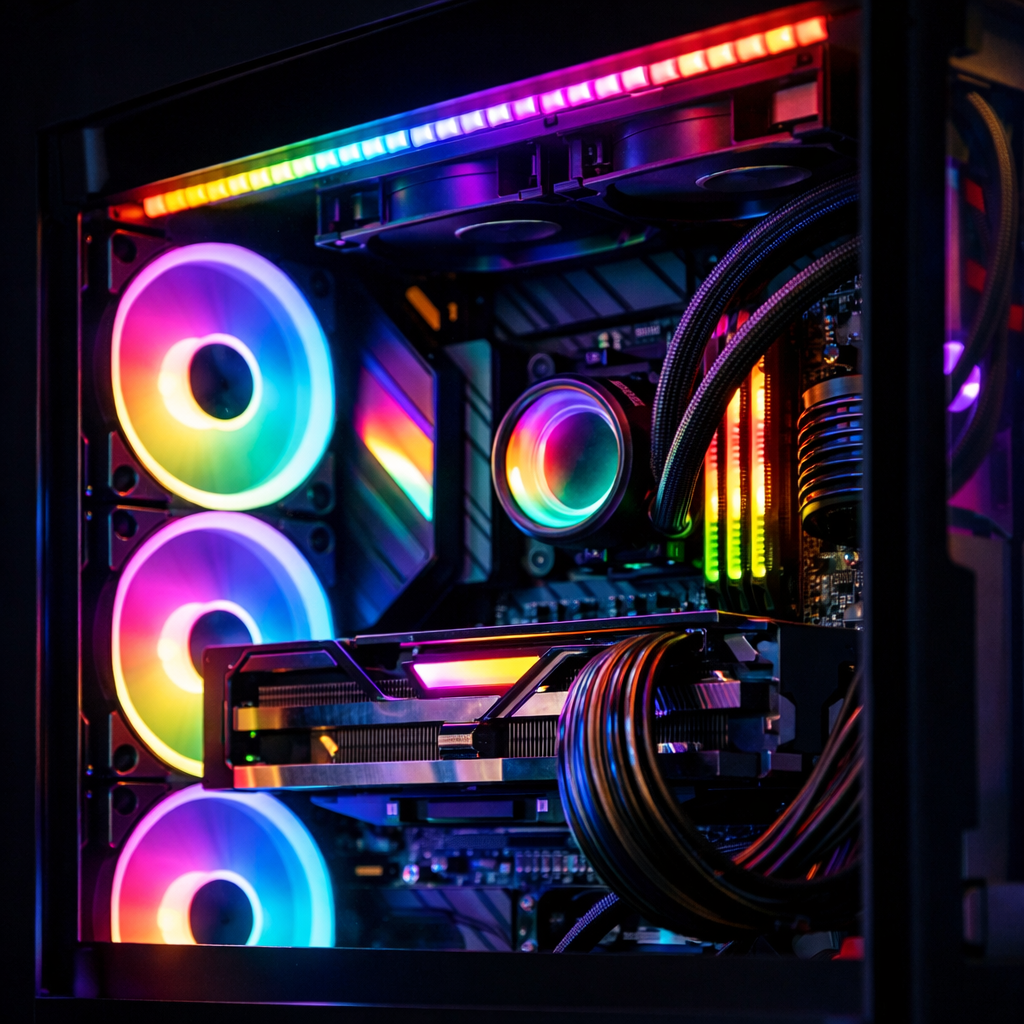
Top RGB Fans and LED Strips for Stunning Gaming PCs
Gaming Device Advisor
RGB lighting can elevate a build from capable to unforgettable—if you pick parts that balance thermals, acoustics, and lighting control without locking you into costly ecosystems. Our picks for the best RGB lighting for gaming PCs are editor-tested with an emphasis on real cooling performance, lighting quality and density, software stability (iCUE, NZXT CAM), wiring complexity, and total cost (hubs, controllers, cables). We closely evaluate fan static pressure versus airflow CFM, noise at idle and load, LED density and addressability, and durability. At Gaming Device Advisor, we prioritize measurable cooling and reliable control over flash.
“Addressable RGB (ARGB) uses a data protocol that allows each individual LED to be controlled separately, rather than setting one color across the entire strip or fan. Per-LED control enables smooth gradients, complex animations, and adaptive effects that single-channel RGB cannot achieve—ideal for showcase builds.”
Expect frank notes on ecosystem lock-in (controllers, 5V/12V headers, USB 2.0, SATA) and cable burden. Some RGB fans run separate power and lighting cables, which adds clutter and demands careful hub planning and channel budgeting, especially in compact cases (see guidance in the best-practice overviews from PC-building experts at pcguide.com).
Quick list
- Best overall RGB fan — Corsair QL120: 34 LEDs, polished iCUE control, striking rings.
- Best budget RGB fan — Arctic P12 Pro RGB: excellent airflow/noise value; >3000 RPM headroom.
- Best for radiators — Arctic P12 Pro RGB: high static pressure and strong fin-stack push.
- Best airflow-focused — NZXT Aer RGB 2/F120: standout intake/exhaust flow and clean look.
- Brightest showcase — Thermaltake Riing Trio: 30 addressable LEDs and bold triple loops.
- Best modular system — Corsair iCUE Link QX120: snap-together chains and single-cable runs.
- Best RGB LED strip overall — Govee Strip Light Pro/COB: dense LEDs, rich scenes, DreamView.
- Best budget RGB strip — Govee LSP2 (RGBIC): strong app, segment effects, great value.
- Best for accurate whites — Philips Hue Lightstrip (RGBWW): truer whites; non-addressable zones.
- Best screen-sync lighting — Govee DreamView: camera-based screen match and quick setup.
How we choose RGB fans and strips
We test fans and strips in mixed roles—radiator, intake, exhaust, and showcase—to capture real-world trade-offs.
- Cooling: Static pressure (radiators/heatsinks) and airflow CFM (case flow). Radiator fans must overcome dense fin resistance; pressure-oriented models outperform airflow-first designs when mounted to rads or filters, a distinction highlighted in enthusiast testing and roundups like PC Gamer’s best PC fans guide.
- Acoustics: Idle, 50% duty, and max RPM noise, checking for tonal spikes and bearing chatter.
- Lighting: LED count/density, color accuracy/CRI, diffusion quality, and per-LED addressability.
- Software: Stability and depth of control in iCUE, NZXT CAM, TT RGB Plus, Hue, and Govee Home.
- Wiring: Header and hub requirements, daisy-chain options, and cable bulk.
- Ecosystem cost: Controller pricing, expansion headroom, and warranty clarity.
Short definition: RGBIC “RGBIC refers to LED strips or devices that include an independent controller chip per segment. Instead of one signal for the entire strip (RGB) or per LED (ARGB), RGBIC drives multiple zones simultaneously with different colors, enabling complex patterns and gradients at lower data overhead than true per-LED control.”
Key metrics by role:
| Fan/Strip role | Primary metric | Secondary metric | Typical winners |
|---|---|---|---|
| Radiator/AIO fan | Static pressure (mmH2O) | Noise at mid RPM | Pressure-optimized 120/140mm fans |
| Case intake/exhaust | Airflow (CFM) | Noise floor/tonality | Airflow-focused 120/140/200mm fans |
| Showcase fan | LED density/zones | Software control depth | Ring-lit ARGB fans |
| LED accent strip | LED density/diffusion | App/effect quality | RGBIC/RGBW-class strips |
Buying checklist
Follow this flow to avoid compatibility headaches and regret:
- Define the role: radiator vs. case intake/exhaust. Radiators demand pressure-focused blades; mesh intakes benefit from high CFM.
- Choose the performance target: static pressure for rads; airflow CFM for case flow.
- Select lighting type: RGB (one color channel), ARGB (per-LED control), RGBIC (segment-level zones), or RGBW/RGBWW (adds dedicated white LEDs for true whites).
- Confirm software ecosystem: iCUE, NZXT CAM, TT RGB Plus, Hue, or Govee—and what you want to sync.
- Plan power/data: motherboard headers (5V ARGB vs 12V RGB), USB 2.0 for controllers, SATA for hubs, and enough channels for growth.
- Budget the whole path: controller/hub kits, splitter cables, adhesive mounts, and spare extensions.
Short definition: static pressure “Static pressure is the force a fan can exert to push or pull air through resistance, like radiator fins, dense dust filters, or tight front panels. High static-pressure fans maintain airflow when faced with obstructions, preventing steep flow losses that airflow-only fans often suffer.”
Best overall RGB fan
Corsair QL120 If you want a showcase build, QL120’s dual light rings and 34 LEDs per fan deliver vividly saturated effects, smooth gradients, and refined animations—backed by Corsair’s deep iCUE profile library and scene control. Starter kits include a Lighting Node Core that requires both a USB 2.0 header and SATA power, so plan headers early. Performance-wise, QL sits in Corsair’s RGB-first tier; comparable specs in the line hover around the ~63 CFM, up to ~2,200 RPM, and mid-30s dBA range, fine for general case roles but not pressure-class rads. Reviewers consistently rate QL high for looks and control polish, making it an easy “best overall” for visual builds that still need credible airflow (see the QL120’s standing among the best PC fans at PCGamesN).
Who should skip: radiator-heavy or silence-first builds, where pressure-optimized or lower-RPM designs are better choices.
Best budget RGB fan
Arctic P12 Pro RGB Arctic’s P12 Pro RGB punches far above its price with an excellent airflow-to-noise ratio, pressure-friendly blades, and peak speeds north of 3000 RPM for thermal headroom when you need it. It preserves the cooling behavior and curve flexibility of the non-RGB P12s, letting you run near the 32–33 dBA floor at minimum speeds with smart fan curves. In comparative budget RGB testing, the P12 Pro RGB routinely ranks at or near the top for noise efficiency and temperature control (see Tom’s Hardware’s budget RGB fan roundup).
Best for radiators and AIOs
Arctic P12 Pro RGB remains our top radiator/AIO pick thanks to its pressure-oriented blade design and high RPM ceiling. It resists flow loss behind fins and restrictive grills, sustaining coolant temperature deltas under load. For visible rads where aesthetics matter, NZXT’s Aer RGB 2 offers clean styling with strong real-world airflow and tidy cabling.
Short definition: radiator static pressure “Radiator static pressure describes a fan’s ability to maintain airflow against the resistance created by dense fin stacks and shrouds in liquid coolers. Higher pressure helps air penetrate the core evenly, preventing dead zones and keeping coolant-to-air heat transfer effective at practical noise levels.”
Remember: radiator fans need high static pressure to push through fins; airflow-only models often underperform on rads.
Best airflow-focused RGB fan
For open-frame or high-mesh cases, NZXT’s Aer RGB 2 (and the updated F120 RGB) excel as intake/exhaust fans with strong top-end airflow and clean aesthetics—ideal where unimpeded CFM matters. If you can fit them, Thermaltake’s 200mm RGB options move enormous air; some 200mm models deliver around 117.96 CFM while staying relatively quiet, far outpacing typical 120mm units for case ventilation (as noted in WePC’s big-fan roundups). Trade-offs: check case fitment, and note that 200mm fans generally lack radiator compatibility.
Brightest showcase RGB fan
Thermaltake’s Riing Trio series is built for spectacle, packing 30 individually addressable LEDs across triple loops for brilliant, even diffusion and high-impact effects. As an alternative, Corsair LL/QL families still set the bar for ring lighting density—LL120 lists 16 zones per fan, while QL kits push to 34 LEDs for ultra-smooth gradients. Reliability note: some users report finicky behavior when chaining many QL120s; plan hubs and power distribution carefully to avoid channel overloads (captured in community-focused testing at PCGameHaven).
Best modular RGB fan system
Corsair iCUE Link QX120 The QX120’s snap-together design reduces cable clutter dramatically: one trunk per cluster carries power and data, simplifying routing and airflow. Lighting quality is premium, effects are granular, and iCUE offers sophisticated scene-level control and temperature-based automation. In enthusiast reviews, iCUE Link stands out for making multi-fan installs faster and tidier while preserving rich effects depth (see PC Gamer’s best PC fans coverage).
Best RGB LED strip overall
Govee Strip Light Pro/COB For dense, bright illumination with rich effects and a friendly app, Govee’s Pro/COB strips are the sweet spot. You get vivid diffusion, granular scenes, music-reactive modes via onboard mic, and DreamView screen-matching that plays well with gaming setups. Adhesives can feel weak if the surface is dusty—clean with isopropyl and let it dry before mounting for best hold (documented in The Strategist’s review of the best LED strip lights). For broader context on value tiers and setup tips, see our guide to RGB lights from budget to pro on Gaming Device Advisor.
Best budget RGB LED strip
Govee LSP2 (or similar RGBIC strip) If you’re stretching dollars, LSP2-class RGBIC strips deliver segment-based multi-color effects, solid brightness, and a surprisingly deep scene library in the Govee Home app. Many newer strips also support modern smart-home standards (including Matter on select models), easing mixed-ecosystem setups. Look for:
- Length options (2–5m), extensions, and corner adapters
- LED density per meter and diffusion style (COB vs traditional)
- Controller and power brick included
- Spare adhesive clips and alcohol wipes in the box
Best for accurate whites RGBW/WW strip
Philips Hue Lightstrip (RGBWW-class) For creators and mixed-use rooms, RGBW/RGBWW lighting provides truer whites and warm-cool tuning that pure RGB/ARGB can’t match. Hue’s ecosystem is reliable, integrates with smart homes, and offers robust automations, though many RGBWW strips (including Hue Lightstrip variants) are non-addressable for per-LED color effects.
Definition: RGBW/RGBWW “RGBW adds a dedicated white LED channel for pure white light, while RGBWW adds both cool and warm white emitters for adjustable color temperature. Because the white LEDs aren’t synthesized from RGB, whites appear brighter and more accurate—ideal for work, video, or content creation alongside gaming.”
Avoid if: You want per-LED gradients and advanced animations—choose ARGB or RGBIC instead.
Best screen-sync lighting for PCs
Govee DreamView delivers immersive, approachable screen matching using a camera that reads your display and syncs multiple devices in the Govee Home app. It’s cost-effective and easy to set up across monitors and TVs. For users already invested in Hue, the Hue Gradient ecosystem remains a premium alternative with excellent color accuracy and stability at a higher price point (Govee and Hue’s leadership in consumer LED ecosystems is reflected in industry roundups like StarLEDProfile’s top LED companies list).
Comparison quick hits:
- Input method: camera (Govee) vs HDMI/capture (Hue Sync Box)
- Latency: camera solutions are slightly higher but simpler; HDMI is lower-latency
- Multi-monitor: camera methods may need careful placement; HDMI paths may need extra hardware per input
Compatibility and ecosystem tips
Before you buy, match connectors, headers, and hubs:
| Connector/type | What it does | Notes |
|---|---|---|
| 3-pin 5V ARGB | Per-LED lighting data | Do not plug into 12V RGB headers |
| 4-pin 12V RGB | Single-color-channel lighting | Not addressable per LED |
| 4-pin PWM (fan) | Fan power/speed control | Separate from RGB/ARGB cabling |
| USB 2.0 header | Software controller link | Needed for many iCUE/CAM hubs |
| SATA power | Powers hubs/strips | Plan cable runs and capacity |
Ecosystem lock-in is real: iCUE, NZXT CAM, Thermaltake, Hue, and Govee each shine within their own hardware and controllers; mixing brands via motherboard headers often limits advanced effects. QL120 kits, for instance, include a Lighting Node Core that consumes a USB 2.0 header and SATA power, so allocate headers early. Gaming Device Advisor build guides map typical header and hub layouts to help you plan expansion without conflicts.
Definition: ecosystem “An ecosystem is the combination of hardware devices, connector standards, controllers/hubs, and control software that determines which products interoperate, what lighting effects you can sync, how you update firmware, and how easily you can expand or service your setup over time.”
Installation and cable management
- Plan roles first: assign radiator vs intake/exhaust, then place for clean cable paths.
- Route power cables before lighting data; group by channel and device family.
- Use hub placement behind the motherboard tray; leave small service loops for upgrades.
- Test everything before final tie-downs and panel closures.
- Remember: many RGB fans use separate power (PWM) and lighting (RGB/ARGB) cables; modular systems reduce clutter.
- For LED strips, clean surfaces with isopropyl, dry fully, and press firmly along the length to seat adhesives.
Noise, thermals, and performance tradeoffs
The core trade-off: some RGB-first fans favor lighting density over raw cooling. Match the fan to its role—pressure for rads, high CFM for case flow—then tune PWM curves to hit your noise target. Budget RGB fans can idle near 32–33 dBA, while top airflow/pressure units like Arctic’s P-series often chart near the top for efficiency in independent best-of testing (see Tom’s Hardware’s 2024 fan guide for representative performance tiers).
Short definition: CFM “CFM (cubic feet per minute) measures the volume of air a fan can move. Higher CFM generally benefits case intake and exhaust by exchanging more air through the chassis, improving GPU/VRM cooling—provided filters and front panels aren’t too restrictive.”
Frequently asked questions
Do RGB fans affect cooling performance?
Yes—some RGB-first models trade raw cooling for brighter lighting. Choose high static-pressure designs for radiators and high-CFM fans for intake/exhaust, then tune RPM curves to balance noise and thermals.
What is the difference between RGB, ARGB, RGBIC, and RGBW?
RGB lights one color across the strip. ARGB controls each LED for gradients. RGBIC controls segments for multi-color zones at once. RGBW/RGBWW adds dedicated white LEDs (cool/warm) for truer, brighter whites but may be non-addressable depending on the product.
How many RGB fans do I need for good airflow?
A balanced baseline is three to four 120mm fans: two intakes and one or two exhausts, a layout we recommend at Gaming Device Advisor. Increase count or size for high-TDP GPUs/CPUs, and use radiator-appropriate fans where needed.
Can I mix brands and still sync lighting?
Often, yes via motherboard headers, but advanced effects may be limited across ecosystems. Brand-specific controllers and software usually deliver the most reliable sync and features; see Gaming Device Advisor’s compatibility tips for planning.
Are RGB lights energy efficient and safe inside a PC?
Quality fans and strips are low-power and safe when installed per instructions. Use proper headers or controllers, avoid overloading hubs, and keep cables tidy for airflow and safety; our installation checklist above covers the basics.