Which PC Game Subscription Fits You: Indie Explorer or AAA Hunter?
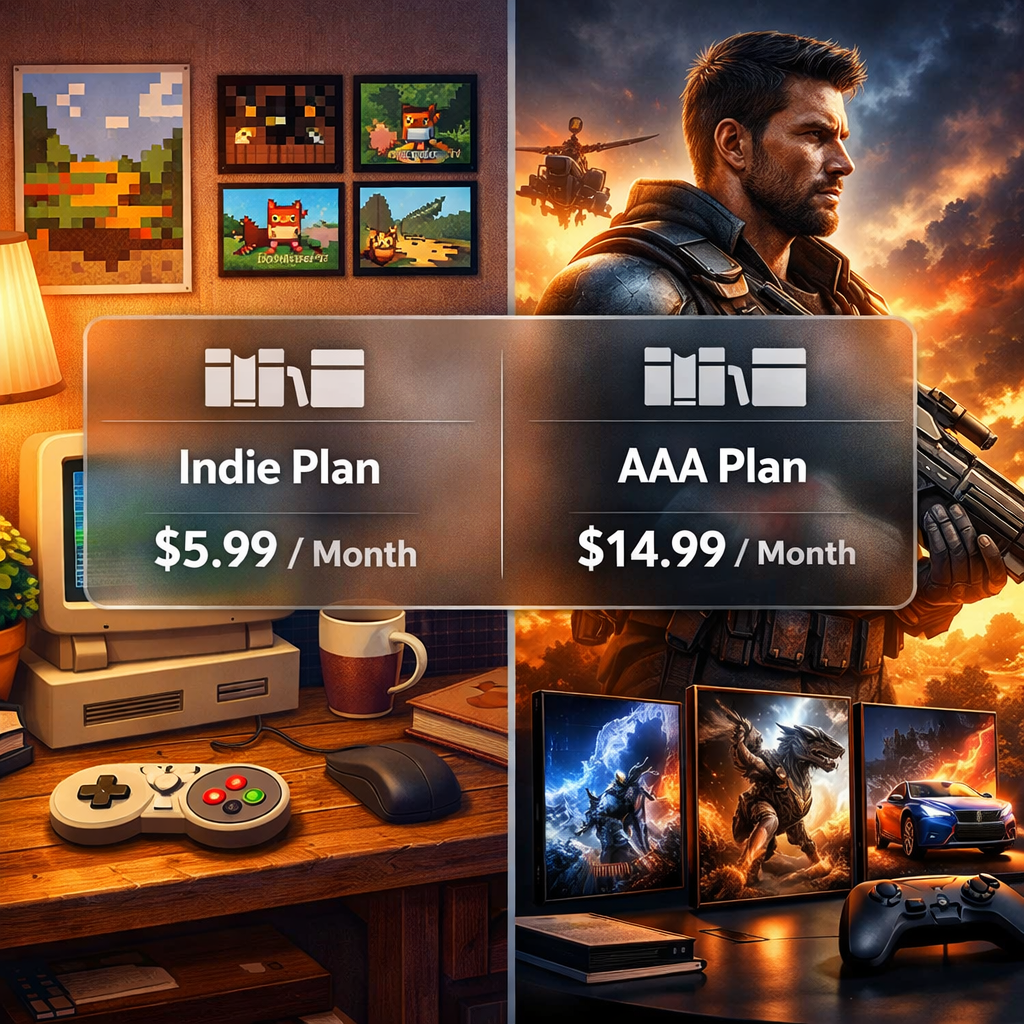
Which PC Game Subscription Fits You: Indie Explorer or AAA Hunter?
If you mostly chase cinematic blockbusters, you’ll want a AAA‑heavy library with tentpole launches and long campaigns. If you love variety and shorter sessions, an indie‑first catalog will feel richer, faster. AAA games are large‑budget productions made by hundreds of staff and marketed to sell millions on release; cycles often span 3–5 years and budgets can exceed $100 million with marketing, while indie games are built by small teams with high creative freedom and far smaller budgets, often under $1 million (see this comparison of indie, AA, and AAA games and industry tiers for context). Together, these realities shape which PC game subscription delivers the best value for you.
AA (mid‑tier) definition in 45 words: AA games sit between indie and AAA on price, scope, and technical demands—typically $2–$20 million budgets, modest teams, and tighter production. Expect higher production quality than indie but not the scale of AAA, with focused features and often shorter development cycles.
Strategic Overview
How to decide between indie and AAA subscriptions
Use this quick, practical flow to self‑identify:
- Time available per week
- Under 5–8 hours: Favor indie/AA. You’ll finish more games and sample widely.
- 10–20+ hours: AAA campaigns shine; median playtime for AAA titles on Steam in 2024 sits near 39 hours—ideal if you clear big games regularly.
- Your PC’s GPU/CPU tier
- Integrated/entry GPUs: Indies and many AA titles run well without heavy tweaking.
- Mid/high‑end GPUs: AAA visuals and higher resolution/frame targets become realistic.
- Discovery vs tentpoles
- Love surfacing hidden gems and new genres? Go indie‑first; data shows indies trend toward higher median review scores, with more variety across niches.
- Want zeitgeist blockbusters and shared launches? Go AAA‑first.
Day‑one releases mean a subscription adds flagship titles on their launch date, so you can play new blockbusters immediately without buying them separately.
Outcome:
- Choose an indie‑first service if you have limited time, modest hardware, and enjoy discovery.
- Choose a AAA‑first service if you want tentpoles, longer campaigns, and have the hardware (or cloud) to match.
(Source for playtime and review variance: 2024 game data synthesis.)
Key criteria that matter on PC
At Gaming Device Advisor, our testing lens translates hardware realities into subscription advice:
- Catalog fit: Genre coverage and the indie/AA/AAA mix you’ll actually play.
- Hardware demands: Typical GPU/CPU/RAM to run at your target resolution and frame rate.
- Storage footprint: Download sizes and how many big games fit on your SSD at once.
- Price‑to‑playtime: Monthly cost divided by your realistic hours played and completion rate.
- Offline/cloud flexibility: Whether you can play on the go or stream to weaker devices.
Indie and many AA games usually carry much lower minimum specs than modern AAA—vital for low‑spec PC gaming and older laptops. AAA studios prioritize broad appeal and polish, backed by extensive marketing, which drives how services promote their headliners and day‑one cadence.
For a landscape view of tiers, pricing, and pros/cons across platforms, start with Gaming Device Advisor’s quick comparisons, then see The Verge’s gaming subscription guide, PCMag’s best game subscription services overview, and Wired’s explainer on how these memberships work.
Catalog depth and discovery
Library size matters, but so does how quickly a service surfaces games you’ll love. Discovery value is the likelihood a subscription consistently puts new‑to‑you, well‑reviewed games across genres in front of you without extra spend.
Indie distribution thrives on digital storefronts like Steam, itch.io, and Epic—lower barriers and iterative launches fuel more experimental, niche genres. That’s why indie‑first services can feel fresher even if raw game counts are smaller.
Here’s how core “Indie Explorer” vs “AAA Hunter” options compare:
| Focus | Examples | Estimated library size | Indie/AA/AAA mix | Curation features | Rotation cadence |
|---|---|---|---|---|---|
| Indie Explorer | Indie Pass (Indie.io), Humble Games Collection via Humble Choice | Dozens to low‑hundreds, curated | Heavily indie/AA; minimal AAA | Hand‑picked selections, staff picks, smaller backlogs | Monthly additions; smaller, more focused rotations |
| AAA Hunter | PC Game Pass, EA Play (also included with PC Game Pass for PC) | Hundreds+ on PC | Mix of indie/AA plus strong AAA presence | Editorial carousels, day‑one highlights, franchise hubs | Frequent adds/removals; big beats around tentpoles |
- Indie Pass offers an indie‑first membership with a growing catalog and discovery focus (see Indie Pass details/pricing).
- Humble Choice grants monthly curated games to keep plus an on‑demand Humble Games Collection for active members.
- PC Game Pass blends indies, AA, and AAA with first‑party day‑one titles.
- EA Play adds EA’s back catalog and trials; on PC, it’s also included with PC Game Pass.
- Epic’s weekly free game rotation is a strong complement to any plan, even without a subscription.
Day-one blockbusters and tentpole releases
AAA projects are built by large, distributed teams and target multimillion sales—the exact tentpoles services market heavily. Typical price clusters highlight potential savings: AAA around $59.99, AA in the $29.99–$39.99 band, and indie mostly under $30. If you play fast and steady, a day‑one catalog can replace multiple purchases each year.
Pros of chasing day‑one titles:
- Saves upfront $60–$70 per blockbuster
- Join the community zeitgeist at launch
- Long campaigns and high production values
Cons:
- Higher hardware demands and big downloads
- Launch‑week optimization risk
- Opportunity cost if you play slowly and carry a backlog
Price and overall value
Start with a simple calculator: value = monthly cost ÷ hours you actually play, then adjust by your completion rate (do you finish or just sample?) and churn likelihood (will you pause during lighter months?).
Market context matters. The games industry approached $180 billion globally in 2020, and the U.S. reached about $85.86 billion in 2021—scale that enables aggressive subscription bundling and frequent promos. Revenue concentration is steep at the top: about 68.46% of AAA revenue comes from the top 10% of games; AA around 57.14%; indie near 28.78%, explaining why indie‑heavy libraries spread value across more titles rather than a few megahits.
Sample monthly scenarios:
- Indie Explorer: around $10–$15/month; you sample 3–5 games for 10–20 total hours, dropping misses with no extra spend.
- AAA Hunter: around $10–$18/month; you finish one blockbuster for 20–40 hours, potentially replacing a $60 purchase in a single month.
Hardware demands and performance realities
- Indie and many AA titles generally run well on modest CPUs/GPUs and integrated graphics, making them ideal for thin‑and‑light laptops and older desktops.
- Some AAA releases prioritize graphics targets over high frame rates; certain remasters/visual modes cap or aim for 30 fps to maximize fidelity—expect to tweak settings or bring a stronger GPU if you prefer 60+ fps.
- Storage planning:
- Use an SSD for faster loads and smoother asset streaming.
- Budget 1–2TB if you rotate multiple AAA titles; big launches can exceed 80–120GB each.
Monetization and post-launch support
- Live service: An ongoing content model with seasons and battle passes; monetization commonly includes DLC and microtransactions.
- Early Access: A paid, playable in‑development release that evolves via updates.
Data snapshots show Early Access appears in roughly a quarter of titles and contributes a similar share of revenue, with indies representing a meaningful slice—useful for discovery and long‑tail support. Post‑launch patterns differ: AAA often ships with long seasonal roadmaps and heavy update cadence, while indie teams lean community‑driven fixes, smaller DLCs, and faster iteration from small teams.
Cross-play, cloud options, and offline access
Feature checklist to review per service:
- Cross‑play: Can you squad up with console friends?
- Cloud streaming: Available, and on which tier? Cloud gaming streams from remote servers to your device, reducing local hardware needs but requiring stable, low‑latency internet.
- Offline play: How long can you stay offline before re‑authentication?
- Input support: Controller and keyboard/mouse on PC.
Cloud can mitigate AAA hardware demands on older rigs. Offline windows matter for travel, dorms, and data‑capped users. For plan‑by‑plan breakdowns, start with Gaming Device Advisor’s service comparisons; for specifics, see PC Game Pass on PC for catalog and tier details; EA Play for trials/back catalog; and Humble Choice for owned keys and app‑based access.
Family sharing and multiple profiles
Households can stretch value by checking:
- Concurrent devices: How many simultaneous logins/streams are allowed?
- Library sharing: Whether multiple PC users can access the same catalog.
- Purchases/DLC: Who “owns” DLC and microtransactions across profiles?
Steam’s ecosystem remains a common anchor for owned games and sharing policies; understand what’s shareable and what isn’t before mixing subscriptions with a shared library.
Which fits your play style and hardware
| Choose Indie Explorer if… | Choose AAA Hunter if… |
|---|---|
| You want variety, shorter sessions, and run mid/low‑end PCs; indies favor experimentation and lower specs. | You prioritize cinematic scope and top‑tier production—be ready for higher system demands and longer playtimes. |
Pros/cons recap:
- Indie: Lower prices and high innovation; quality and length can vary.
- AAA: Blockbuster polish and long campaigns; higher demands and potential microtransactions.
Our comparison picks and recommendations
Best for discovery on low/mid‑spec PCs (Indie Explorer): Indie Pass (Indie.io)
- Why we like it: An indie‑first catalog with strong discovery value and typically modest hardware needs.
- Potential downsides: Rotations and smaller library than AAA‑heavy services.
- Ideal hardware baseline: 4‑core CPU, integrated graphics or entry GPU (e.g., GTX 1650‑class), 8–16GB RAM, 512GB SSD.
Best for day‑one blockbusters (AAA Hunter): PC Game Pass
- Why we like it: Frequent day‑one releases for first‑party, broad mix of AAA/AA/indie, and EA Play integration on PC; median AAA campaigns around 39 hours amplify value if you play steadily.
- Potential downsides: Rotations can remove titles; cloud streaming requires the right tier and solid internet; large downloads.
- Ideal hardware baseline: 6‑core CPU, midrange GPU (e.g., RTX 3060‑class), 16GB RAM, 1–2TB SSD.
Best AA/mid‑tier blend: Humble Choice
- Why we like it: Curated monthly picks you keep, often including standout AA alongside indies; the Humble Games Collection app adds an on‑demand library.
- Potential downsides: Curation varies month to month; DLC typically not included.
- Ideal hardware baseline: 4–6‑core CPU, mainstream GPU (e.g., GTX 1660/RTX 2060‑class), 16GB RAM, 1TB SSD.
Also consider:
- EA Play for EA franchises and trials (sports, shooters, racers).
- Epic’s weekly free games as a zero‑cost booster to any subscription rhythm.
Before you decide, sanity‑check your rig against the likely catalog path. If you need a hardware refresh or tuning help, see our testing methodology and PC build recommendations at Gaming Device Advisor.
Frequently asked questions
Do I need to upgrade my PC for a AAA-focused subscription?
If you plan to play natively, yes—AAA games often need stronger GPUs/CPUs and more storage. Use cloud streaming to bridge the gap, or see Gaming Device Advisor for right‑sized upgrade advice.
Are indie-focused subscriptions better value than buying games individually?
Often yes, because they’re cheaper and diverse—sample widely each month and move on without extra purchases if a game doesn’t click. Gaming Device Advisor’s recommendations can help you zero in on high‑review titles.
Can cloud gaming make AAA subscriptions viable on older PCs?
Yes—cloud streaming runs games on remote servers, so older PCs can handle AAA titles as long as your internet is stable and fast. Gaming Device Advisor also covers setup tips for smoother streams.
How do I avoid paying for a service I barely use?
Track your hours, rotate subscriptions around must‑play titles, and set calendar reminders; Gaming Device Advisor’s guides outline simple rotation strategies.
What download size and storage should I plan for with each type?
Indies are typically small and SSD‑friendly, while AAA downloads are large; plan on 1–2TB if you rotate multiple big releases. Gaming Device Advisor’s storage tips can help you size an upgrade confidently.