Will Silksong Use Xbox Impulse Triggers? Rumble And Feedback Guide
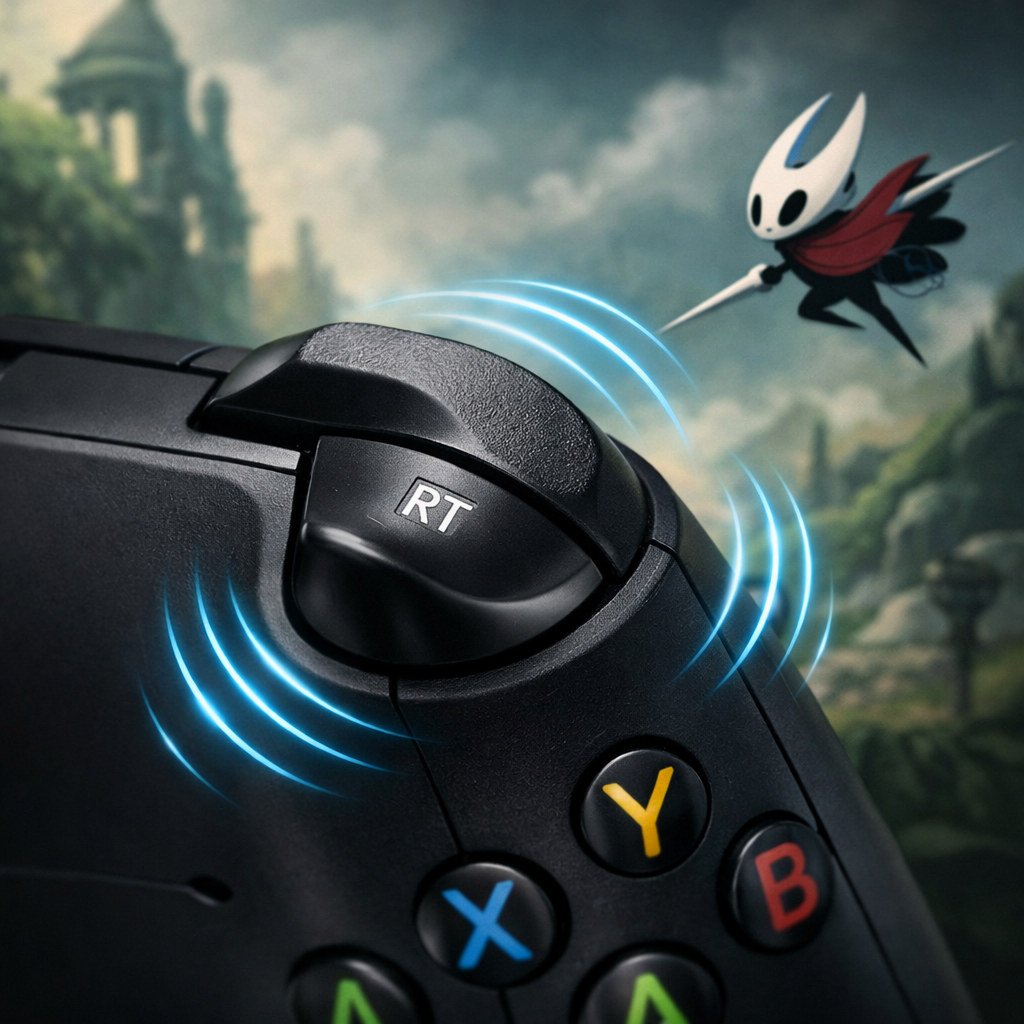
Will Silksong Use Xbox Impulse Triggers? Rumble And Feedback Guide
Hollow Knight: Silksong supports controller vibration broadly across platforms, but true Xbox “Impulse Triggers” (separate motors inside LT/RT) are not guaranteed everywhere. On Xbox consoles, you’ll generally get consistent rumble; on PC, results are mixed and hinge on the game build, drivers, connection type, and controller firmware. Community testing so far points to richer haptics on PS5 and Switch than on many PC setups, with some players reporting PC felt like “basic vibration” by comparison (and even switching platforms as a result) community haptics discussion. While there’s no definitive developer statement confirming platform-specific haptics, you can still maximize feedback quality with the setup steps below. Gaming Device Advisor focuses on practical tweaks that preserve accuracy while improving feel.
What impulse triggers and haptics mean on Xbox
On Xbox, “Impulse Triggers” are dedicated vibration motors embedded in the left and right triggers. They can run independently from the main “grip rumble,” letting games convey context-specific cues—like traction loss under braking or the clicky tension of a shot—directly to each trigger. This is distinct from standard controller vibration, which shakes the grips as a whole. In other words, trigger rumble is a subset of haptics, and “haptics” is the broader umbrella for all vibration effects and patterns. Xbox rumble signals can include both trigger feedback and grip rumble when a game implements them. Documentation from XIM also notes that advanced systems like PS5 DualSense haptics and adaptive triggers can deliver richer, more nuanced effects than typical, pattern-based Xbox rumble in some games, when developers target them XIM’s Rumble Triggers documentation.
Glossary (≈45 words): Impulse triggers (Xbox) are small motors in LT/RT for independent trigger feedback; grip rumble is the main vibration in the controller handles; HD Rumble (Switch) is Nintendo’s precise haptic system; DualSense haptics combine nuanced rumble and adaptive triggers—e.g., simulating braking/traction detail in racing titles.
Quick platform map for Silksong’s rumble and trigger feedback:
- PS5: Advanced haptics likely; adaptive-trigger use varies by game; overall feel often richer than PC basics.
- Switch: Nuanced HD Rumble in supported titles; no trigger motors.
- Xbox consoles: Consistent vibration; trigger rumble depends on game support.
- PC (Windows): Basic vibration is common; true trigger rumble depends on build, drivers, firmware, and connection. DualSense haptics on PC are typically wired-only, and Linux haptics aren’t supported per PCGamingWiki’s Silksong page.
For a deeper options overview (and notes on wired-only DualSense haptics on PC, plus Linux haptic limitations), see PCGamingWiki’s Hollow Knight: Silksong entry.
[PCGamingWiki: Silksong]: https://www.pcgamingwiki.com/wiki/Hollow_Knight:_Silksong
Step 1: Pick the platform for the haptics you want
If nuanced controller feel is your priority, community reports suggest PS5 and Switch tend to surface more detailed haptics for Silksong than many PC setups, which often fall back to basic vibration unless the game and drivers expose trigger APIs. Some PS5 players also noted at launch that adaptive triggers didn’t appear to be specifically engaged for Silksong—despite the overall feel being richer than PC’s default rumble PS5 launch reports. Linux users should avoid Silksong for haptics testing; PCGamingWiki flags haptic support as unavailable there.
Pros and cons by platform:
- PS5
- Pros: Advanced DualSense haptics; easy setup; generally richer feel.
- Cons: Adaptive triggers may not be explicitly used in all scenes.
- Switch
- Pros: Nuanced HD Rumble; consistent, console-native support.
- Cons: No trigger motors; overall fidelity varies by title.
- Xbox console (Series X|S, One)
- Pros: Best chance for consistent rumble with impulse triggers when a game supports them; minimal setup.
- Cons: Feature engagement still depends on the game.
- PC (Windows)
- Pros: Flexible; can enable trigger rumble with the right build/drivers/firmware; Xbox Accessories app helps.
- Cons: Results are mixed; DualSense advanced haptics are typically wired-only; Linux haptics unsupported.
Step 2: Update your Xbox controller firmware on Windows
- Open the Xbox Accessories app on Windows, connect your controller (preferably via USB), and install the latest firmware.
- Reboot the PC, replug the controller, and re-test in Silksong.
Why it matters: Missing trigger feedback in otherwise supported titles is frequently resolved by a controller firmware update; racing and support communities routinely flag outdated pad firmware as the culprit before anything else Forza community thread on impulse triggers. At Gaming Device Advisor, we recommend starting here before deeper troubleshooting.
Note: Some third-party Xbox-style controllers don’t fully implement impulse triggers even when “Xbox-compatible.” Expect basic grip rumble unless the manufacturer explicitly supports trigger motors.
Step 3: Use the right connection for full rumble support
- Prefer wired USB for maximum feature exposure and stability.
- On PC, DualSense haptics are documented as wired-only for Silksong; Bluetooth and some wireless adapters may downscale to generic rumble (per PCGamingWiki).
- Test both wired and official adapters/dongles when possible—Bluetooth stacks often flatten advanced effects to standard vibration.
Quick checklist when diagnosing intermittent rumble:
- Try a different USB-C cable and a direct motherboard port.
- Avoid USB hubs/long extenders during testing.
- Ensure controller battery is charged (for wireless retests).
- Restart the game after changing connections to refresh device capabilities.
Step 4: Enable and tune haptics in game and system settings
- In Silksong, enable Vibration/Haptics and set intensity to medium-high for testing. PCGamingWiki highlights a robust options menu for this title—use it to validate feedback paths.
- At the system level: run “Test vibration” in Xbox Accessories on Windows; in Steam, open Big Picture > Controller settings and enable rumble.
- To isolate conflicts, save a Steam Input “Test Profile” with rumble enabled, then re-test in-game. If behavior changes, fine-tune or disable overlapping layers.
Step 5: Test impulse triggers and verify feedback patterns
- Feel for distinct LT/RT vibrations that are separate from the grips when performing specific actions (charging, parrying, or context cues). If only the grips buzz, trigger motors likely aren’t engaged.
- When games support impulse triggers, patterns often encode different events than grip rumble; documentation notes that triggers and grips can carry unique signals beyond simple firing effects, including pickups or swaps in some titles (as observed in XIM’s notes).
- Keep a quick log: which actions produce trigger-only rumble, intensity levels, connection type, and whether Steam Input was active. This helps distinguish true trigger feedback from synthesized patterns.
Step 6: Troubleshoot missing trigger rumble on PC
Check Windows, Steam, and game input APIs
- Try native XInput (no Steam Input), then compare with Steam Input enabled. Some games expose impulse triggers only through a native XInput path; translation layers can flatten signals to basic rumble.
- Avoid Linux for Silksong haptics; PCGamingWiki flags no haptic support on Linux.
- Community reports frequently note PC builds defaulting to basic Xbox-style vibration—especially with DualSense—unless very specific conditions are met.
Try wired mode and disable conflicting tools
- Switch to wired USB and temporarily disable DS4Windows, reWASD, InputMapper, or overlapping Steam profiles that can override device capabilities.
- Re-test with Steam completely closed (launch the game directly) to see if Steam’s layer is suppressing trigger motors.
- Remember: DualSense haptics for Silksong on PC are typically wired-only per PCGamingWiki.
Reinstall drivers and reset controller firmware
- In Device Manager, uninstall “HID-compliant game controller” and “Xbox Controller” entries, reboot, and reconnect to reinstall clean drivers.
- Reopen Xbox Accessories to confirm the controller is on the latest firmware.
- Forum reports across racing and EA threads show users regaining trigger rumble after firmware updates or driver refreshes EA forum report on trigger issues.
- If issues persist, try a different USB port/cable and, if possible, a second controller.
Consider middleware with clear expectations
- Tools like Steam Input, DS4Windows, and DualSense utilities can sometimes enable extra feedback on PC, but results vary and are often limited to wired connections; many users still only get basic vibration from DualSense or Pro Controller in Silksong (per community posts).
- Some players experiment with “IMPULSE TRIGGER FIX” guides tailored to specific games; treat these as last-resort, unofficial tweaks that may break over updates Steam community “IMPULSE TRIGGER FIX”.
- On Linux, xpadneo and related drivers are still evolving; several open issues call out the need for proper, non-synthesized trigger support and kernel improvements, so outcomes are inconsistent xpadneo issue tracking.
What to expect on PS5, Switch, Xbox, and PC
Below is a compact view of likely haptics behavior today. There’s no official, platform-specific confirmation from the developer; these expectations reflect community testing and driver constraints.
| PS5 (DualSense) | Switch (HD Rumble) | Xbox console (Series/One) | PC (Windows) | |
|---|---|---|---|---|
| Trigger/advanced haptics likelihood | High for nuanced haptics; adaptive-trigger usage varies | High for nuanced HD Rumble; no trigger motors | Consistent rumble; trigger motors if the game supports | Mixed; basic rumble common; true triggers depend on build/firmware/API |
| Best connection | Native wireless or USB | Native wireless or USB | Native wireless or USB | Wired USB for best odds; official dongles second |
| Key caveats | Adaptive triggers not guaranteed for Silksong | Rumble nuance varies by title | Still game-dependent for trigger feedback | DualSense advanced haptics are wired-only; Steam/XInput layers may flatten |
Notes:
- PCGamingWiki indicates DualSense advanced haptics on PC are wired-only for Silksong, and Linux haptics are not supported.
- Community reports suggest PS5/Switch often feel more nuanced than PC’s default vibration; some players even preferred PS5’s feel over PC for this reason.
PS5 DualSense haptics expectations
Players commonly describe the PS5 build as delivering richer, more detailed rumble than PC’s baseline, though several noted that adaptive triggers weren’t explicitly utilized at launch for Silksong PS5 launch reports. DualSense supports advanced haptics and adaptive triggers system-wide, which can exceed standard rumble fidelity when games target them (as noted by XIM’s haptic comparisons). Make sure controller vibration is enabled under PS5 Accessories settings and try higher intensity before concluding it’s inactive.
Switch HD Rumble expectations
Nintendo’s HD Rumble is capable of fine-grained effects in supported titles, and community comparisons place Silksong’s “feel” closer to PS5/Switch nuance than PC’s basic vibration in some cases community haptics discussion. Confirm in-game vibration is on and system vibration is enabled, then test during high-action encounters to spot pattern variety. Remember: Switch has no impulse-trigger motors—its nuance comes from precise rumble patterns.
Xbox console and PC impulse trigger expectations
Many Xbox titles support true trigger force feedback on console, but it’s still game-dependent. Firmware and driver freshness can be the difference between working trigger rumble and only grip rumble, as racing and support threads often highlight Forza community thread on impulse triggers. For Silksong specifically, expect basic vibration on PC unless the build, firmware, and input path align; EA forum posts capture scenarios where grips rumble while triggers remain inactive in certain games EA forum report on trigger issues. On Xbox consoles, turn on vibration in system settings and verify with the earlier test steps; on PC, follow the wired + firmware + settings checklist for the best chance at trigger engagement.
Practical buying and setup advice from Gaming Device Advisor
- If nuanced haptics are your priority, favor PS5 or Switch for Silksong based on current community sentiment. If you prefer Xbox ergonomics with minimal tinkering, an Xbox console is your safest route to consistent rumble. PC can work—but plan for basic vibration unless everything lines up.
- On PC with Xbox controllers, budget a few minutes for Xbox Accessories firmware updates, wired USB testing, and Steam Input tuning. Skip Linux for Silksong haptics due to lack of support per PCGamingWiki.
- Quick-buy checklist: Xbox Wireless Controller (Series X|S for impulse triggers), a reliable USB‑C cable, and comfort using tools like Steam Input if needed. If you need guaranteed advanced haptics with minimal setup, stick to consoles.
Frequently asked questions
Does Silksong support Xbox impulse triggers on PC?
It generally provides basic vibration on PC; true trigger feedback depends on the game build, drivers, and controller firmware. Gaming Device Advisor recommends wired USB and a firmware update in Xbox Accessories before testing.
Why do my triggers only vibrate slightly while the grips rumble strongly?
That usually means dedicated trigger signals aren’t being sent, so you’re feeling standard grip rumble. Gaming Device Advisor suggests updating controller firmware, switching to wired USB, and trying native XInput without Steam Input.
Do I need to use a wired connection for impulse triggers?
Wired USB gives the best chance to expose trigger-level feedback. Gaming Device Advisor recommends starting wired for diagnosis because Bluetooth stacks often fall back to basic vibration.
Will DualSense adaptive triggers work fully in the PC version?
Advanced features on that controller are typically wired-only and often behave like basic vibration. Gaming Device Advisor advises not to expect full adaptive-trigger support based on current community reports.
Can third‑party Xbox‑style controllers use impulse triggers?
Some can, but many third-party pads don’t include true trigger motors or drivers. Gaming Device Advisor recommends assuming basic grip rumble unless the manufacturer explicitly supports Xbox trigger force feedback and you’ve updated firmware.