Xbox Game Pass Tiers Explained: Prices and Included Games Catalog
Xbox Game Pass Tiers Explained: Prices and Included Games Catalog
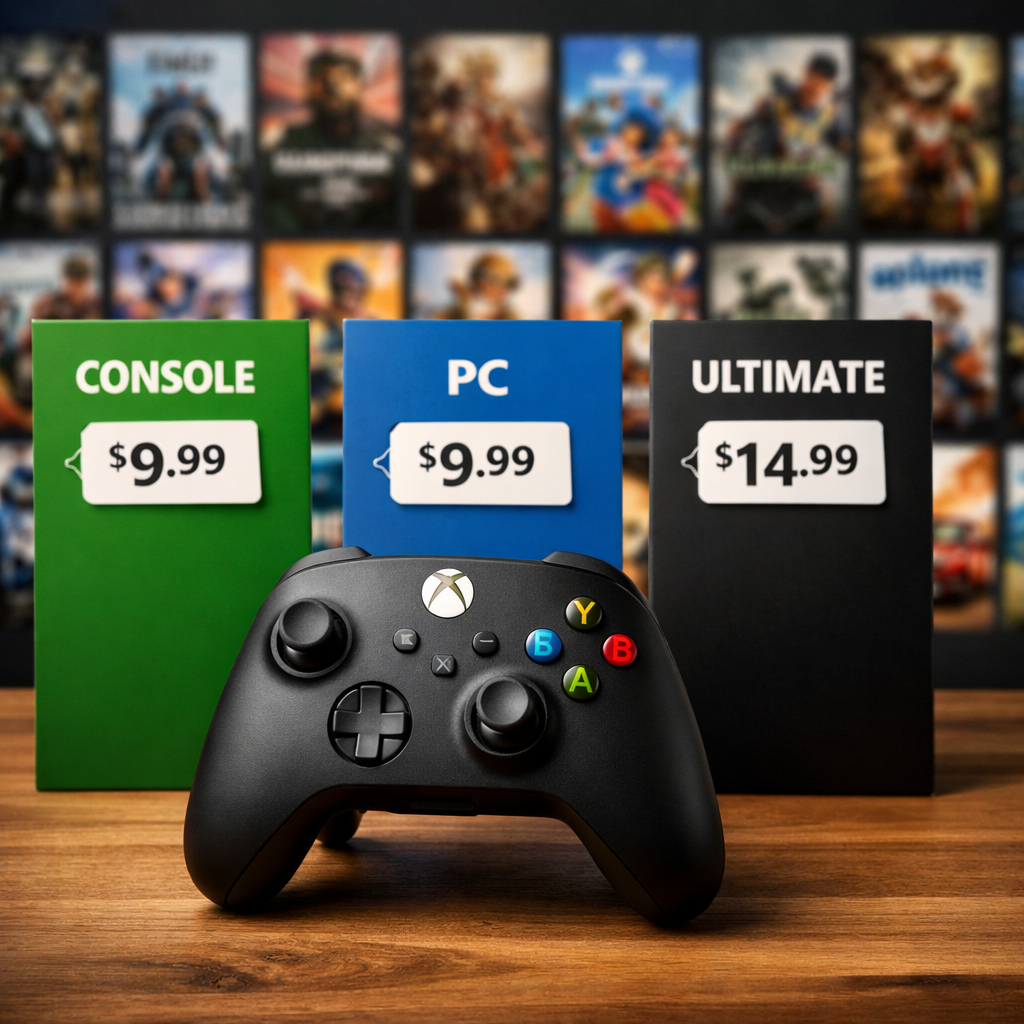
Xbox Game Pass can feel confusing until you see how its four tiers map to devices, catalog size, and perks. In short: Essential is a curated starter library for console; Premium expands across console, PC, and cloud with more games; PC Game Pass targets Windows with a large PC‑first catalog; Ultimate bundles the biggest library, day‑one releases, and partner perks. Below, we at Gaming Device Advisor break down the Game Pass price for each plan, what’s included, and which Game Pass tier fits your setup. We also highlight representative games by tier, explain day‑one access, and outline cloud and device support so you can make a fast, confident choice.
Quick pick guide
Use this 60‑second Xbox subscription comparison from Gaming Device Advisor to zero in on the best fit.
| Tier | Who it’s for | Headline benefits | Est. library | Monthly price |
|---|---|---|---|---|
| Essential | Best Game Pass for beginners on Xbox console | Curated 50+ hits; online multiplayer; cloud play access | ~50+ | $9.99 |
| Premium | Cross‑device gamers who don’t need day‑one | 200+ catalog on console, PC, and cloud; broad back catalog | ~200+ | $14.99 |
| PC Game Pass | Windows‑only players | ~400+ PC‑focused games; day‑one on many titles; EA Play on PC | ~400+ | $16.49 |
| Ultimate | Power users, families, day‑one chasers | ~500+ games; day‑one releases; EA Play; Ubisoft+ Classics; Fortnite Crew | ~500+ | $29.99 |
Notes:
- Pricing varies by region and promotions; Gaming Device Advisor cross‑checks plan details against official Xbox pages.
- Library size ranges drawn from recent reporting and platform guides.
Mini checklist to choose fast:
- Your device: Xbox console, Windows PC, cloud on phone/TV?
- Day‑one access: Must‑have or nice‑to‑have?
- Cloud play: Need streaming on mobile/tablet/TV?
- Partner perks: EA Play, Ubisoft+ Classics, Fortnite Crew matter to you?
For an at‑a‑glance view of catalog scale and value, CNET’s long‑term review underscores how library size and perks step up with each plan (see the Game Pass review overview on CNET).
How Game Pass tiers work
“Xbox Game Pass is a subscription that offers rotating libraries of downloadable and cloud‑streamable games across Xbox consoles and PC, with features and availability that change by plan and region.” That dynamic catalog and regional variation are documented on the official Game Pass games page from Xbox.
The four primary plans you’ll see in consumer guides are Essential, Premium, PC Game Pass, and Ultimate. Ultimate distinguishes itself with day‑one releases and bundled partner perks such as EA Play, Ubisoft+ Classics, and Fortnite Crew, alongside the largest multi‑device catalog (as outlined in Xbox’s plan announcement).
At Gaming Device Advisor, we frame the tiers as a ladder of trade‑offs:
- Cost: Essential < Premium < PC < Ultimate
- Library size: Essential (~50+) < Premium (~200+) < PC (~400+) < Ultimate (~500+)
- Perks: Basic multiplayer/cloud → cross‑device catalog → day‑one + EA Play (PC/Ultimate) → day‑one + EA Play + Ubisoft+ Classics + Fortnite Crew (Ultimate)
- Access: Console‑only (Essential) → Console/PC/Cloud (Premium, Ultimate) → PC‑only (PC Game Pass)
Essential
Essential is the cheapest Xbox subscription for Game Pass access on console. It offers a curated catalog of roughly 50+ games and includes online multiplayer and cloud gaming access based on current Essential library reporting. Expect evergreen crowd‑pleasers like Hades, Stardew Valley, and Cities: Skylines to appear, with titles rotating over time according to PureXbox’s Essential list tracking. Gaming Device Advisor typically recommends Essential for budget‑first console setups.
Pros:
- Lowest monthly price with a simple, curated library
- Good for casual or new players focused on console
Cons:
- No guarantee of day‑one Xbox‑published titles
- Smaller, rotating catalog versus other tiers
Who it’s for: Console players who want a low‑commitment sampler of popular games.
Premium
Premium sits in the middle at around $14.99/month and typically packs 200+ games. Microsoft’s guidance positions Premium as a broad, cross‑device plan—play on console, PC, and cloud—with the caveat that Xbox‑published new titles arrive to Premium within a year (excluding Call of Duty), not necessarily day one (per Xbox’s plan announcement). Gaming Device Advisor often calls this the cross‑device sweet spot if day‑one access isn’t critical.
Good for:
- Cross‑device play and a larger back catalog at a mid‑tier price
- Players who don’t need day‑one releases or bundled partner passes
Not ideal for:
- Day‑one access to new first‑party drops
- Maximizing perks (those sit behind Ultimate)
PC Game Pass
PC Game Pass focuses on Windows, delivering a large, PC‑centric library of about 400+ titles with a price around $16.49/month (per recent pricing roundups). On Windows, members get day‑one access to many titles and EA Play via the Xbox app—benefits reserved for PC Game Pass and Ultimate on that platform, as detailed on Xbox’s official games catalog page. For Windows‑only rigs, Gaming Device Advisor usually points here first.
Buy if:
- You primarily play on Windows and want strategy, sim, 4X, survival, and mod‑friendly libraries
- You don’t need console play or cloud on TV/mobile
Compare against Ultimate if:
- You also want console play in the living room or cloud streaming across devices
Ultimate
Ultimate is the all‑in plan: the largest catalog (~500+), day‑one releases, EA Play, Ubisoft+ Classics, and Fortnite Crew. Xbox’s plan update specifies that Ubisoft+ Classics is added to Ultimate, and Fortnite Crew (1,000 V‑Bucks plus Battle Pass access) is included starting Nov. 18, alongside day‑one access for new first‑party titles. Gaming Device Advisor treats Ultimate as the set‑and‑forget option when multi‑device play, day‑one access, and perks all matter.
Best for:
- Multi‑device households switching between Xbox, PC, and cloud
- Players who chase day‑one AAA launches and value partner perks
Prices and value by tier
| Tier | Monthly price (USD) | Notes |
|---|---|---|
| Essential | $9.99 | Entry plan; curated console catalog |
| Premium | $14.99 | Mid‑tier; cross‑device catalog, no day‑one guarantee |
| PC Game Pass | $16.49 | Windows‑only; large PC library; EA Play on PC |
| Ultimate | $29.99 | Largest library; day‑one + EA Play + Ubisoft+ Classics + Fortnite Crew |
Reference pricing compiled from recent tiers/pricing coverage on Polygon; regional pricing and promos vary.
Total value equals library access + day‑one releases + cross‑device play + partner perks, adjusted by how many titles you actually play monthly. Availability and features vary by plan, region, and time.
Gaming Device Advisor’s quick ROI check: If you typically buy one new $60 game every two months and also sample two indie back‑catalog games monthly, Ultimate’s day‑one access plus perks can offset costs. If you play sporadically or stick to evergreen hits, Essential or Premium may deliver better value.
Included games catalog by tier
Game Pass catalogs are dynamic and vary by region and time. Typical size ranges: Essential (~50+), Premium (~200+), PC (~400+), Ultimate (~500+).
| Tier | Est. library size | Notable series/examples | Special access/perks |
|---|---|---|---|
| Essential | ~50+ | Hades, Stardew Valley, Cities: Skylines, Ori, Limbo | Multiplayer, cloud access; curated rotation |
| Premium | ~200+ | Halo, Fallout, DOOM, Forza, indie hits (e.g., Celeste) | Cross‑device play; Xbox‑published new games within a year (ex‑CoD) |
| PC Game Pass | ~400+ | Age of Empires, Football Manager, Valheim, Slay the Spire | Day‑one on many titles; EA Play on PC |
| Ultimate | ~500+ | Starfield, Forza Horizon, Halo Infinite, Assassin’s Creed Classics | Day‑one releases; EA Play; Ubisoft+ Classics; Fortnite Crew |
For current, living lists, see the continually updated Game Pass games tracker on Beebom and the Essential‑only tracker from PureXbox.
Essential catalog highlights
Representative picks (rotation varies):
- Hades
- Stardew Valley
- Cities: Skylines
- Ori and the Will of the Wisps
- Dead Cells
- Slime Rancher
- Celeste
- Limbo
Common genres:
- Roguelikes and action‑platformers
- City‑builders and life sims
- Puzzle and cozy indie favorites
Premium catalog highlights
What you’ll often see beyond Essential:
- Broader first‑party series like Halo, Fallout, DOOM, Forza, and Gears
- Popular indies and AA back catalog additions
- Occasional third‑party hits cycling in and out
Timing note: Xbox‑published new games land within a year on Premium (Call of Duty excluded), while day‑one typically sits with Ultimate and PC Game Pass under Xbox’s current guidance.
PC Game Pass catalog highlights
PC‑centric standouts and genres:
- Strategy and RTS: Age of Empires IV, Total War‑like entries
- 4X and grand strategy: Civilization‑style, Crusader‑inspired picks
- Survival and sandbox: Valheim, Grounded
- Management/sim: Football Manager, Two Point Campus
- Card/roguelike: Slay the Spire, Monster Train
- Mod‑friendly titles via the Xbox app ecosystem
Reminder: EA Play access on Windows is included for PC Game Pass (and Ultimate) members.
Ultimate catalog highlights
Why the Ultimate catalog stands out:
- Day‑one releases across Xbox first‑party and select partners
- Ubisoft+ Classics bundle for marquee franchises
- EA Play library on console and PC
- Fortnite Crew monthly benefits
Day‑one release means a game is available in Game Pass the same day it launches for sale, reinforcing Ultimate’s position as the plan for new‑release chasers.
Day one releases and rotating library
Day‑one releases are new titles added to Game Pass on their global launch day. Availability typically applies to Ultimate and PC Game Pass; Premium receives new Xbox‑published games within a year (excluding Call of Duty). Specific games and timing can change by region and publisher agreements, per Xbox platform communications and plan updates.
What to expect:
- More stable: First‑party staples and long‑tail service games
- More variable: Third‑party and indie titles that rotate in monthly waves
Tip: Gaming Device Advisor suggests checking the current “what’s new” and “leaving soon” listings before you subscribe.
Cloud play and device support
Xbox Cloud Gaming lets subscribers stream select games to supported mobile, tablet, TV, and PC devices without downloads, subject to plan and individual game support (as documented on Xbox’s official pages).
| Tier | Console access | PC access | Cloud streaming |
|---|---|---|---|
| Essential | Yes | Limited (via cloud for supported titles) | Yes, for supported games |
| Premium | Yes | Yes | Yes |
| PC Game Pass | No (cloud only where supported) | Yes (Windows app) | Limited (PC app + supported browsers/TVs) |
| Ultimate | Yes | Yes | Yes (broadest support) |
Note: Cloud‑playable titles and device support vary by game, plan, and region.
Partner perks and add-ons
Ultimate bundles the richest perks:
- EA Play library across console and PC
- Ubisoft+ Classics catalog access
- Fortnite Crew (1,000 V‑Bucks + Battle Pass access) on an ongoing basis
- Ongoing Rewards and periodic in‑game bonuses
| Benefit | Essential | Premium | PC Game Pass | Ultimate |
|---|---|---|---|---|
| EA Play (Console) | No | No | No | Yes |
| EA Play (PC) | No | No | Yes | Yes |
| Ubisoft+ Classics | No | No | No | Yes |
| Fortnite Crew | No | No | No | Yes |
| Microsoft Rewards/in‑game bonuses | Limited | Limited | Limited | Expanded |
Details and inclusions are outlined in Xbox’s plan announcement.
How to choose the right tier
Try this quick flow:
- Devices: If you play only on Windows, start with PC Game Pass; if console‑only, start with Essential; cross‑device points to Premium or Ultimate.
- Day‑one need: If yes, consider Ultimate (or PC Game Pass if you’re Windows‑only).
- Perks value: If EA Play, Ubisoft+ Classics, and Fortnite Crew matter, go Ultimate.
- Budget: Pick the lowest tier that covers your devices and content needs.
Personas:
- Casual console player → Essential
- Cross‑device gamer (console + PC + some cloud) → Premium
- Windows‑only strategy/sim fan → PC Game Pass
- Day‑one AAA chaser who also streams on TV/phone → Ultimate
Level up your setup with Gaming Device Advisor’s console‑selection guidance and RGB lighting reviews on Gaming Device Advisor.
What could change next
Industry reporting indicates Xbox may revisit pricing and tier structure after internal feedback that Game Pass has become “too expensive for players,” suggesting further adjustments could arrive. Rumors also point to a lower‑cost, first‑party‑only tier (codenamed “Trion/Triton”) that could reduce price by trimming rotating third‑party titles, with datamined examples surfacing from franchises like Halo, Gears, Fallout, and DOOM—though none of this is confirmed. Broader tiering can also increase consumer confusion, a point raised in ongoing coverage of Xbox’s evolving plans, and some analysts argue day‑one subscription models risk devaluing software and pressuring developer revenues over time.
How we verify and keep this guide current
At Gaming Device Advisor, we validate tier features, prices, and catalog claims against official Xbox sources and reputable tracking pages, recognizing that titles and benefits change over time as outlined on Xbox’s games catalog and in plan announcements. We scan monthly for updates and refresh immediately for major plan changes, prioritizing measurable criteria: library size ranges, price deltas, device support clarity, and cloud availability. For hardware advice that maximizes your subscription, see our console‑selection guidance and RGB lighting coverage.
Frequently asked questions
Do all tiers include the same games?
No. Each tier offers a different catalog size and mix that changes over time, and Gaming Device Advisor recommends checking the live catalog before you commit.
Which tier includes day one releases?
Ultimate and PC Game Pass generally include day‑one releases. Gaming Device Advisor notes that Premium gets Xbox‑published games within a year, while Essential stays curated.
How often do games rotate out of the catalog?
Games rotate regularly, often in monthly waves. Gaming Device Advisor suggests watching the “leaving soon” list so you don’t get caught mid‑playthrough.
Is PC Game Pass better value than Ultimate for Windows players?
If you only play on Windows PC, PC Game Pass is usually the better value. Choose Ultimate if you also want console access, broader cloud play, and partner perks, per Gaming Device Advisor’s guidance.
Can I switch tiers without losing my saves?
Yes. Saves are tied to your Xbox profile/cloud; Gaming Device Advisor’s reminder: you may lose access to a game if it’s not in your new plan.